21
2.3 WWAN Setting
1. Turn off the DR6 to insert the SIM card.
Note :
For the instruction, please refer to 1.4.1 Inserting the Micro SD/Nano SIM Card
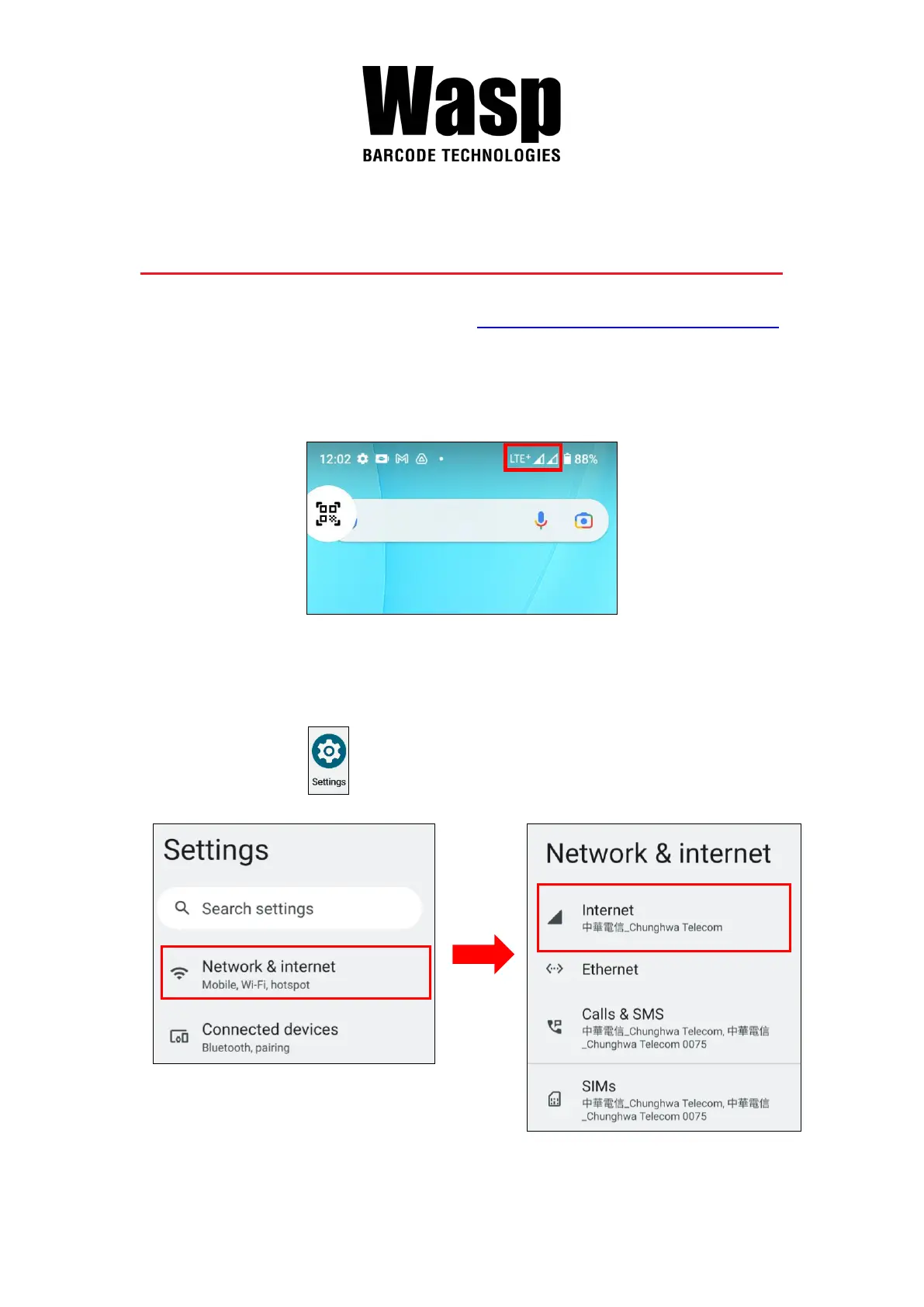
2. Turn on the DR6, LTE signal will show at the top of the screen.
2.3.1 Mobile Network Settings
1. On the main screen, scroll the screen from bottom to top to reach the
APPS, and tap Settings and then tap Network & internet.


 To Next Page