58
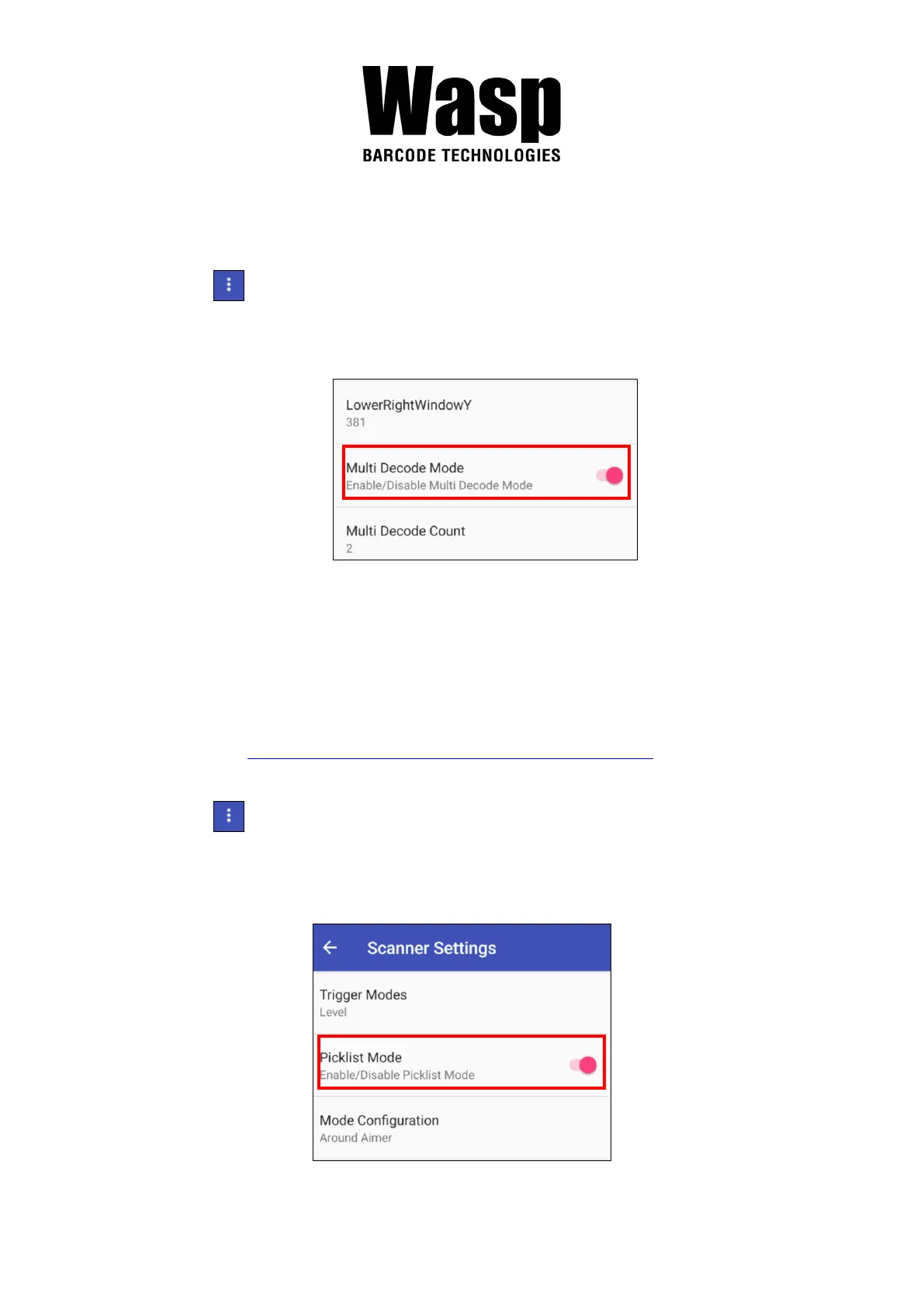
3.1.2 Multi Decode Scan Mode
Multi decode scan function allows users to scan multiple barcodes at once.
1. Tap , Choose Scanner Settings
2. Enable Multi Decode Mode, and input the barcode decode count (up to 10
counts) and start multi decode scan.
3.1.3 Picklist Mode
Picklist mode enables DR6 to decode only barcodes that are aligned under
the laser crosshair or LED aiming dot.
For picklist mode demonstration, please click on our Youtube channel for more
information : https://www.youtube.com/watch?v=QjT2E6hxD_k
1. Tap , Choose Scanner Settings
2. Enable Picklist Mode, and allows users to easily select and scan a single
or specific barcode from a field of barcodes.


 To Next Page