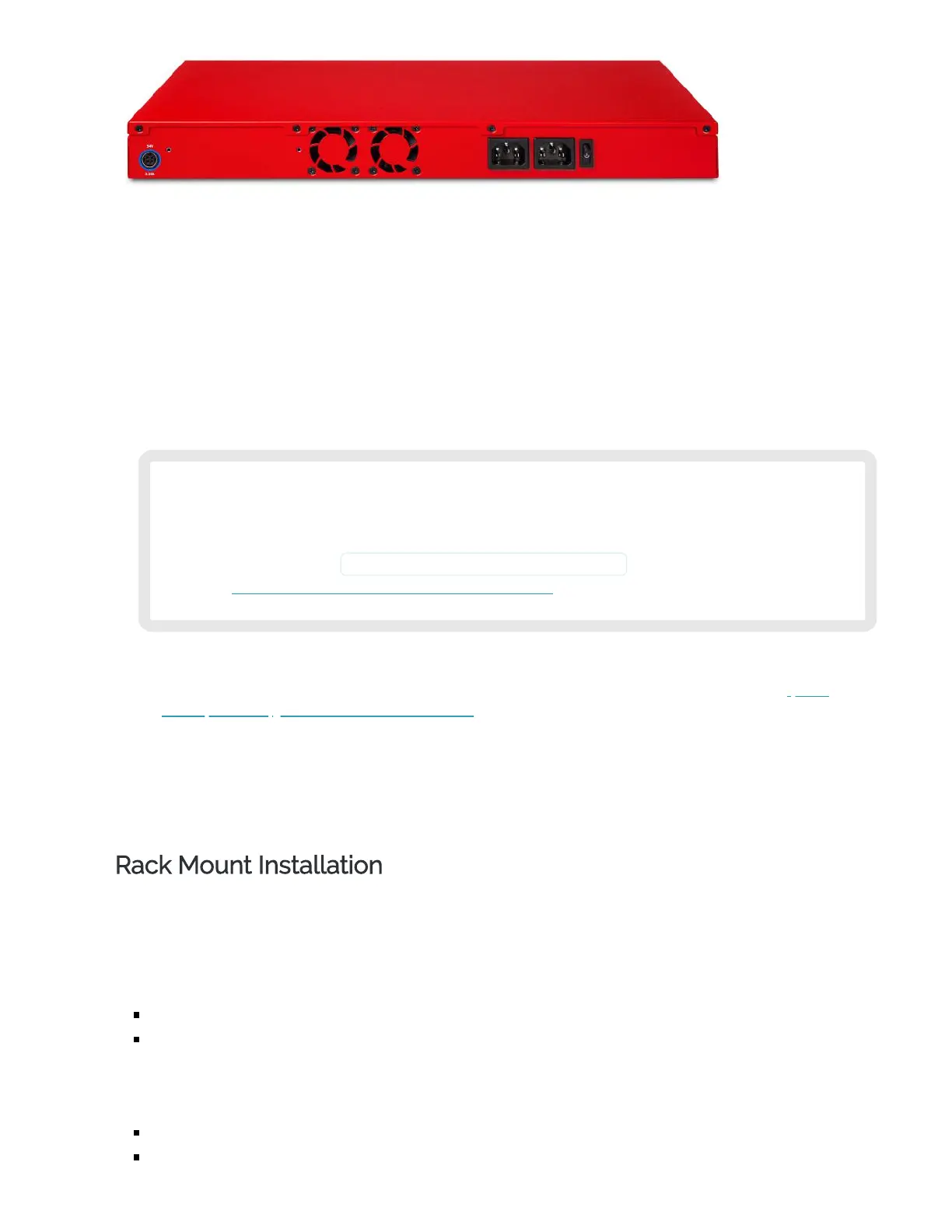
Cooling fans
The fans decrease the internal temperature of the device. The fans start at maximum RPM when
the Firebox is powered on. The device adjusts the fan speed based on the external temperature
and device CPU load.
AC receptacles
Each AC receptacle on the Firebox accepts a detachable AC power cord supplied with the Firebox.
M290 and M390 devices have a standard auto-sensing AC power supply.
M590 and M690 devices have dual auto-sensing AC power supplies. An audible alarm indicates if
power is unavailable or if a power supply does not function correctly.
We recommend you connect both power supplies on the M590 and M690 to power for
redundancy. If only one power supply is connected, an audible alarm will indicate that
power is unavailable on the disconnected power supply. You can temporarily disable
this alarm until the next reboot from the Fireware Command Line Interface (CLI) with
the command diagnose hardware dualpoweralarm off . For more information, see the
Fireware Command Line Interface Reference.
PoE power receptacle (for module use)
M590 and M690 devices have a receptacle that accepts 54V DC power for use with the 4 Port
Multispeed RJ45 Interface Module with PoE.
You can use the optional 54V power supply to provide PoE power to the module ports:WG8034
(US), WG8035 (EU), WG8036 (UK), WG8037 (AU)
Power switch
Controls the power supplied to the Firebox.
Rack Mount Installation
You can use either the included front ear brackets or the rack rail kit to install your Firebox in a network
rack.
Your Firebox ships with two front ear brackets.
The included front ear bracket kit includes:
2 long front ear brackets
8 small screws
A rack rail kit is available separately. The WatchGuard part number for the rail kit is WG8596.
The rack rail kit includes:
2 sliding rails
6 small screws and 8 large screws


 To Next Page