I pg 04
Filling the Filter Media
1. Before lling the lter media into the lter vessel, do a visual check of the laterals. Look for broken or
loose laterals. Replace if necessary.
2. To eliminate stress on the laterals, ll the lter vessel half full of water to provide a cushioning effect
when the lter media is poured in.
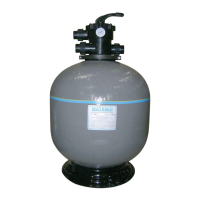
3. (a) Top Mount Fibreglass Filters - Top Mount Fibreglass Filters are supplied with a perforated
plastic locator, which centers the stem and prevents media from entering the stem pipe. Place the
perforated plastic locator on the centre stem of the lter and carefully pour in the lter media via the
perforated holes of the plastic locator. Remove the plastic locator once completed.
NOTE: If a template is not provided or is lost you must center the stem and cover the stem opening
to prevent non-alignment and media entering the stem pipe.
(b) Side Mount Fibreglass Filters (SM600) – Remove the top diffuser from the internal diffuser pipe
and place the exible air relief tube to the side, out of the way, inside the lter vessel. Cap the internal
diffuser pipe with the lter media shield provided to prevent lter media from entering it. DO NOT
MOVE DIFFUSER PIPE as this can affect the integrity of the bulkhead seal.
NOTE: The above instructions do not apply to Sidemount Fibreglass Filters larger than SM600 lters.
Any lter media entering the diffusers will be removed during normal operation.
4. Wash all the lter media and debris away from the threads and sealing surfaces of the lter vessel.
5. Lubricate the o-ring or gasket (bolt down type) MPV and thread to the lter.
Lubricant should be silicon based and not petrochemical based.
6. Thread the Multiport Valve or Top Cap onto the lter tank and hand tighten.
Waterco Fibreglass Filters


 To Next Page