EasyManua.ls Logo

WaterSoft Provectr Plus AF10AC-3 - User Manual

WaterSoft Provectr Plus AF10AC-3
24 pages
Print Icon
To Next Page IconTo Next Page
Loading...
Provectr Plus
Installation / Operation Manual

Questions and Answers

Summary

Provectr Plus Specifications

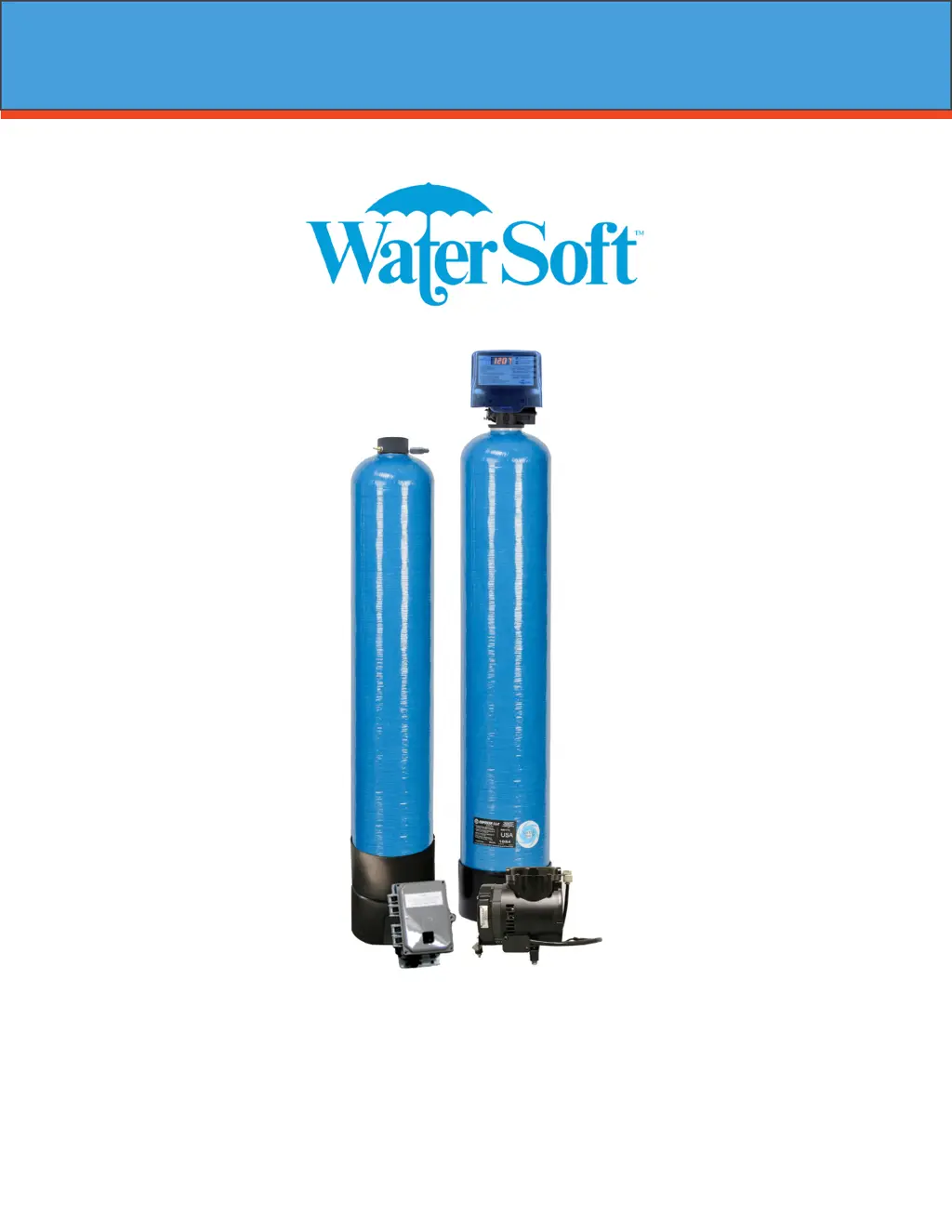
How the Provectr Plus Works

Explains the two components and the backwashing process.

Important Warnings and Lubricant Recommendations

Advises against certain lubricants and recommends Teflon tape for plastic fittings.

Installation Guide

Installation Requirements

Details positioning and clearance requirements for A/P Tank, Filter Tank, and Relay Box.

Installation Procedure Steps

Outlines the step-by-step process for installing the tanks and plumbing.

Water Supply Connection and Bypass Valve

Explains how to connect water supply and use the bypass valve for servicing.

Air Compressor and Relay Box Setup

Details connecting the air compressor and relay box to the AP tank and power.

Drain Line Connection

Instructions for connecting the drain line, including flow control and gap requirements.

Electrical Connections

How to connect the unit to a 115V/60Hz power source.

Pressurizing the System

Steps to safely pressurize the system after installation.

Initial Control Valve Operation

How to perform the initial backwash and rinse cycles.

Programming the Control Valve

Final Checkout Procedures

Checks to ensure correct installation and registration.

Control Valve Programming Steps

Guides on setting time of day, AM/PM, and days between backwash.

Normal Operation Display

Describes the home display alternation and what it signifies.

Battery Back-Up Features

Explains the function and behavior of the battery backup during power failures.

Starting Extra Regeneration Cycles

How to manually initiate extra backwash or regeneration cycles.

Master Programming Mode

Setting Regeneration Time

How to set the specific time for regeneration cycles.

Regeneration Cycle Step Durations

Adjusting the duration of each step in the regeneration cycle.

Bluetooth Connectivity

Information on enabling or disabling Bluetooth functionality.

Bluetooth Password Configuration

Details on setting or managing the Bluetooth password.

Utilizing Bluetooth Control

Legacy View App Installation

Instructions for downloading and installing the mobile app.

Legacy View App Operation

Steps for connecting to the valve device via the app.

App Dashboard Overview

Explanation of the dashboard interface and configurable elements.

Bluetooth App Setup

Setting Unit Time via App

How to synchronize the unit's time with the connected device.

Setting Backwash Frequency via App

Adjusting the interval between backwash cycles using the app.

Setting Regeneration Time via App

Configuring regeneration schedules through the mobile application.

App Advanced Settings

Guidance on modifying advanced settings within the app.

Status and History Monitoring

Resetting Status and History Data

How to reset logged data like total gallons treated and regenerations.

Graph Data List

Accessing a list of data points presented in the graphs.

Enlarging and Zooming Graphs

How to interact with graphs for detailed viewing and analysis.

Exporting Graph Data

Method for exporting graph data in CSV format.

Initiating Regeneration Cycles

Options to manually start a regeneration or backwash cycle.

Control Valve Powerhead Assembly

Wiring Connection Legend

Explains the meaning of letter codes used in the wiring diagram.

Provectr Power Head Assembly

The complete assembly for the control valve's powerhead.

Provectr Circuit Board Assembly

The circuit board assembly for the control valve.

Motor Component

The motor that drives the control valve.

Valve Body Drive Assembly Diagram

Valve Body Drive Assembly Parts List

Final Rinse Piston Assembly

The piston assembly used for the final rinse cycle.

Flow Control Buttons

Buttons that regulate water flow rates for the system.

Brine Valve

The valve component related to brine tank operation.

Meter Assembly

The assembly responsible for measuring water flow or usage.

Bypass Assembly

D15 Bypass Valve

The main bypass valve unit.

1 NPT Elbow Set

Elbow fittings for 1-inch NPT connections.

1 Female Straight Slip Set

Straight slip fittings with a 1-inch female connection.

1 NPT Straight Set

Straight fittings for 1-inch NPT connections.

3;4 NPT Straight Set

Straight fittings for 3/4-inch NPT connections.

1 X 3;4 Brass Sweat Connector

Connector for sweat-soldering pipes of different sizes.

Service Instructions

General Preliminary Service Instructions

Safety precautions and initial steps before servicing the unit.

Replacing the Powerhead Assembly

Detailed steps for removing and installing the powerhead.

Replacing the Piston Assembly

Instructions for removing and installing the piston assembly.

Replacing Seals and Spacers

Steps to replace seals and spacers within the valve body.

Troubleshooting and Error Codes

Filter Fails to Regenerate Automatically

Potential causes and corrections for regeneration failure.

Regeneration at Wrong Time

Causes and corrections for regeneration happening at incorrect times.

Poor Water Quality Issues

Reasons for poor water quality and how to fix them.

Loss of Water Pressure

Causes and solutions for reduced water pressure.

Continuous Flow to Drain

Troubleshooting for water constantly flowing to the drain.

Control Valve Error Code Diagnosis

Explains how the control valve displays errors and general diagnosis.

Detailed Error Codes

Error 2: Valve Homing Slot Search

Explains the error when the valve searches for its home position.

Error 3: Encoder Slot Detection Failure

Identifies issues related to the encoder not detecting slots.

Error 4: Homing Slot Not Found

Describes the error when the valve cannot find its home slot.

Error 5: Motor Overload

Explains motor overload errors and their causes.

Error 6: No Motor Current

Addresses issues related to the motor receiving no current.

Troubleshooting: No Display

Lists potential causes for the unit's display not showing anything.

Warranty Information

Important Warranty Warnings

Emphasizes reading the manual for safety and proper use to maintain warranty.

Covered Model Numbers

Lists the product models included under this warranty.

Warranty Coverage Details

Specifies what defects and components are covered by the warranty.

Warranty Exclusions and Limitations

Details conditions and situations not covered by the warranty.

Limitations of Remedies

Outlines the exclusive remedies available under the warranty.

Warranty Claim Procedure

Steps to follow when making a warranty claim.

WaterSoft Provectr Plus AF10AC-3 Specifications

General IconGeneral
BrandWaterSoft
ModelProvectr Plus AF10AC-3
Tank MaterialFiberglass
Dimensions (H x W x D)48 x 10 x 10 inches
Valve TypeAutomatic

Related product manuals