CommLink IV Technical Guide
11
Operator Interface
USB Driver Installation for Windows
®
XP
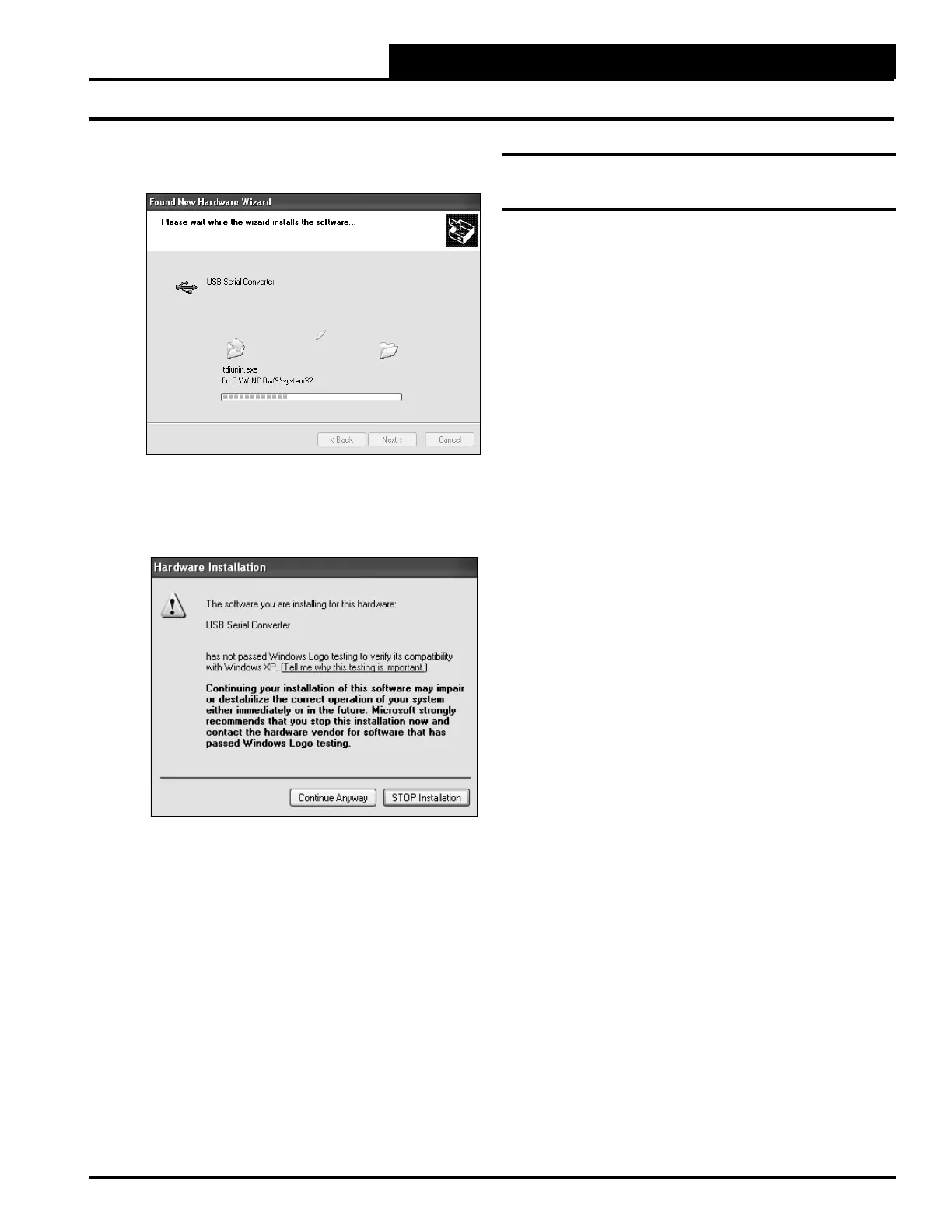
8. The screen will now state, “Please wait while the
wizard installs the software...”
9. While the fi les are downloading, a Hardware
Installation Window might pop up as shown below.
Click <Continue Anyway>.
10. The wizard will then fi nish installing the software.
11. Once the wizard is done, click <Finish>.
USB Serial Port Driver Installation for
Windows
®
XP
1. Once the USB Serial Converter software is installed,
the Found New Hardware Wizard will appear again to
download the USB Serial Port software.
2. Follow steps 1 though 7 of the previously described
USB Serial Converter Installation instructions.
3. Click <Finish> when the wizard is done
downloading the software.
4. Windows
®
XP requires you to restart your computer
before the new settings will take effect.
5. Continue with the next section “Finding What COM
Port Number the CommLink IV is Using” on page 12.


 To Next Page