• Alarms:
• Activate and dene the alarms for EMF level and decide if this has to be
triggered on average or instant value.
• Dene the relay persistence. (When measuring a non-continuous EMF
source, like a rotating radar, you may want to dene the relay persistence
of the alarm output at least the time between 2 rotations).
• Change the value for the temperature alarms (only in Online mode).
• Field: allows display of the total eld and for each axis of the probe (does not
work with USB power mode or without a probe connected).
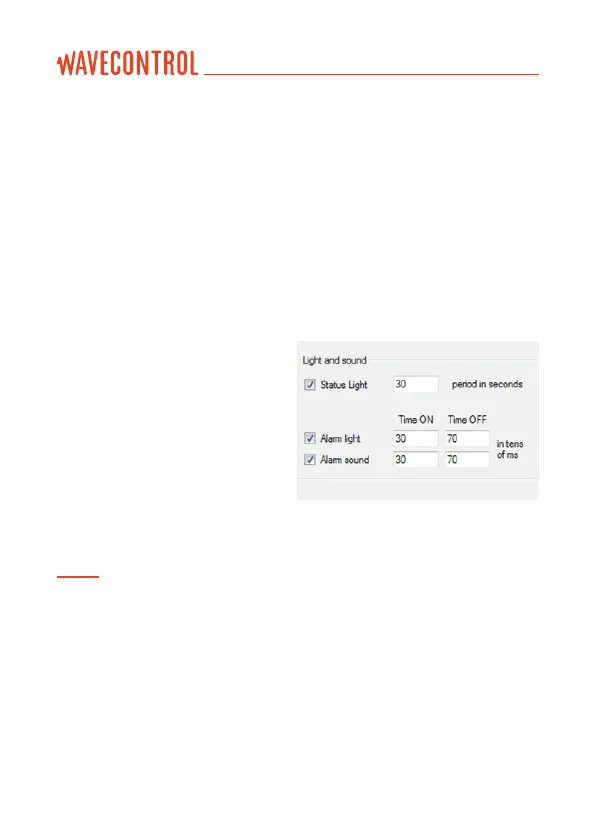
5.2.3 Visual and audible alarms
You can dene 3 parameters:
• Status light, that indicates unit
is working by ashing from time
to time. You can dene the blink
interval in seconds and you can
disable this by unchecking the
checkbox.
• The light and sound alarms are
dened by time On and time Off in tens of milliseconds. By default these
values are 30 and 70 which mean 300ms On and 700ms Off.
Note: the alarm triggers if the eld level measured is higher than the alarm level.
With the checkbox “Trigger on average eld”, you can choose if this alarm has to be
triggered on the average eld level or on the instant eld level.
User’s Manual
Electromagnetic Radiation Monitoring Device MonitEM-Lab P. 11



 To Next Page