5.3.1 Changing the IP of the MonitEM-Lab
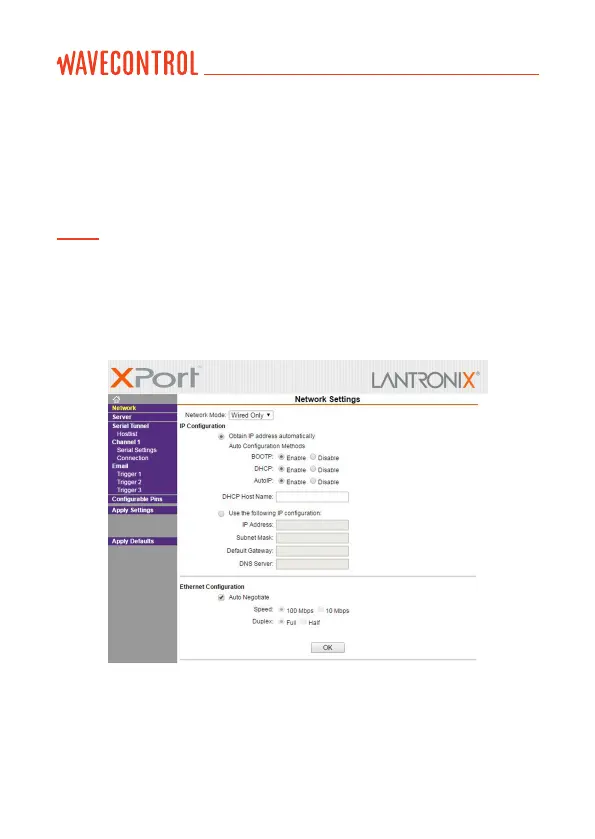
If you want to assign a xed IP, open the Internet browser and enter the URL
address: http://IP_obtained (replace IP_obtained with the IP found by the
MonitEM Reader).
Note: if the browser asks for a user and password, leave them blank.
On this page, go to the “Network” menu and enable “Use the following IP
conguration:”, with the IP conguration that you want to assign to the device.
Then click on “Apply Setting”.
User’s Manual
Electromagnetic Radiation Monitoring Device MonitEM-Lab P. 14



 To Next Page