Waves Vocal Rider
User Guide
8
ATTACK sets the vocal detection attack behavior, affecting both detection timing and
fader riding speed.
Range: Fast, Slow
Default: Slow
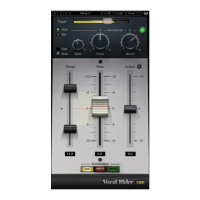
MUSIC SENSITIVITY determines the amount Vocal Rider adapts to changes in
instrumental levels. (“Instrumental” refers to all tracks other than the vocal).
Range: -12 to +12 dB
Default: 0
Please note: To use this control, the instrumental mix bus must be assigned to the Vocal
Rider side-chain input.
MUSIC SENSITIVITY LED indicates when and how much Vocal Rider is affected by
instrumental levels.
Range: Soft Green to Bright Green
When the LED is soft green, vocal riding is less affected by instrumental level; as vocal
riding is more affected by the instrumental level, the LED gets brighter.
Please note: To use this control, the instrumental mix bus must be assigned to the Vocal
Rider side-chain input.


 To Next Page