NRF52840 Eval Kit User Manual
Vision: V1.0.1 Date: 2019.01.19 64 / 72
◆ Button 4: Send a message to the even group (address: 0xC002) to
turn off LED1.
⚫ Provisioner:
◼ Button1: Start provisioning
◼ LED1: Reflects the state of the provisioning.
◆ LED ON: provisioning of the node is in progress
◆ LED OFF: No ongoing provisioning process
◼ LED2: Reflects the state of the configuration
◆ LED ON: Configuration of the node is in process
◆ LED OFF: No ongoing configuration process
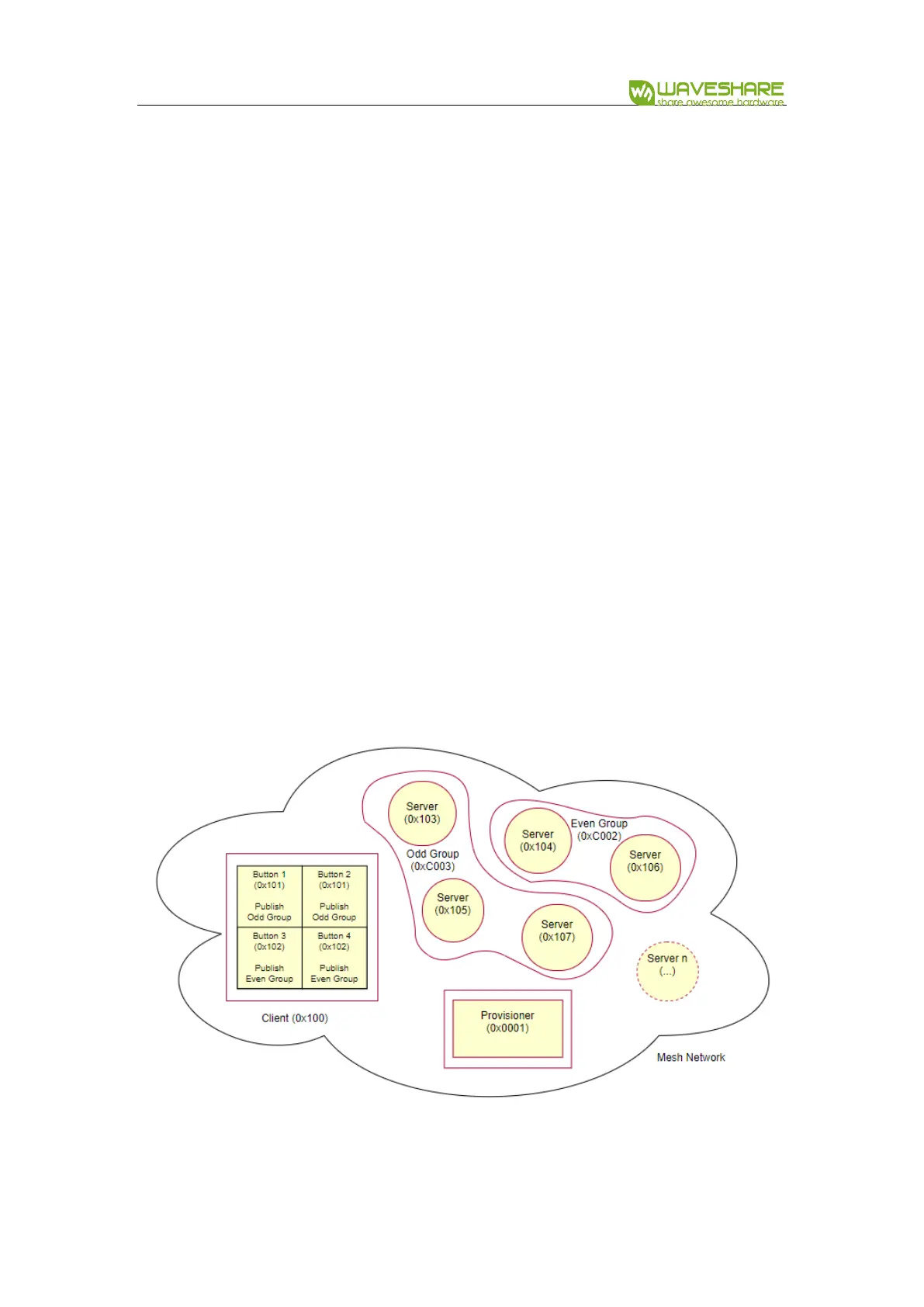
The following figure gives the overall view of the mesh network that will be set up
in this example. Numbers in parentheses indicate the addresses that are assigned to
these nodes by the provisioner.
The Mesh is as below:


 To Next Page