EasyManua.ls Logo

Wavetek 142 - Corrective Maintenance

Wavetek 142
40 pages
Print Icon
To Next Page IconTo Next Page
To Previous Page IconTo Previous Page
Loading...
30.
With FREQ
HZ still at X10K,
FREQ
DIAL fully
clockwise, VERNIER
fully
counterclockwise,
and
adjust RS7
to obtain an
output
of
75 Hz ±5 Hz.
31. Rotate VERNIER to
CAL position. The
output fre-
quency should
be less than
1
kHz.
32. Set
FREQ
HZ
to X1M, FREQ DIAL to
9,
and
adjust
Cl to obtain
an output frequency
of 9 MHz
±10
kHz. Check frequency
accuracy from
1 to 10 of
the DIAL
and readjust Cl
to
split
the error if
necessary. (Trim
C2
if
necessary.)
33. Set
FREQ
HZ
to X100K, FREQ
DIAL to
10,
VERNIER
to CAL, and
adjust
CIO
to obtain
1 MHz
±1 kHz
at the
output. Check frequency
accuracy
from 1 to 10 of the
DIAL and readjust
CIO to split
the error if
necessary, (Trim
Cl 2
if
necessary.)
34.
Set
FREQ
DIAL to
10,
VERNIER
to
CAL.
35. Set
FREQ
HZ to X1K,
adjust R268
to
obtain
10
kHz
±10 Hz.
36.
Set
FREQ
HZ to
X100,
adjust R267 to obtain
1000 Hz
±1
Hz.
37. Set
FREQ
HZ to X10,
adjust R84 to obtain
100
Hz
±0.1 Hz.
4.2.8
Time Symmetry Adjustment
38.
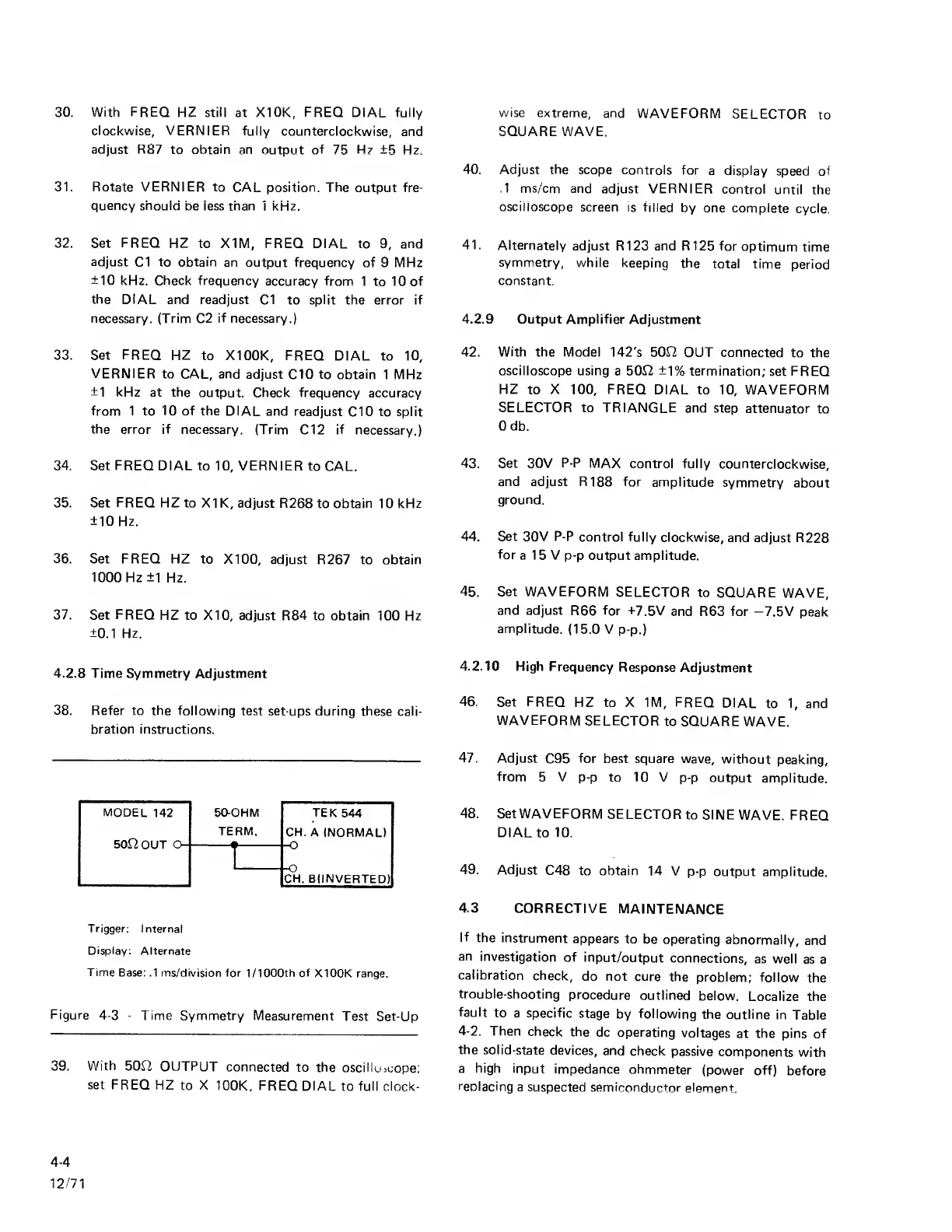
Refer to the following
test set
ups during these cali-
bration instructions.
MODEL
142
50-OHM TEK
544
TERM.
CH.
A
(NORMALI
50^20UT
O-
'
)
-O
-O
CH. B(INVERTED)
Trigger:
Internal
Display:
Alternate
Time
Base: .1
ms/division for 1/1000th of
X100K range.
Figure
4-3
-
Time Symmetry Measurement
Test Set-Up
39.
With
50n OUTPUT
connected
to the
oscilluicope:
set FREQ
HZ
to X
100K,
FREQ
DIAL
to full
clock-
wise extreme,
and
WAVEFORM
SELECTOR
to
SQUARE WAVE.
40.
Adjust
the
scope controls
for
a display
speed of
.1
ms/cm and
adjust VERNIER
control
until
the
oscilloscope
screen is
filled
by one complete
cycle.
41.
Alternately
adjust R123 and R125 for
optimum
time
symmetry,
while keeping
the
total time
period
constant.
4.2.9 Output Amplifier
Adjustment
42.
With
the Model
142's
50J2
OUT connected
to the
oscilloscope using a 5012 ±1%
termination;
set
FREQ
HZ
to
X
100,
FREQ
DIAL to
10,
WAVEFORM
SELECTOR to TRIANGLE
and step
attenuator
to
Odb.
43. Set 30V
P-P
MAX
control fully
counterclockwise,
and adjust R188 for
amplitude
symmetry
about
ground.
44.
Set 30V P-P
control fully
clockwise,
and adjust R228
for
a 15 V
p-p
output amplitude.
45.
Set
WAVEFORM
SELECTOR to
SQUARE
WAVE,
and adjust
R66 for +7.5V
and
R63 for —7.5V
peak
amplitude,
(15.0 V
p-p.)
4.2.10
High
Frequency
Response
Adjustment
46.
Set
FREQ
HZ to X 1M, FREQ
DIAL
to
1,
and
WAVEFORM
SELECTOR
to SQUARE
WAVE.
47.
Adjust
C95
for
best square wave,
without
peaking,
from
5
V
p-p
to 10 V
p-p
output
amplitude,
48. SetWAVEFORM
SELECTOR
to SINE
WAVE. FREQ
DIAL
to
10.
49. Adjust
C48
to obtain
14 V
p-p
output amplitude.
4.3
CORRECTIVE
MAINTENANCE
If
the instrument
appears
to
be operating
abnormally,
and
an
investigation
of
input/output
connections,
as well
as
a
calibration
check,
do not
cure the
problem;
follow
the
trouble-shooting
procedure
outlined
below.
Localize
the
fault
to a specific
stage
by following
the outline
in
Table
4-2.
Then
check
the
dc operating
voltages
at the pins
of
the
solid-state
devices,
and
check
passive
components
with
a high
input
impedance
ohmmeter
(power off)
before
replacing
a suspected
semiconductor
element.
4-4
12/71

Related product manuals