EasyManua.ls Logo

Wavetek 188 - Sweep Generator Operation; Waveforms

Wavetek 188
64 pages
Print Icon
To Next Page IconTo Next Page
To Previous Page IconTo Previous Page
Loading...
Step
Control
Setting
2
Frequency
dial 1 Select sweep start
freaiency
3
SWEEP
S
CONT
5
Depressed. (Selects
sweep submode ol main
generator’s continuous
operation)
4 SWP/STOP
6
Press
to
release.
(Ex-
tended allows setting of
stop frequency
)
5
STOP
3
Select the stop frequen-
cy
(The stop frequency
will always be higher
than the start frequen-
cy)
6
Time 10
Sets the
internal
sweep
rate
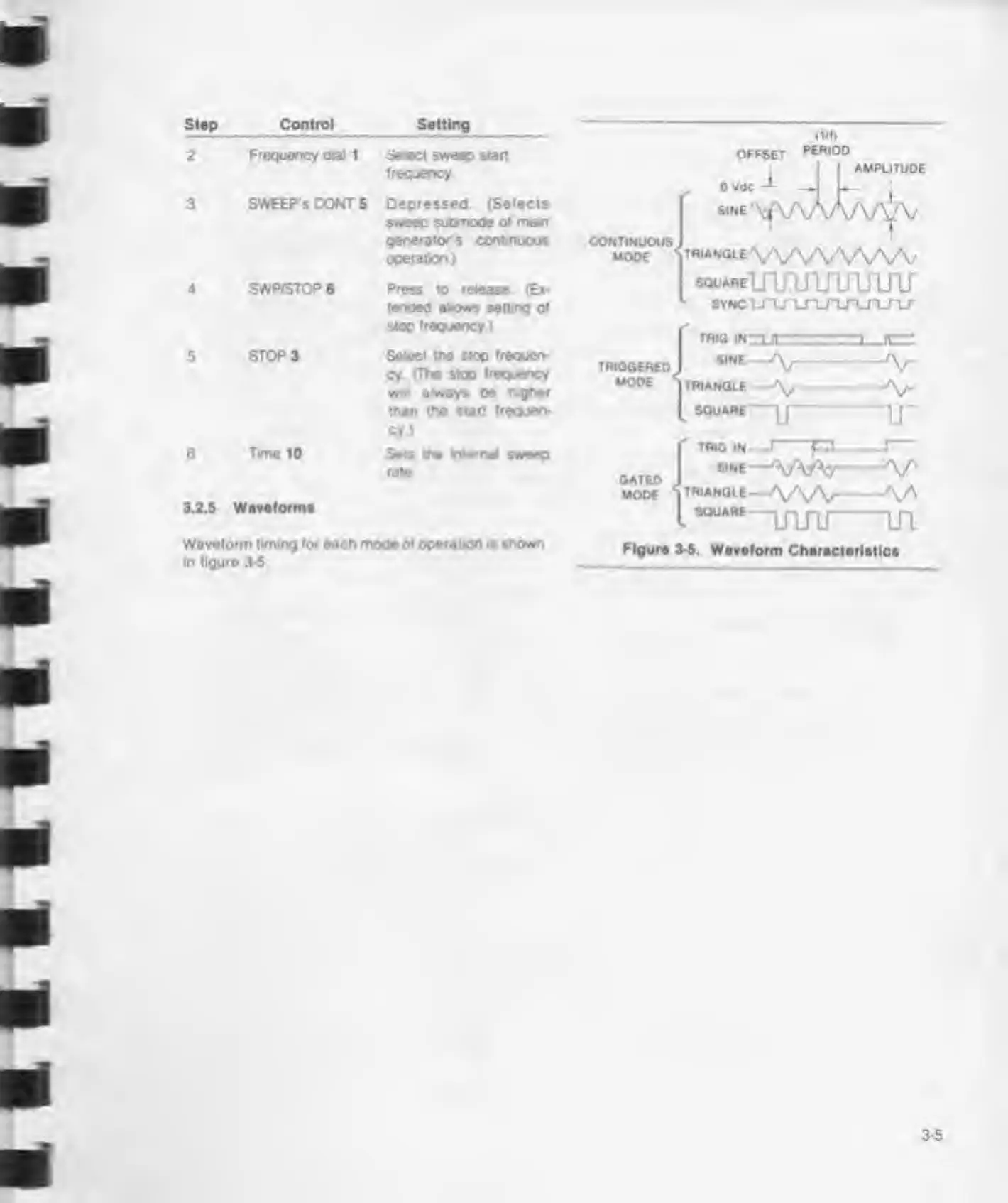
3.2.5
Waveforms
Waveform
liming lor each mode
ol
operation is shown
In
figure 3-5.
m
OFFSET
PERIOD
I AMPLITUDE
ovac
1
J L-
1
CONTINUOUS
MODE
SINE
^vwwyv
T«'ANGLEVVVVVVVV
souAREirumrijijw
sync \JTj^j
-
i_rLn_n_n_r
TRIGGERED
MODE
TRIG
INZL
SINE—
TRIANGLE
l
SQUARE—
1J-
GATID
MODE
i
S0UABi
uiru in
Figure 3-5.
Waveform Characteristics

Related product manuals