18
Tip
You can change the name of the USER DEFINED (CUSTOM)
test point. Notice that the edit box appears when this test point is
highlighted. When you press the key, the edit box becomes
active and you can enter any name up to fifteen characters long. Be
sure to press the key when finished to terminate your entry.
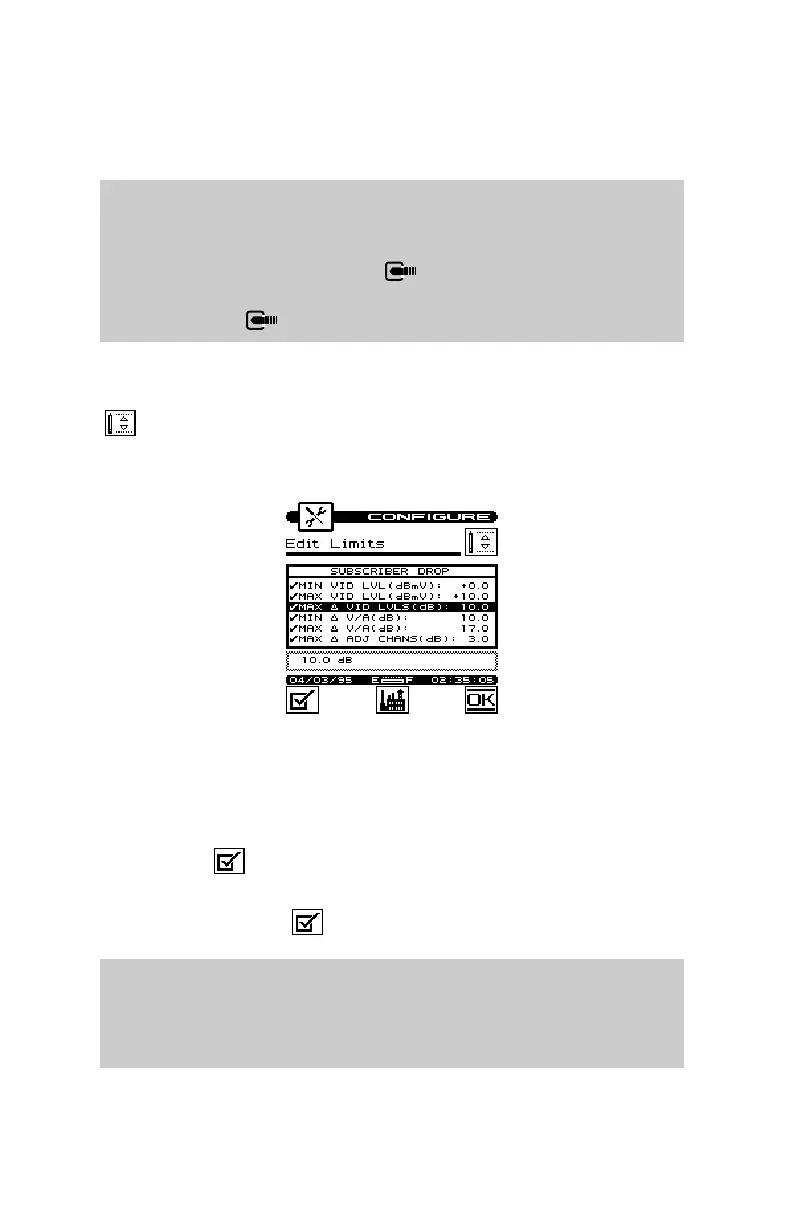
You can edit the limits for the highlighted test point by pressing the
soft key. The limits appear on the screen.
You can selectively enable or disable each individual limit. When a
limit is disabled, your microStealth excludes it when checking
limits. If the highlighted limit is disabled, you can enable it by
pressing the soft key. A check mark appears in the left-hand
column to indicate when a limit is enabled. If the limit is already
enabled, pressing the soft key disables it.
Note
If you disable all of the limits within a test point, the test point
becomes disabled. You cannot enable a test point that has no
enabled limits.


 To Next Page