39
MEASUREMENT HOLD
You can freeze the scan measurement at any time by pressing the
SHIFT + keys. The measurement is retained even if the cable
is disconnected from the input port. Notice that the mode icon in
the upper left-hand portion of the screen appears inverted while the
measurement is on hold. Pressing the SHIFT + keys a second
time releases the hold. The measurement is not retained when
another mode is selected or the microStealth is shut off.
PRINTING THE SCREEN
You can print the entire screen at any time by pressing the SHIFT
+ keys. A bar graph appears indicating the status of the printout.
TILT
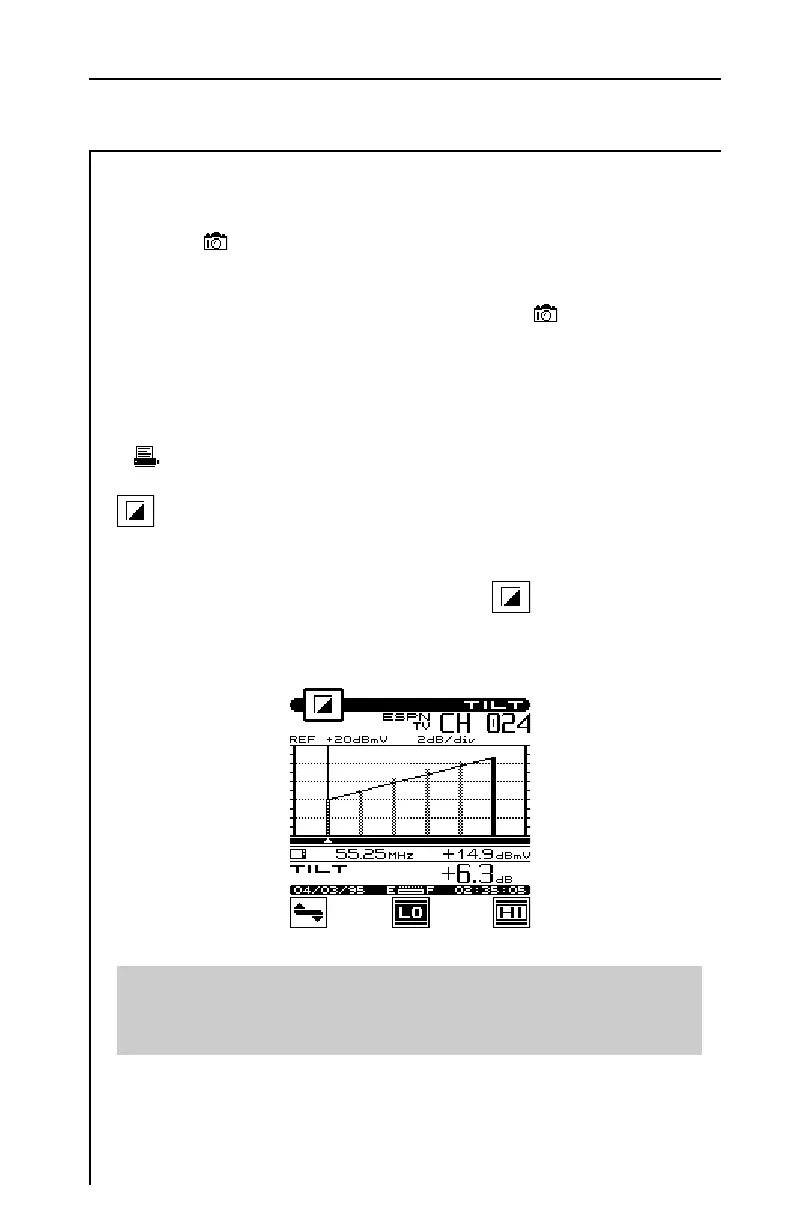
TILT mode simplifies the process of balancing an amplifier. TILT
mode can only be accessed by choosing the icon from the
NAVIGATOR. A spectral graph of the TILT carriers appears.
Important
You can choose which carriers appear on this screen when you
configure your channel plan (see SELECT TILT CHANNELS).


 To Next Page