37
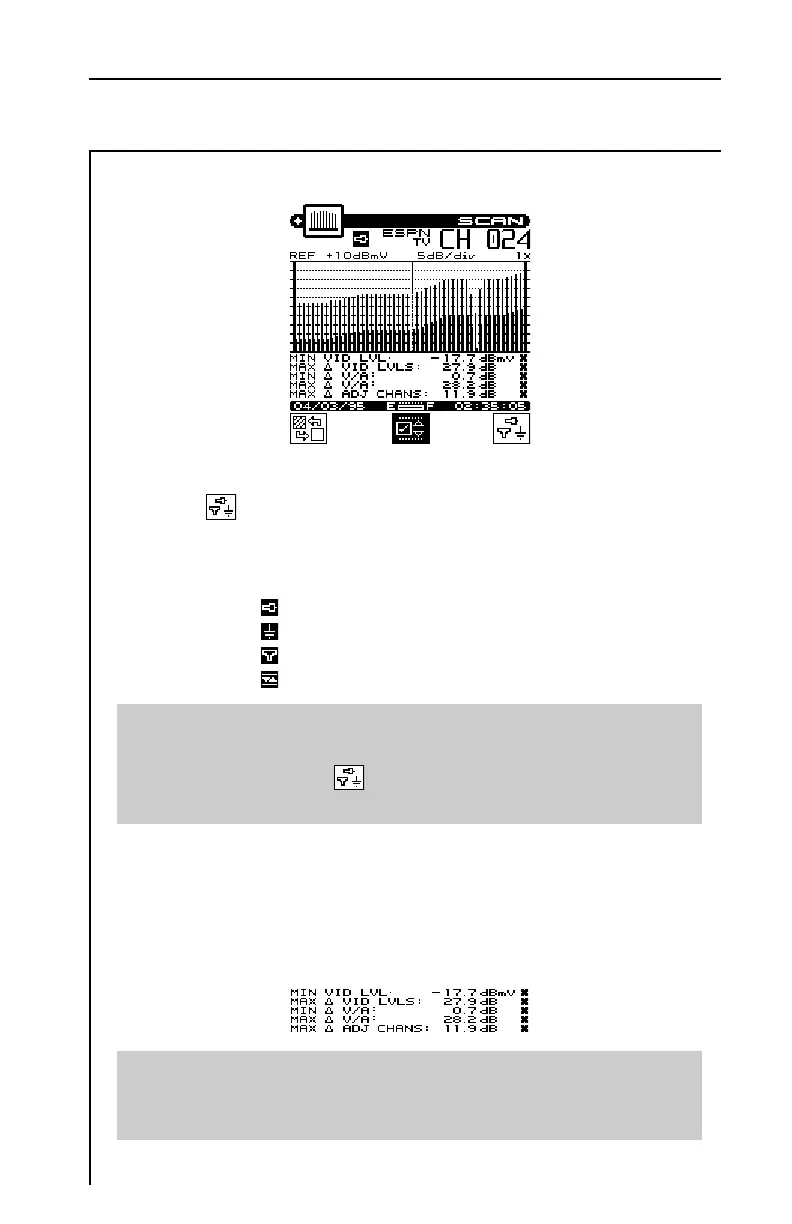
Press the soft key to sequence through the available test points.
The test point that you have selected is represented in the upper
portion of the screen by one of the following icons:
Subscriber Drop
Ground Block
Tap
User Defined
Note
Be sure that you have enabled all of the test points that you are
interested in using. The soft key is only available if there is
more than one enabled test point. (see EDIT TEST POINTS).
When you have selected the limits submenu, the marker informa-
tion below the graph is replaced by the overall limit check summary
for channels currently being displayed on the graph. For each
limit, the worst case actual value is displayed along with a pass/fail
status. The results are updated upon the completion of each scan.
Important
The limit check results apply only to the channels currently being
displayed on the graph — not the entire channel plan.


 To Next Page