6
Set
During the start-up of the Sentio system you have to choose the type of system (profile) that the Sentio unit has to control.
To make this manual easier to read to most common types are included. All other descriptions you can find at www.wavin.
com/Sentio
By default the Sentio Unit comes with profile 1.1 as active. To change the profile and/or set all parameters a Sentio
commissioning touch screen (VII) or the PC-tool (download via www.wavin.com/Sentio , Sentio Connection Cable for
PC (XIII) required) is needed.
Choose Profile
Commissioning Touch Screen: System | Installer settings | Hardware profile | Change profile*
Heating/cooling source With Profile Required
District heating None 1.0
1 ITC loop 1.3.1 Inlet sensor, outlet sensor
2 ITC loops 1.3.2 Inlet sensor, outlet sensor
Boiler/Heat pump None (On/off control) 1.1
0-10V control 1.2
Condensing boiler 0-10V control, 1 ITC loop 2.2.1 Inlet sensor, outlet sensor
0-10V control, 2 ITC loop 2.2.2 Inlet sensor, outlet sensor
Heat pump UFH/UFC Heat/Cooling switch 3.3.0 Inlet sensor (recommended)
Automatic switch 3.3.1 Outdoor Sensor, Inlet sensor (recommended)
1 ITC + Heat/Cooling switch 3.3.2 Inlet sensor, outlet sensor
1 ITC + Automatic switch 3.3.3 Outdoor Sensor, Inlet sensor, outlet sensor
Any single source 2 Heat/cooling circuits 4.1.1
+ dehumidifier 1 ITC 4.1.2 Inlet sensor, outlet sensor
1 ITC + heat/cooling circuit 4.1.3 Inlet sensor, outlet sensor
2 ITC + heat/cooling circuit 4.1.4 Inlet sensor, outlet sensor
* see page J
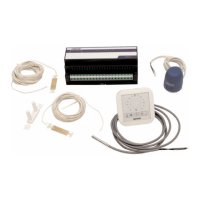
If more than 8 outputs are required, then an extension unit (EU-A) (V) can be added to the system.
Most situations are covered by selecting the right profile, but some settings might have to be set for your specific system:
When using a wired thermometer (XV) on input T1 make sure to enable this sensor.
Commissioning Touch Screen: System | Installer settings | Hardware profile | Set outdoor temperature source
Rooms are default controlling on air temperature, for UFH with floor sensors set regulation mode to floor
(or ‘air & floor’).
Commissioning Touch Screen: Room | Settings | Winter mode | Advanced Settings | Regulation mode
ITC-servo type is by default a 3-points servo motor, for a different type see Technical Handbook.
Commissioning Touch Screen: System | Installer settings | Hardware profile | Configure required inputs and output |
Servos | ITC Servo | Servo type
To change a room name go to Info | Room | Settings
6


 To Next Page