Waydoo Flyer EVO USER GUIDES
© 2024 All rights reserved by Waydoo
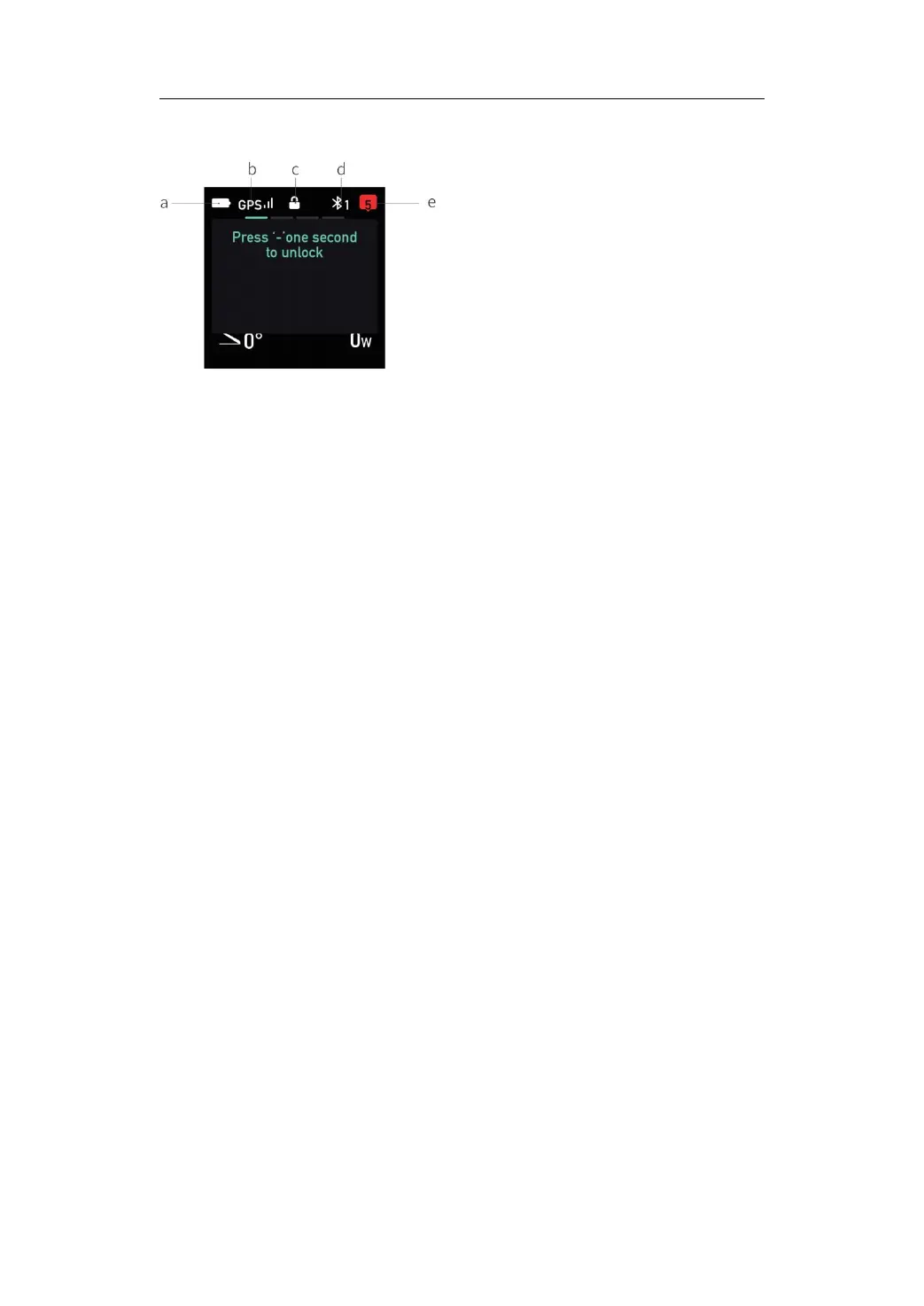
Status Bar
a. Remote power: remaining battery power of the remote.
b. GPS signal: current signal received by GPS.
c. Whether the remote is in lock mode: whether the current remote is in
lock mode.
d. Bluetooth: Displays the number of Bluetooth connections.
e. Notification prompt: If there is a notification message, it will be
prompted through the notification prompt icon (The number represents the
number of messages).
Tips:
1. To ensure safety, the remote throttle will be locked when the remote
trigger is in the initial position for more than 7 seconds. At this time, the
propeller will not rotate when the trigger is pressed. Press and hold the "-"
button for about 1 second to unlock.
2. When the remote is in the setting mode, the propeller will not turn when
the trigger is pressed.
Menu operation
In the settings mode, short press the power button to switch the main
interface, which can also be used as the return button. The trigger serves as
the confirm button, the "+" /"-" buttons are used as navigation buttons to
up/down scroll. For example, if you need to reconnect the remote to the
board via Bluetooth through the menu interface, the steps are as follows:
1. In the main interface, press the power button to switch the interface to
the fourth screen in sequence.
2. Press the trigger to confirm and enter the current interface.
3. Press the "+" /"-" buttons to navigate to "BT".
4. Press the trigger to confirm and enter the Bluetooth scanning interface.


 To Next Page