EasyManua.ls Logo

Weathermatic smartline SL1600 - User Manual

Weathermatic smartline SL1600
40 pages
Print Icon
To Next Page IconTo Next Page
Loading...
Controller Models version G5
SL800, SL1600,
SL1620, SL4800
Owner’s Manual
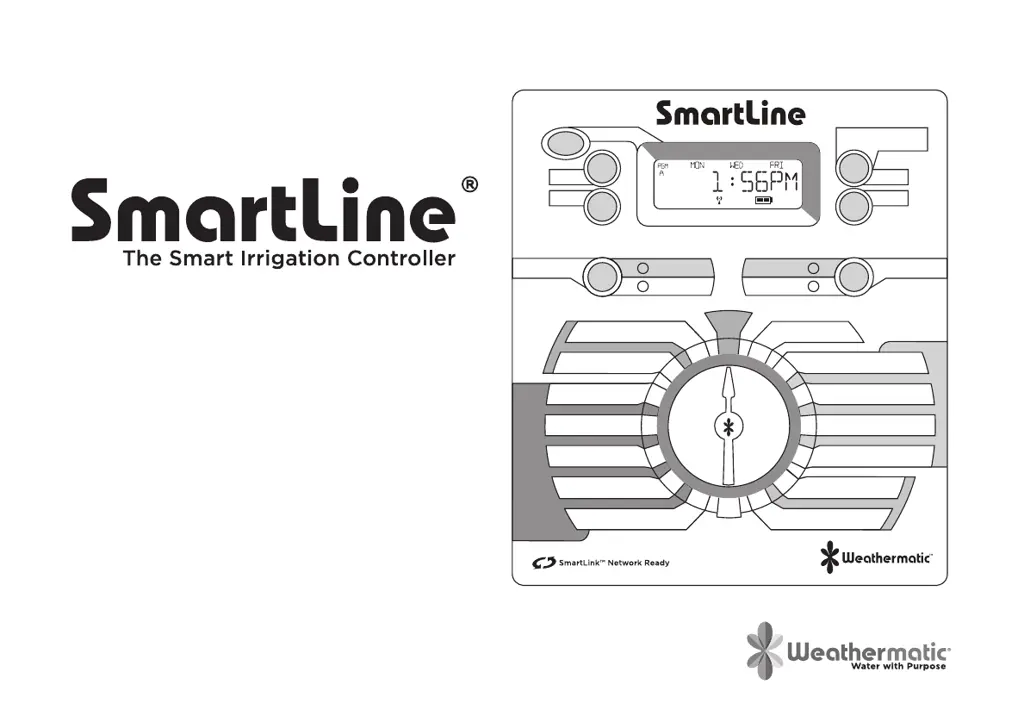
The Smart Irrigation Controller
PGM
PROGRAM
NEXT
BACK
UP
PRESS TO START
MANUAL PROGRAM
DOWN
SMART
BASIC
WATERING
MODE
SMART
SYSTEM OFF
BASIC
ADVANCED
MENU
RUN
ON
RAIN/FREEZE
SENSING
OFF
MORE
/
LESS
SOIL TYPE
PLANT TYPE
SPRINKLER TYPE
ZIP CODE /LATITUDE
CURRENT TIME / DATE
PROGRAM START TIMES
ZONE RUN TIMES
DAYS TO WATER
OMIT TIMES / DAYS
SEASONAL % ADJUST
MANUAL ZONE
MANUAL TEST

Questions and Answers

  • L
    Lindsey MossAug 16, 2025
    How to fix a Weathermatic smartline SL1600 with no display?
    • R
      Randy CaseAug 16, 2025
      If your Weathermatic Controller has no display, it could be due to: * No power to the controller: Check the power wiring and breaker, and ensure the control panel is firmly closed. * No 24V power from the transformer: Replace the transformer, as the likely cause is power surge damage.
  • D
    david10Aug 19, 2025
    Why does my Weathermatic SmartLine® controller not turn on zone when expected?
    • J
      Juan ShafferSep 12, 2025
      Your Weathermatic SmartLine® controller might not be turning on a zone as expected for several reasons. The zone might be set to OFF; in this case, set the zone run time position. The dial might be set to SYSTEM OFF; turn the dial to RUN. It's possible that no zone run time or daily start time has been set, so program these settings. Omit times/days may be activated, so verify these settings. A rain or freeze sensor might have stopped watering, indicated by a red Sensor LED; if the sensor is faulty, replace it.
  • M
    Megan JohnsonAug 25, 2025
    What to do if the FAULT icon appears on my Weathermatic smartline SL1600 display?
    • T
      Terry TranAug 25, 2025
      If the FAULT icon is displayed, it indicates a problem with your Weathermatic Controller. This could be due to: * A shorted or open condition on a zone(s). Check the solenoid(s) and wiring. You can find fault information in Advanced Functions. * A shorted MV/P. Check the solenoid(s) and wiring. * Insufficient watering opportunity. Review your programming watering days, make sure omit settings are not excessive, and verify the accuracy of Auto Adjust settings for sprinkler and plant type.
  • D
    Daniel FordSep 2, 2025
    What to do if my Weathermatic smartline SL1600 displays the FAULT icon?
    • J
      julierobinsonSep 2, 2025
      If your Weathermatic Controller is showing a FAULT icon, it could indicate a shorted or open condition on a zone. Check the solenoids and wiring. A shorted MV/P could also be the problem, so check the solenoids and wiring. Another cause might be insufficient watering opportunity; check programming watering days, verify omit settings are not excessive, and review the accuracy of SMART settings for sprinkler and plant type.
  • S
    Sarah BerrySep 4, 2025
    What to do if my Weathermatic Controller display shows zone is running but no sprinklers are operating?
    • B
      Barbara GonzalezSep 4, 2025
      If your Weathermatic Controller display indicates a zone is running but the sprinklers aren't operating, first ensure that the water supply to the system is turned on. If the water supply is on, verify valve operation. Also, check for an open or disconnected wire by running a MANUAL TEST. Verify if the FAULT icon is shown on the display and turn the dial to the Advanced Menu to determine the location of the fault.
  • J
    Jason DuncanSep 7, 2025
    Why does my Weathermatic smartline SL1600 keep repeating a watering cycle?
    • J
      Jennifer SanchezSep 7, 2025
      If your Weathermatic Controller keeps repeating a watering cycle, it's likely due to extra start times being set at the Program Start Times position on the dial. Turn the dial to Program Start Times, use the NEXT button to view all start times, and hold down the UP or DOWN button to change the start times or advance to the OFF position. Each Program will start and run all zones assigned to that program in consecutive order.
  • L
    Latoya CobbSep 10, 2025
    What to do if my Weathermatic smartline SL1600 Controller has no display?
    • C
      Carl CopelandSep 10, 2025
      If your Weathermatic Controller has no display, first check the fuse on the SL1600 with the inline fuse holder. Also, check for 24V power from the transformer; inspect the fuse holder on the SL800 or SL4800. The replacement fuse should be a 1 amp slow blow for SL1600 and SL800, and a 1.5 AMP slow blow for SL4800. If necessary, replace the transformer, as the issue is likely due to power surge damage.
  • A
    Adrienne HuffmanSep 13, 2025
    What to do if my Weathermatic smartline SL1600 Controller display shows 0 ZONES?
    • M
      Miranda JamesSep 13, 2025
      If your Weathermatic Controller display shows '0 ZONES', the cause may be a defective or loose module. Replace the module in zone 1-4 position.
  • C
    Charles HarperNov 21, 2025
    How to fix a Weathermatic SmartLine® controller that does not turn on zone when expected?
    • K
      Kathryn ThompsonNov 21, 2025
      If your Weathermatic SmartLine® controller isn't turning on a zone when expected, several factors could be the cause. Check if the sensor jumper is removed and no sensor is connected, indicated by a red Sensor LED; if so, install a jumper wire between the SEN terminals. Also, check if the sensor wires have been cut, also indicated by a red Sensor LED, and repair them if necessary. Examine whether the zone comes on at an unexpected time due to daily start times not set properly or multiple start times set. Review and set the time of day and date correctly. Ensure watering days or omit days/dates are properly set. A Run/Soak feature might have extended the watering window, so pause for Run/Soak in progress. If the controller doesn't operate the zone for the expected run time, check the seaso...
  • T
    Teresa AndersenNov 26, 2025
    Why won't my Weathermatic Controller allow entry to Auto Adjust?
    • F
      fitzpatrickseanNov 26, 2025
      If your Weathermatic Controller won’t allow entry to Auto Adjust, here are some possible causes and solutions: 1. The SLW weather station might not be initialized. Initialize the SLW weather station according to the instructions in the Auto Adjust section. 2. Required Auto Adjust settings might be missing. Push and hold down the MODE button for a scrolling message indicating needed information. Enter the needed information for time, date, and ZIP Code or Latitude. 3. The 9V battery in the SLW weather station may be drained. Replace the battery. 4. There may be a communication cable problem. Check the cable and connections at the controller. 5. The SLW weather station may be defective. Replace the SLW weather station. Note: If the SmartLine® controller has no communication for 5 days,...

Summary

Introduction and Support

Help Desk Contact Information

Provides contact details for technical support via online, email, and telephone.

Build Your SmartLink Network

Controller Selection Guidance

Steps for choosing the right SmartLine controller for your project.

Weather Sensor Selection

Guidance on selecting appropriate weather or rain sensors for the controller.

SmartLink Aircard Connection

Instructions for connecting the SmartLink Aircard for web-based access and control.

SmartLine Accessories

SmartLink Connectivity Options

Details web-based control and flow management options using SmartLink Aircards.

SLW Series Weather Sensors

Describes weather sensors offering rain and freeze sensing capabilities for enhanced control.

Zone Expansion Modules

Lists available zone expansion modules (SLM4, SLM2, SLM12) for increasing controller capacity.

Rain Sensors

Information on the 420GLS Rain Sensor and RFS5 Wireless sensor.

Controller Interface Overview

Control Panel Display Explained

Explains the LCD display, icons, and basic information shown during operation.

PGM Button and Program Management

Details the function of the PGM button for managing four distinct watering programs.

Controller Interface Overview

Manual Program Start Functionality

How to initiate manual watering operations using the START MANUAL PROGRAM button.

Program Running and Pause Status

Explains display indicators and LED status when a program is running or paused.

System OFF and Idle Mode Display

Describes the controller's state and display when in SYSTEM OFF or idle mode.

Watering Mode and Sensor Status Indicators

Explains the function of the MODE and RAIN/FREEZE buttons and their LED feedback.

Controller Programming Basics

Quick-View Diagnostic Functionality

How to use the DOWN button for viewing FLOW rate and system current (mA).

BASIC vs. SMART Watering Modes

Compares BASIC and SMART modes, emphasizing SMART's weather-driven adjustments.

Controller Programming Basics

Using Programming Buttons and Navigation

Guide to using UP, DOWN, NEXT, and BACK buttons for controller programming.

Setting Current Time and Date

Step-by-step instructions for setting the controller's current time and date accurately.

Configuring Program Start Times

How to set up multiple start times for watering programs A, B, C, and D.

Controller Programming Basics

Setting Zone Run Times

Procedure for setting the duration of watering for each individual zone.

Selecting Days to Water

Options for choosing watering days: DAYS, INTERVAL, or ODD/EVEN schedules.

Controller Programming Basics

Optional Omit Times, Days, and Dates

Setting blackout periods to prevent watering at specific times or dates.

Optional Seasonal Percentage Adjustment

Modifying watering run times monthly based on seasonal climate changes.

Manual Start Functions

Manual Zone Watering

How to manually water a single zone for a specified duration.

Manual Zone Test Procedure

Performing a test run on zones to check operation and detect faults.

Smart Watering Mode Programming

Setting Location: ZIP Code or Latitude

Configuring the controller's geographical location for SMART mode calculations.

Entering Smart Data for Zones

Inputting zone-specific data like Sprinkler Type, Plant Type, and Soil Type.

Sprinkler Type Configuration

Selecting sprinkler type or manual precipitation rate for SMART mode.

Smart Watering Mode Programming

Plant Type Selection for Zones

Specifying plant material type to determine watering needs and run times.

Soil Type and Slope Configuration

Setting soil type and slope to enable automatic Run/Soak period calculation.

Smart Watering Mode Programming

Optional More;Less Adjustments

Fine-tuning zone run times by percentage based on factors like shade.

Activating the SLW Weather Sensor

Steps to install and communicate with the SLW Weather Sensor for SMART mode.

Smart Watering Mode Programming

Switching Between SMART and BASIC Modes

Using the MODE button to select SMART or BASIC operation and verify sensor communication.

5.0 Advanced Menu

Diagnostic Tests

Accessing tests for outputs, battery, 24V power, and locator function.

Fault Identification and Management

Identifying, viewing, and clearing system faults for troubleshooting.

Open Circuit Fault Alerts

Enabling or disabling alerts for zones that detect no electrical load.

Language and Unit Settings

Selecting the interface language and measurement units (Standard/Metric).

5.0 Advanced Menu

Valve Output Current Analysis

Viewing AC Amp readings for valves to diagnose open or short conditions.

Battery Voltage Status Check

Checking the battery voltage for specific controller models.

Transformer Voltage Check

Reading the output voltage of the controller's transformer.

Buried Valve Location Assistance

Using the LOCATOR feature to identify the physical location of valves.

Fault Clearing Procedures

Detailed steps on how to clear fault messages displayed on the controller.

5.0 Advanced Menu

Understanding Specific Fault Messages

Details common fault messages like SHORT, OPEN, and COMMUNICATION FAILURE.

Open Circuit Fault Alert Configuration

Configuring the alert setting for open circuit faults detected in zones.

Language Selection Options

Lists the available languages for the controller interface, including Spanish and French.

5.0 Advanced Menu

Setting Measurement Units

Choosing between STANDARD (US customary) and METRIC units for display.

Program Backup and Restore

Storing and retrieving programmed settings for data safety and recovery.

Temporary Grow-In Program Setup

Configuring temporary watering programs that automatically expire.

Controller Model and Version Information

Accessing details about the controller's model, software, hardware, and serial number.

5.0 Advanced Menu

System Information and Version Details

Displays EEPROM, SLHUB, SLAC, Z96 versions, and model details.

MODBUS and Third-Party Integration

Configuring addresses for integrating with third-party software via MODBUS.

Program Data Management and Execution

Clearing all program data or specific program data, and managing simultaneous programs.

Master Valve Configuration

Assigning master valves and selecting NC/NO settings.

5.0 Advanced Menu

Master Valve and Zone Delay Settings

Assigning master valves, setting delays between MV/zone and zone/zone.

Start Time and DST Configuration

Adjusting number of start times and Daylight Saving Time settings.

5.0 Advanced Menu

DST and Run;Soak Configuration

Customizing DST and setting run/soak cycles for water efficiency.

Sensor Override and Minimum Deficit

Toggling sensor overrides and setting minimum deficit for SMART mode.

Flow Meter Menu Access and Settings

Accessing flow meter parameters and configuring related settings.

5.0 Advanced Menu

Flow Meter Configuration Details

Settings for flow sensor type, shutdown, linefill, sample rate, leak detection, and limits.

Flow Monitoring and SLW Sensor Control

Reviewing total/peak flow, and controlling SLW sensor rain/freeze features.

SLW Weather Sensor Delay Adjustment

Modifying the post-rain watering delay for SLW Weather Sensor.

5.0 Advanced Menu

Watering Suspension and Circuit Thresholds

Suspending watering and adjusting skip circuit thresholds.

Reviewing Controller and Sensor Data

Accessing controller data, sensor temp, communication, and SLW battery status.

SMART Mode Data Review

Reviewing NEXT RUN time and RUN/SOAK schedules for SMART mode.

5.0 Advanced Menu

Water Deficit and Runtime Calculations

Displaying water deficit and computed runtime based on daily calculations.

Total Run Time and Deficit Data Management

Reviewing and clearing total run time and deficit data for zones.

Troubleshooting the Controller

Total Controller Reset Procedure

Step-by-step guide to perform a total reset of the controller to factory defaults.

Understanding Watering Cycle Pause Reasons

Explains reasons for watering pauses and how they are indicated by LED colors and display messages.

Troubleshooting the Controller

Replacing Weather Sensor Batteries

Instructions for changing batteries in SLW or RFS5 weather sensors.

Troubleshooting the Controller

Comprehensive Troubleshooting Guide

A table listing common problems, their causes, and solutions for system issues.

Troubleshooting the Controller

Common Troubleshooting Scenarios

Addresses issues like no display, fault icons, and zones running without sprinklers.

Troubleshooting the Controller

Zone Operation and Timing Issues

Solves problems like zones not turning on, unexpected timing, or incorrect run times.

Troubleshooting the Controller

Zone Activation and Sensor Issues

Addresses issues where zones don't activate and sensor-related problems.

World Latitudes Reference

Latitude Map for Location Setting

A map displaying world latitudes to assist in setting the controller's geographical location.

Programming Worksheets

Program A Configuration Fields

Fields for detailing watering days, start times, and omit schedules for Program A.

Program B Configuration Fields

Fields for detailing watering days, start times, and omit schedules for Program B.

Program C Configuration Fields

Fields for detailing watering days, start times, and omit schedules for Program C.

Program D Configuration Fields

Fields for detailing watering days, start times, and omit schedules for Program D.

Basic Watering Schedule Worksheet

Zone Run Time Entry

Table for recording zone run times for each program (A, B, C, D) by zone.

Seasonal Percentage Adjustment Entry

Table for recording monthly seasonal percentage adjustments for each program.

Basic Watering Schedule Worksheet

Zone Run Time Entry (Zones 25-48)

Table for recording zone run times for programs for zones 25 through 48.

Smart Watering Schedule Worksheet

Zone Configuration Data Entry

Table for recording zone details like Sprinkler Type, Plant Type, Soil, Slope, and More/Less.

Smart Watering Schedule Worksheet

Zone Configuration Data Entry (Zones 25-48)

Table for recording zone details for zones 25 through 48.

Weathermatic smartline SL1600 Specifications

General IconGeneral
ModelSL1600
TypeIrrigation Controller
ConnectivityWi-Fi
MountingIndoor/Outdoor
Water BudgetYes
Number of Programs4
Rain Sensor InputYes
Flow Sensor InputYes
DisplayLCD
Power Source120 VAC
Battery BackupYes
Enclosure RatingNEMA 3R
Number of Stations4-16
CompatibilityWeathermatic SmartLink
Number of Start Times8 per program

Related product manuals