EasyManua.ls Logo

Weathermatic smartline SL800 - User Manual

Weathermatic smartline SL800
40 pages
Print Icon
To Next Page IconTo Next Page
Loading...
Controller Models version G5
SL800, SL1600,
SL1620, SL4800
Owner’s Manual
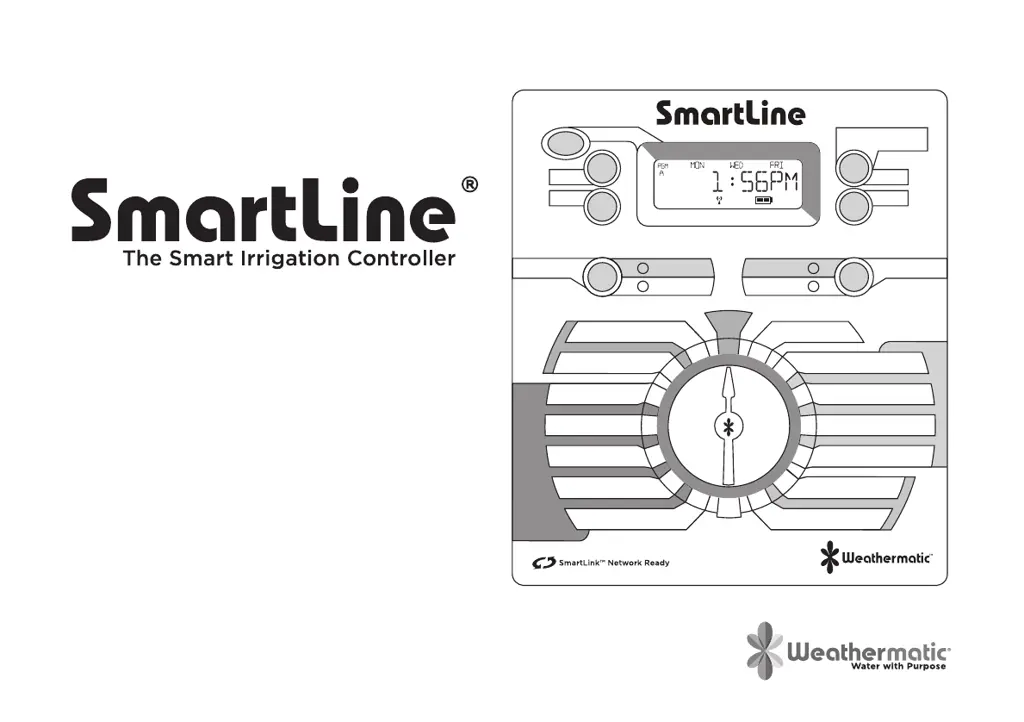
The Smart Irrigation Controller
PGM
PROGRAM
NEXT
BACK
UP
PRESS TO START
MANUAL PROGRAM
DOWN
SMART
BASIC
WATERING
MODE
SMART
SYSTEM OFF
BASIC
ADVANCED
MENU
RUN
ON
RAIN/FREEZE
SENSING
OFF
MORE
/
LESS
SOIL TYPE
PLANT TYPE
SPRINKLER TYPE
ZIP CODE /LATITUDE
CURRENT TIME / DATE
PROGRAM START TIMES
ZONE RUN TIMES
DAYS TO WATER
OMIT TIMES / DAYS
SEASONAL % ADJUST
MANUAL ZONE
MANUAL TEST

Questions and Answers

  • A
    adominguezAug 17, 2025
    How to fix a Weathermatic smartline SL800 with no display?
    • E
      Edward EricksonAug 17, 2025
      If your Weathermatic Controller has no display, it could be due to: * No power to the controller: Check the power wiring and breaker, and ensure the control panel is firmly closed. * No 24V power from the transformer: Replace the transformer, as the likely cause is power surge damage.
  • C
    Christopher HernandezAug 20, 2025
    Why does my Weathermatic SmartLine® controller not turn on zone when expected?
    • K
      Karen CainAug 20, 2025
      Your Weathermatic SmartLine® controller might not be turning on a zone as expected for several reasons. The zone might be set to OFF; in this case, set the zone run time position. The dial might be set to SYSTEM OFF; turn the dial to RUN. It's possible that no zone run time or daily start time has been set, so program these settings. Omit times/days may be activated, so verify these settings. A rain or freeze sensor might have stopped watering, indicated by a red Sensor LED; if the sensor is faulty, replace it.
  • J
    Jacob HowellAug 26, 2025
    What to do if the FAULT icon appears on my Weathermatic Controller display?
    • C
      cparkerAug 26, 2025
      If the FAULT icon is displayed, it indicates a problem with your Weathermatic Controller. This could be due to: * A shorted or open condition on a zone(s). Check the solenoid(s) and wiring. You can find fault information in Advanced Functions. * A shorted MV/P. Check the solenoid(s) and wiring. * Insufficient watering opportunity. Review your programming watering days, make sure omit settings are not excessive, and verify the accuracy of Auto Adjust settings for sprinkler and plant type.
  • J
    James MorrisSep 2, 2025
    What to do if my Weathermatic smartline SL800 Controller displays the FAULT icon?
    • Q
      qkruegerSep 3, 2025
      If your Weathermatic Controller is showing a FAULT icon, it could indicate a shorted or open condition on a zone. Check the solenoids and wiring. A shorted MV/P could also be the problem, so check the solenoids and wiring. Another cause might be insufficient watering opportunity; check programming watering days, verify omit settings are not excessive, and review the accuracy of SMART settings for sprinkler and plant type.
  • K
    Katherine HebertSep 5, 2025
    What to do if my Weathermatic smartline SL800 Controller display shows zone is running but no sprinklers are operating?
    • C
      Christopher WintersSep 5, 2025
      If your Weathermatic Controller display indicates a zone is running but the sprinklers aren't operating, first ensure that the water supply to the system is turned on. If the water supply is on, verify valve operation. Also, check for an open or disconnected wire by running a MANUAL TEST. Verify if the FAULT icon is shown on the display and turn the dial to the Advanced Menu to determine the location of the fault.
  • K
    Kevin FullerSep 8, 2025
    Why does my Weathermatic Controller keep repeating a watering cycle?
    • T
      Tyler NewtonSep 8, 2025
      If your Weathermatic Controller keeps repeating a watering cycle, it's likely due to extra start times being set at the Program Start Times position on the dial. Turn the dial to Program Start Times, use the NEXT button to view all start times, and hold down the UP or DOWN button to change the start times or advance to the OFF position. Each Program will start and run all zones assigned to that program in consecutive order.
  • S
    spayneSep 12, 2025
    What to do if my Weathermatic smartline SL800 has no display?
    • D
      Dennis KerrSep 12, 2025
      If your Weathermatic Controller has no display, first check the fuse on the SL1600 with the inline fuse holder. Also, check for 24V power from the transformer; inspect the fuse holder on the SL800 or SL4800. The replacement fuse should be a 1 amp slow blow for SL1600 and SL800, and a 1.5 AMP slow blow for SL4800. If necessary, replace the transformer, as the issue is likely due to power surge damage.
  • A
    alan07Sep 13, 2025
    What to do if my Weathermatic smartline SL800 display shows 0 ZONES?
    • B
      Brian ParksSep 13, 2025
      If your Weathermatic Controller display shows '0 ZONES', the cause may be a defective or loose module. Replace the module in zone 1-4 position.
  • G
    Gabrielle RangelNov 21, 2025
    How to fix a Weathermatic SmartLine® controller that does not turn on zone when expected?
    • S
      stonedianeNov 22, 2025
      If your Weathermatic SmartLine® controller isn't turning on a zone when expected, several factors could be the cause. Check if the sensor jumper is removed and no sensor is connected, indicated by a red Sensor LED; if so, install a jumper wire between the SEN terminals. Also, check if the sensor wires have been cut, also indicated by a red Sensor LED, and repair them if necessary. Examine whether the zone comes on at an unexpected time due to daily start times not set properly or multiple start times set. Review and set the time of day and date correctly. Ensure watering days or omit days/dates are properly set. A Run/Soak feature might have extended the watering window, so pause for Run/Soak in progress. If the controller doesn't operate the zone for the expected run time, check the seaso...
  • Z
    Zachary WalshNov 27, 2025
    Why won't my Weathermatic smartline SL800 Controller allow entry to Auto Adjust?
    • D
      Deborah BoydNov 27, 2025
      If your Weathermatic Controller won’t allow entry to Auto Adjust, here are some possible causes and solutions: 1. The SLW weather station might not be initialized. Initialize the SLW weather station according to the instructions in the Auto Adjust section. 2. Required Auto Adjust settings might be missing. Push and hold down the MODE button for a scrolling message indicating needed information. Enter the needed information for time, date, and ZIP Code or Latitude. 3. The 9V battery in the SLW weather station may be drained. Replace the battery. 4. There may be a communication cable problem. Check the cable and connections at the controller. 5. The SLW weather station may be defective. Replace the SLW weather station. Note: If the SmartLine® controller has no communication for 5 days,...

Summary

Introduction

Build Your SmartLink Network

SmartLine Accessories

Getting Acquainted With Your SmartLine Controller

1.1 Control Panel Overview

Details the LCD display, its indicators, and buttons like PGM.

Watering Mode Button

Explains the function and LED indicators of the Watering Mode button.

Rain;Freeze Sensing Button

Explains the function and LED indicators of the Rain/Freeze Sensing button.

1.2 Quick-View Function

Briefly explains how to view current FLOW rate or system current.

Programming the Controller

2.1 Using the Programming Buttons

Explains how to use UP/DOWN, NEXT/BACK buttons for programming and navigation.

2.2 Current Time;Date Setup

Guides on setting the current time and date using the controller's buttons.

2.3 Program Start Times

Details setting start times for watering programs A, B, C, and D.

2.4 Zone Run Times

Instructions for setting run times for individual zones, from 1 minute to 9 hours.

2.5 Days to Water

How to select watering days using DAYS, INTERVAL, or ODD/EVEN schedules.

2.6 Omit Times;Days;Dates

Setting blackout periods for watering based on time, days, or specific dates.

2.7 Seasonal % Adjust

Modifying zone run times monthly to adjust for seasonal climate changes.

Manual Start Functions

3.1 Manual Zone

Allows manual watering of a single zone for a specified period.

3.2 Manual Test

Used to test run times for zones with assigned run times and detect faults.

Programming for Smart Watering Mode

4.1 Location Setup

Setting the controller's location via ZIP Code (USA) or Latitude for Smart Mode.

4.2 Enter Smart Data for Zones

Entering zone data like Sprinkler Type, Plant Type, and Soil Type for Smart Mode.

4.2.1 Sprinkler Type

Selecting sprinkler type or precipitation rate to determine zone run time.

4.2.2 Plant Type for Zones

Specifying plant material type to determine watering needs for each zone.

4.2.3 Soil Type for Zones

Setting soil type and slope to automatically calculate optimal run/soak times.

4.2.4 More;Less Adjustment

Fine-tuning zone run times by -50% to +25% for shade or other factors.

4.2.5 Activating the SLW Weather Sensor

Instructions for installing and activating the SLW Weather Sensor.

4.2.6 MODE Button

How to switch between SMART and BASIC modes and check sensor communication.

Advanced Menu

5.1 Tests and Diagnostics

Access diagnostic functions like OUTPUTS, BATTERY, 24V PWR, LOCATOR, and FAULTS.

5.2 System Settings

Configure LANGUAGE, UNITS, DEFAULT, GROW-IN, ABOUT, and MODBUS settings.

5.3 Program Management

Manage programs with CLR ALL, CLR PGM, CON PGM, and NC/NO MV options.

5.4 Valve and Delay Settings

Configure MV/ZONE, MV/ZN DLY, MV2 ZONE, ZN/ZN DLY, NUM START, and DS TIME.

5.5 Watering Logic

Adjust RUN/SOAK, SENSOR overrides, MIN DEF, and SLW sensor settings.

5.6 Flow Monitoring

Access FLOW menu for HIGH PK, CLR FLOW, SETTINGS, TOT FLOW, and LOW PK.

5.7 Review and Data

Review TEMP/DATA, SLW communication, NEXT RUN, RUN/SOAK, DEFICIT, and RUNTIME.

Troubleshooting the Controller

6.1 Total Reset Procedure

Clears all programming data and returns all settings to factory defaults.

6.2 Watering Cycle Pause Functions

Explains controller pauses due to sensor readings or program settings.

6.3 Changing Weather Sensor Batteries

Instructions for replacing AAA lithium batteries in SLW or RFS5 weather sensors.

6.4 Troubleshooting Guide

Lists common problems, their causes, and solutions for controller operation.

Weathermatic smartline SL800 Specifications

General IconGeneral
Number of Zones8
Stations8
ExpandableYes
Maximum Stations16
MountingIndoor/Outdoor
ConnectivityWi-Fi
Watering Programs4
Rain Sensor InputYes
Flow Sensor InputYes
DisplayLCD
Power Source120 VAC
Battery BackupYes
Enclosure RatingNEMA 3R
Weather Sensor CompatibilityYes
ModelSL800
Smart FeaturesWeather-based watering, remote control

Related product manuals