26
4.5.2 Deactivation, editing and removal of the programmed timer
3
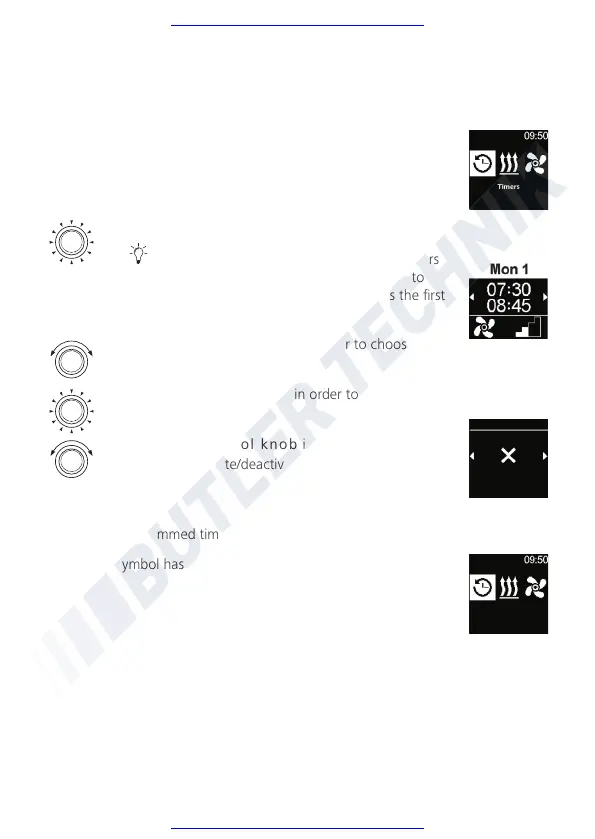
“Timer” symbol has been selected in the main menu.
Timers
Press the control knob.
The stored timers appear in the display. Timers
are arranged in chronological order according to
days/hours. Next active timer is displayed as the first
one.
Turn the control knob in order to choose the
desired “Timer”.
Press the control knob in order to confirm
selection
Turn the control knob in order to choose ope-
ration (activate/deactivate/edit/delete).
Deactivate
Timers
Remove all programmed timers.
3
“Timer” symbol has been selected in the main menu.
Timers



 To Next Page