8602 Commerce Court
Burnaby, B.C., Canada V5A 4N6
Office: 604.502-9007
Fax: 604.502-9044
Web: www.webbelectronicsinc.com
Document Name: LS350 - Installation Guide_R02.docx 12 o f 15
CONFIDENTIAL, Copyright © 2023 This document is proprietary to Webb Electronics Inc. It may not be copied or otherwise
distributed without the express consent of Webb Electronics Inc.
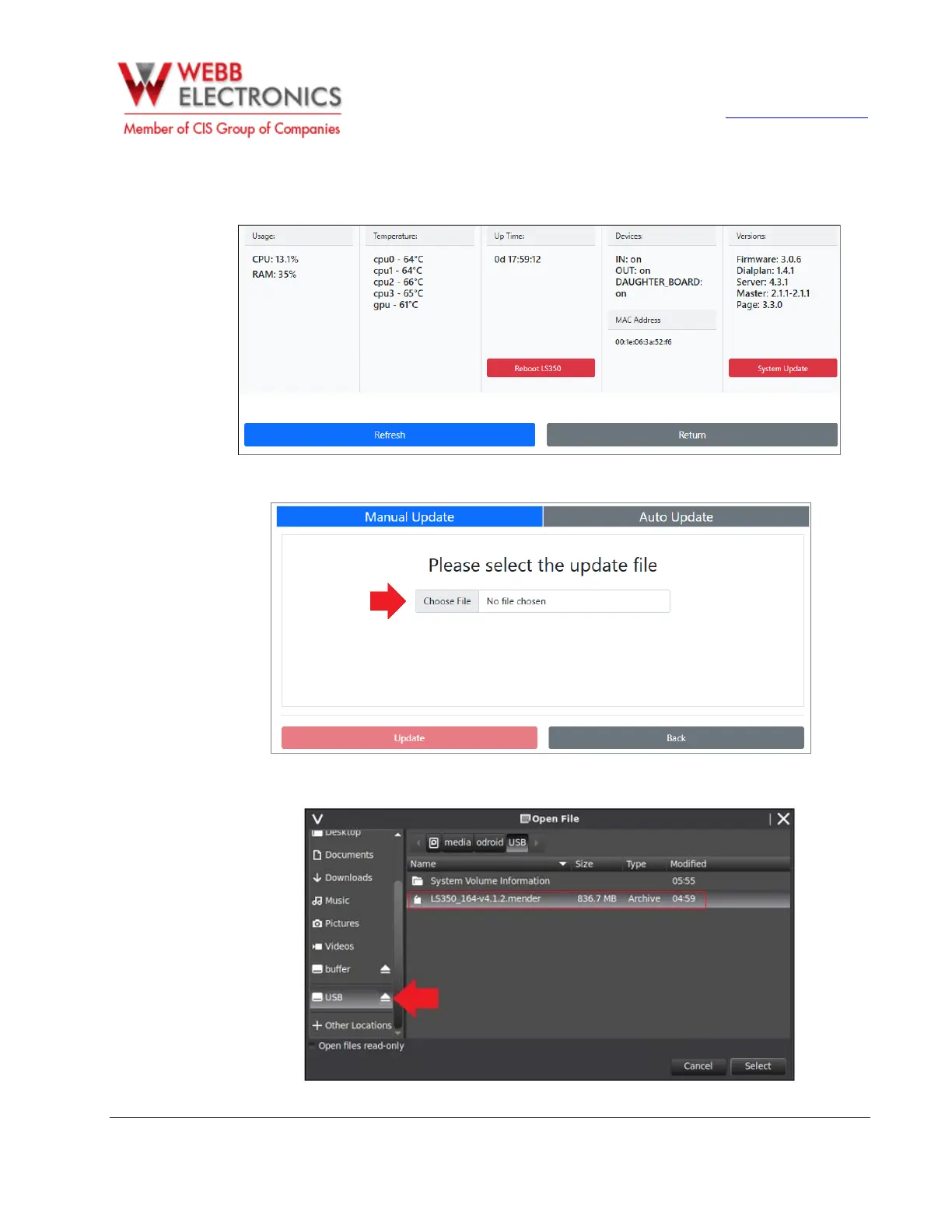
The LS-350 Information Page displays key hardware statuses, the current software version, and provides
two functional buttons: one to reboot the LS-350 and another to perform a software update.
2. Tap on System Update, then select the Choose File option:
3. Go to the USB Flash Drive and select the update file (Note: The LS-350 update file extension must be
.mender) .


 To Next Page