8602 Commerce Court
Burnaby, B.C., Canada V5A 4N6
Office: 604.502-9007
Fax: 604.502-9044
Web: www.webbelectronicsinc.com
Document Name: LS350 - Installation Guide_R02.docx 11 o f 15
CONFIDENTIAL, Copyright © 2023 This document is proprietary to Webb Electronics Inc. It may not be copied or otherwise
distributed without the express consent of Webb Electronics Inc.
o LS-350-10
UPDATING LS-350 SOFTWARE
Update Setup
Before proceeding with the update, ensure you have the latest
software version saved on a USB flash drive.
To download the latest software:
1. Scan the QR code located on the LS-350 battery bracket,
or
2. Visit
http://www.webbelectronicsinc.com/files/Manuals/ls-
350
Once the software is downloaded:
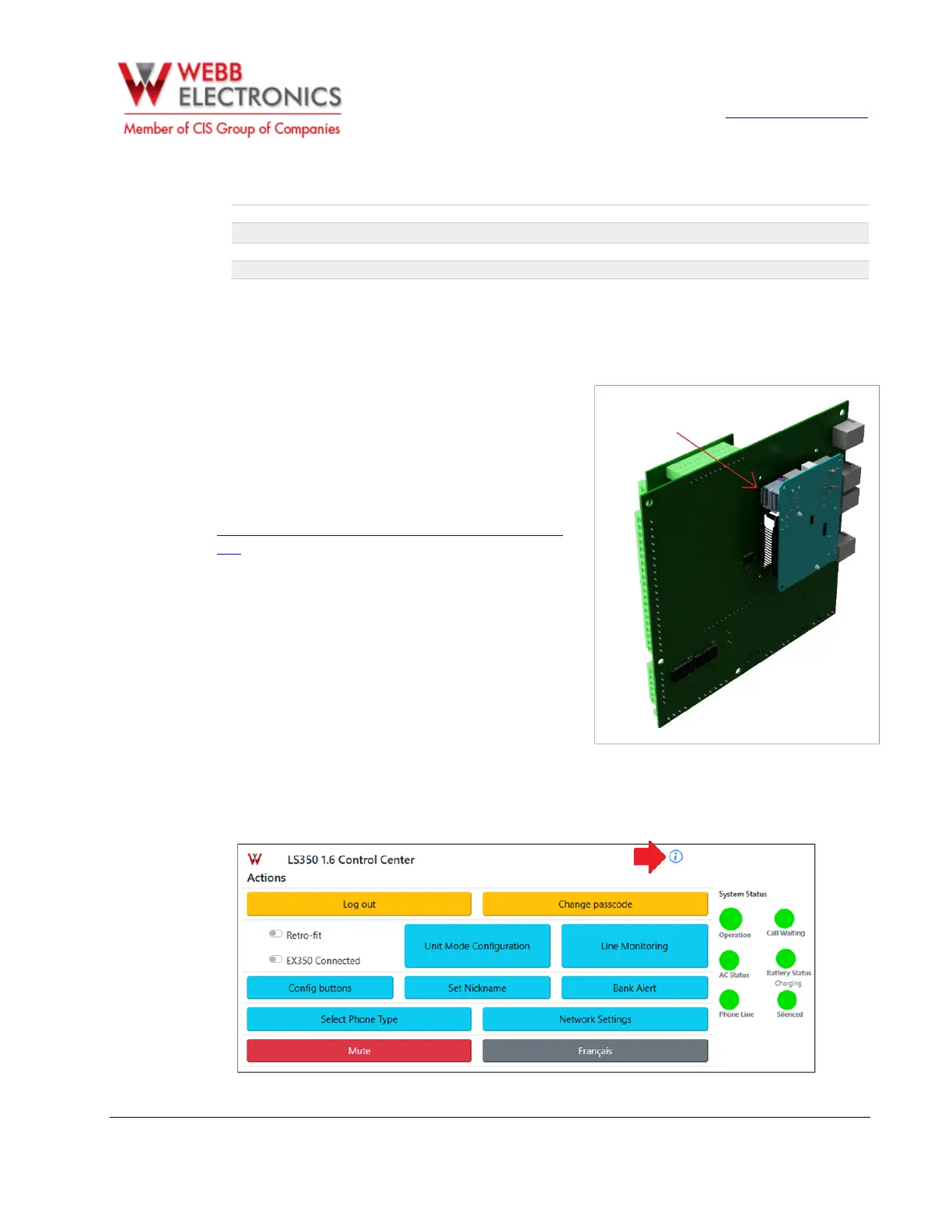
1. Connect the USB flash drive directly to one of the USB
ports on the LS-350 CPU, located on the back of the main
board.
2. To access the ports, unscrew the main board and lift it
gently to create enough space for the connection.
Software Update
1. To access the update interface, first go to the LS-350 Information Section.


 To Next Page