8602 Commerce Court
Burnaby, B.C., Canada V5A 4N6
Office: 604.502-9007
Fax: 604.502-9044
Web: www.webbelectronicsinc.com
Document Name: LS350 - Installation Guide_R02.docx 6 o f 15
CONFIDENTIAL, Copyright © 2023 This document is proprietary to Webb Electronics Inc. It may not be copied or otherwise
distributed without the express consent of Webb Electronics Inc.
LS-350 Configuration
• Configuration Page
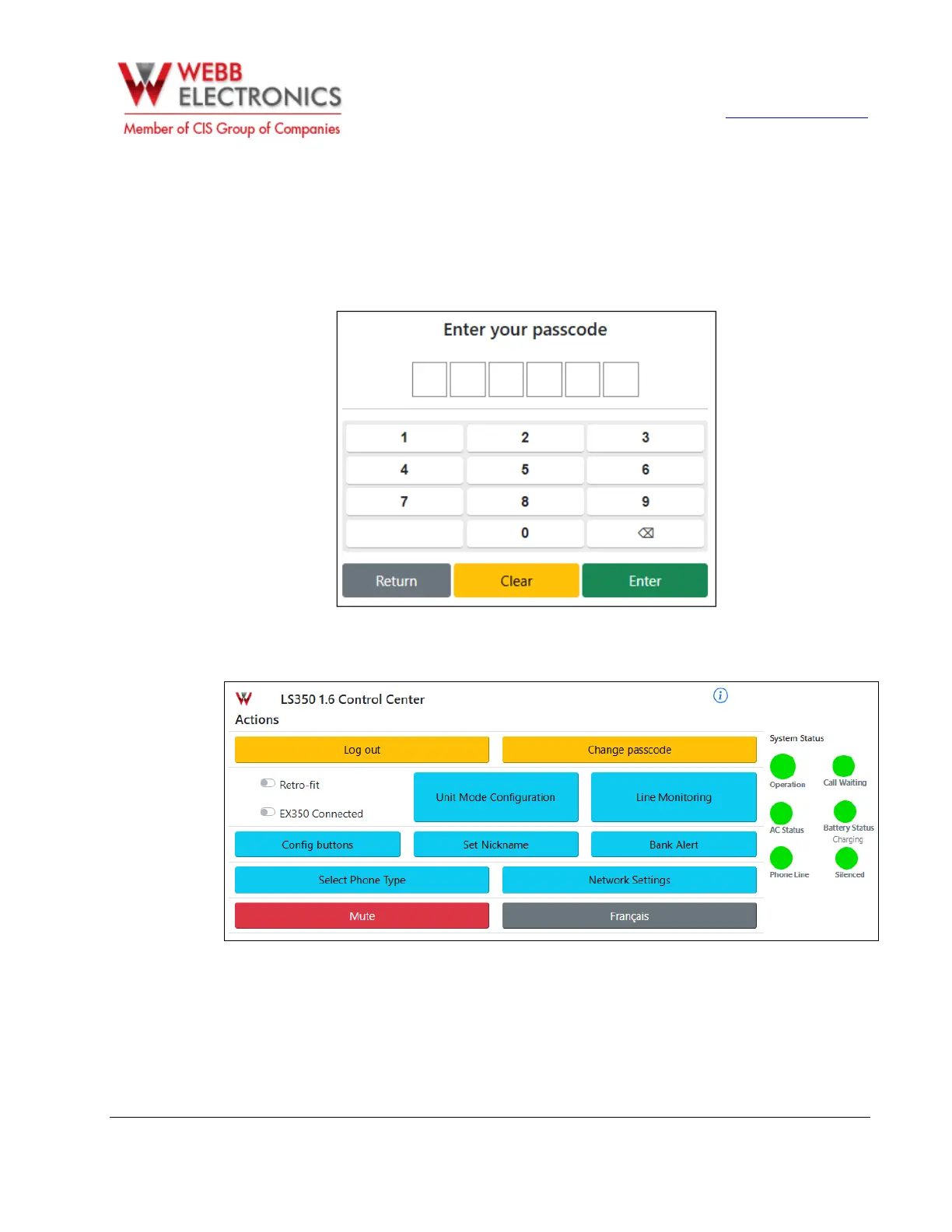
To access the configuration page first click on the admin button located on the bottom left on the
home screen. The user will be prompted to enter a password. (Default password: 111111).
The configuration page displays system status and allow the user to access the settings menu for the
LS-350.


 To Next Page