8602 Commerce Court
Burnaby, B.C., Canada V5A 4N6
Office: 604.502-9007
Fax: 604.502-9044
Web: www.webbelectronicsinc.com
Document Name: LS350 - Installation Guide_R02.docx 7 o f 15
CONFIDENTIAL, Copyright © 2023 This document is proprietary to Webb Electronics Inc. It may not be copied or otherwise
distributed without the express consent of Webb Electronics Inc.
• Unit Mode Configuration
o LS-350-01
The LS-350-01 manages and shares a single phone line among up to 10 elevator phones. In this
setup, the elevator phone first dials the LS-350 before connecting to an external number.
Therefore, the primary phone number on the elevator phone must be set to 288XX, while the LS-
350-01 is configured to call the intended external number.
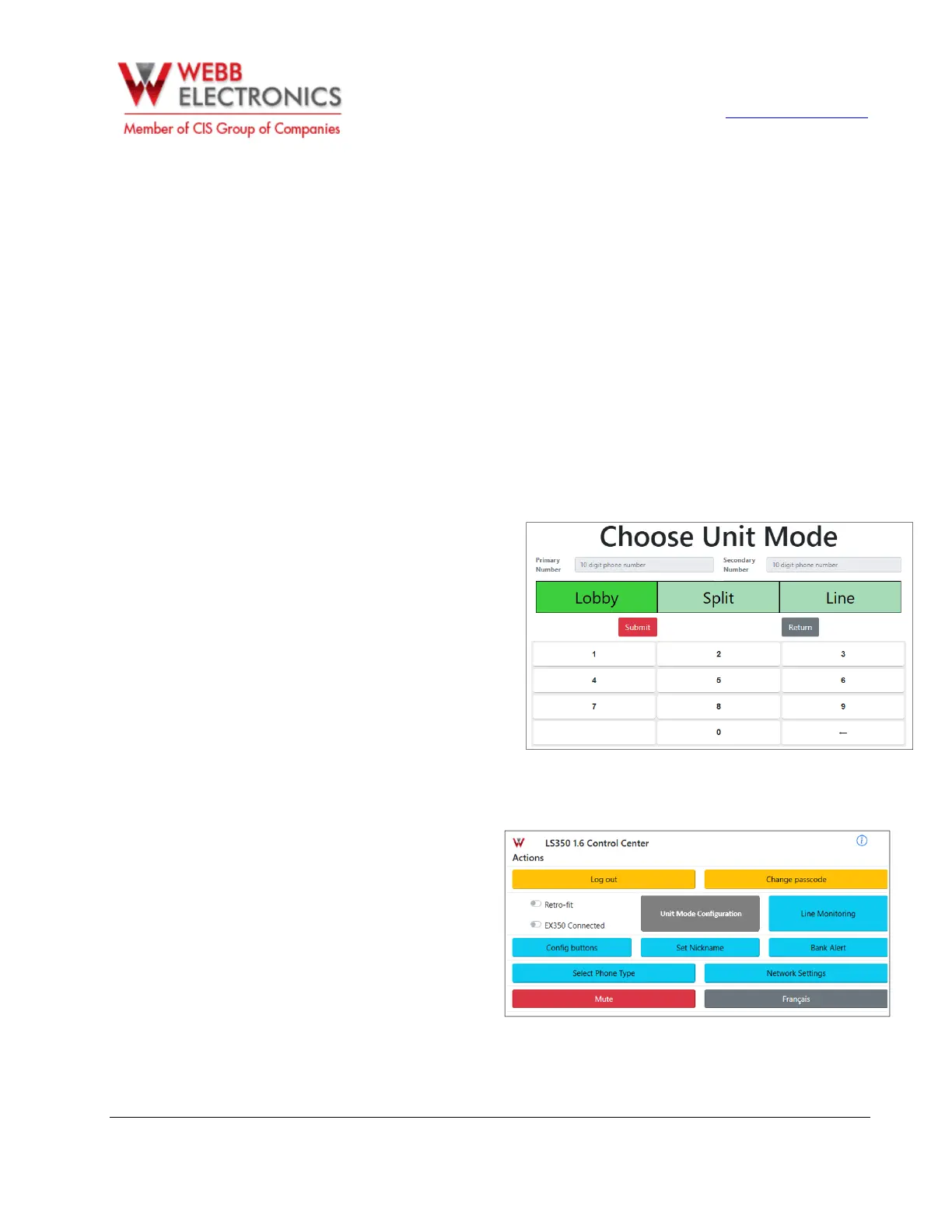
The LS-350-01 has 3 modes of operation:
▪ Lobby Mode: On this mode the cabs will call only the LS-350, and the handsets connected
to its REM connectors.
▪ Split Mode: On this mode the cabs will alternate between calling the primary phone number
and the LS-350.
▪ Remote mode: On this mode the cab will call only external phone numbers. They will
alternate between the primary and secondary phone numbers.
o tap on Select Unit Mode.
o Select desired operation mode and
enter primary and secondary phone
number when applicable. (Secondary
phone number only on Remote mode).
o Tap on Submit to save changes.
Note: Under Lobby Mode the system
won’t allow the user to enter the primary
phone number nor secondary phone
number because in this case, the elevator
phones are set to call LS-350-01.
o LS-350-10
The LS-350-10, on the other hand,
supports up to 10 individual phone
lines, each connected directly to an
elevator phone. In this setup, the
primary phone number on the
elevator phone should be set to the
actual phone number it will call
directly.
Unit Mode configuration is disabled
on the LS-350-10.


 To Next Page
 Loading...