8602 Commerce Court
Burnaby, B.C., Canada V5A 4N6
Office: 604.502-9007
Fax: 604.502-9044
Web: www.webbelectronicsinc.com
Document Name: LS350 - Installation Guide_R02.docx 8 o f 15
CONFIDENTIAL, Copyright © 2023 This document is proprietary to Webb Electronics Inc. It may not be copied or otherwise
distributed without the express consent of Webb Electronics Inc.
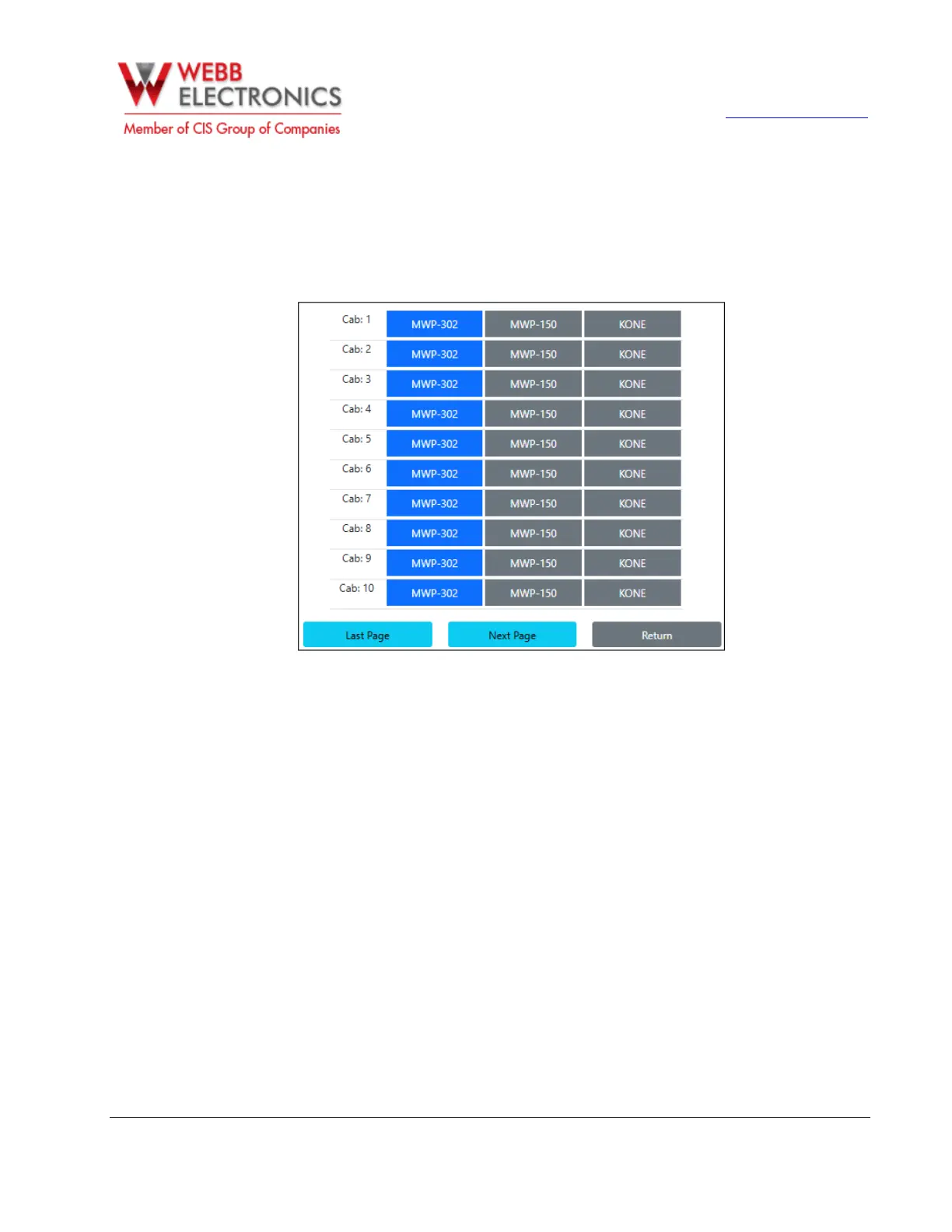
• Select Phone Type
The LS-350 is compatible with the MWP-150, MWP-302, and Kone phones. In the Select Phone Type
section, you can specify the type of phone connected to the LS-350.
This enables the system to optimize its operation based on the specific phone it is serving.
• Alarm Setup
In order to setup the alarms properly, please follow the instructions provided for both the Bank Alert
section and the Line Monitoring Section.
o Bank Alert
Use this section to group elevators into banks. The setup is done individually for each elevator. Use
the arrows to assign each elevator to the appropriate bank. The LS-350 includes built-in outputs
for up to two elevator banks:
▪ For elevators assigned to Bank 1, use the LA-SC 1 output, located on the bottom-left of the
main LS-350 board.
▪ For elevators assigned to Bank 2, use the LA-SC 2 output, also located on the bottom-left of the
main LS-350 board.
▪ f additional elevator banks are required, you can add an LA-LS module (one per extra bank). Note
that in this configuration, the LS-350 will no longer monitor external alarms for those additional
banks, as the alarm annunciator will not be directly connected to the LS-350 as it is for Banks 1 and
2. To enable alarms for elevators associated with a third or fourth bank, set the elevator to External
Bank. Refer to the Adding Extra Elevator Banks section on Page XX for wiring instructions.


 To Next Page
 Loading...