8602 Commerce Court
Burnaby, B.C., Canada V5A 4N6
Office: 604.502-9007
Fax: 604.502-9044
Web: www.webbelectronicsinc.com
Document Name: LS350 - Installation Guide_R02.docx 9 o f 15
CONFIDENTIAL, Copyright © 2023 This document is proprietary to Webb Electronics Inc. It may not be copied or otherwise
distributed without the express consent of Webb Electronics Inc.
o Line Monitoring
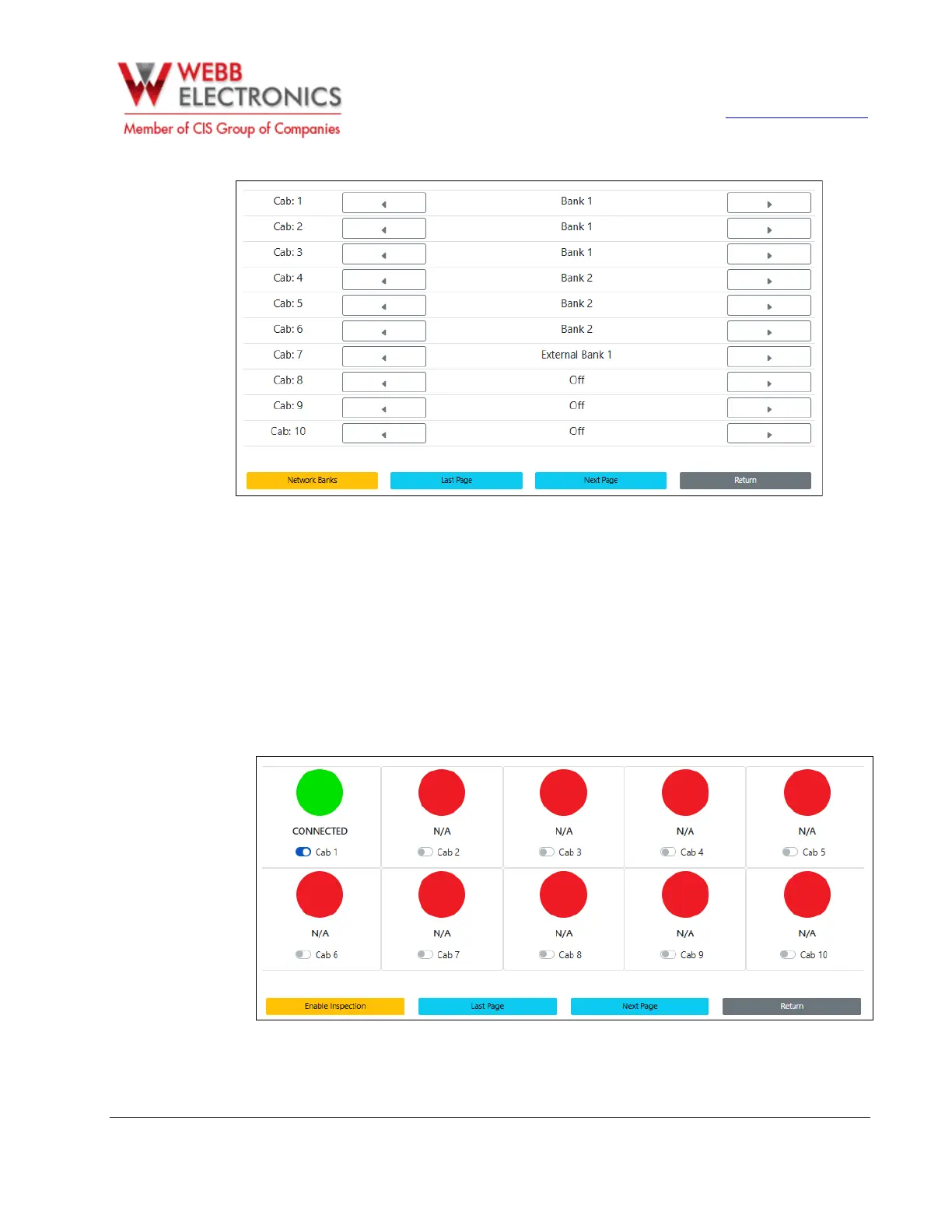
After setting up the elevator banks, navigate to the Line Monitoring page. In this section, use the
toggle switches to enable line monitoring for each elevator phone.
When line monitoring is enabled, the system will initially display an alarm state. To clear the alarm
and fully activate the line monitoring feature, place a call to or from the corresponding elevator
phone.
If the steps are completed correctly, the status for the elevator phone will turn green, indicating
successful activation.


 To Next Page