3.3.5 Replacing the V-Belt
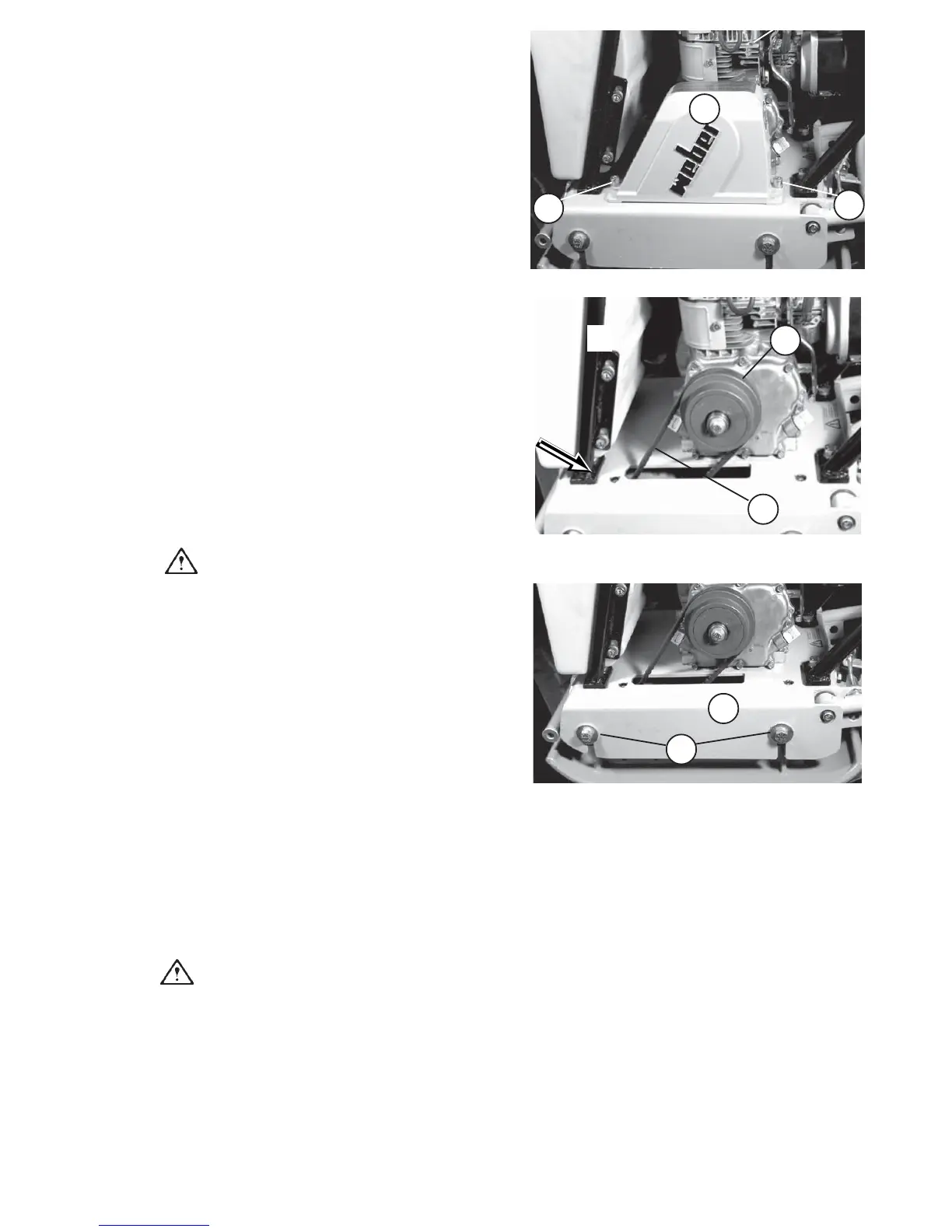
- Remove the V-belt guard (39/1) by loosening the
screws (39/2).
- Loosen the V-belt as described in paragraph 3.3.4
and remove the V-belt.
- Put on the new V-belt (pay attention to its length !!).
Caution!
Take care to properly align the belt, especially
after repair work.
-Tension the V-belt as described in paragraph 3.3.4.
-Put the soil compactor out of operation as described
in paragraph 2.7.
- Remove the V-belt guard (39/1) by undoing the
screws (39/2).
- Check the condition of the V-belt (40/1) (cracks,
broken out flanks, wear).
- In case of excessive wear, replace the V-belt as
described in paragaph 3.3.5.
- Apply a force of approx. 100 N and press the V-belt
down as shown in figure 40. The V-belt's deflection
should be approx. 10 mm.
If the V-belt's tension is too low, proceed as follows:
- Tension the V-belt by means of the 4 fastening
screws (41/1) of the engine bracket (41/2).
- Loosen the fastening screws and lift the engine
bracket with a fitting lever.
- When the V-belt (40/1) has achieved the correct
tension, retighten the fastening screws (41/1).
Caution!
Take care to properly fit the V-belt on the
pulleys (40/2) (belt alignment).
- Fasten the V-belt guard (39/1) by means of the
screws (39/2).
3.3.4Checking the Condition and
Tension of the Vibrator V-Belt
1
2
2
Figure 39
Figure 40
1
2
Figure 41
2
1
CF-2 27


 To Next Page