EasyManua.ls Logo

weBoost 4G-X OTR - Page 14

weBoost 4G-X OTR
22 pages
Print Icon
To Next Page IconTo Next Page
To Previous Page IconTo Previous Page
Loading...
S
ii111
Lovv
Profil•~
Antcnnn
~
~:
:
::: :::
:::::t:::D
4G
-
OTR
An
te
nna
CD
o:::J:::!::::::::::-
·
-
····
~
~
~
'
~
.
.
~<-::~~-·
.
..
·-·
...
.....................
·
..
·.:
_.
:_
..
~;;:
:-
.
/.
~./
·
..
//.~
~:.
>.
!
~··
.
·.',·
.
~
·
,···
:r~
~>',
-
:
/;/
~ ~~
'---'.
::-;
....
'-
!
~
·.:·
i
"'
/
:/
IL·
···
···
1~t':
i
I
@
L'
'
·· ··
·'··
.,
:'
.•
'_.
;~
_
..
·
!~
·
•..
··.)
i "
i
c
'.
\,~
::;':
il
(
;
~_
'~~)
DRIVE
4
CONNECT
COAX
CABLES
TO
DRIVE
4G-X
Select
a location for the Drive 4G-X that
is
free
from excessive l1eat,
direct
sunlight
and moisture
and that has
proper
ventilation.
Good
locations
include
underneath
a seat or
under
the dashboard.
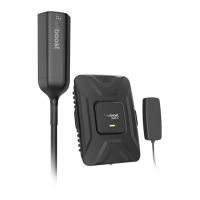
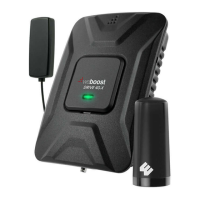
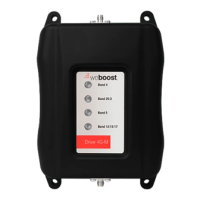
Connect
the cable from the
4G-OTR Antenna
to
the
port
labeled
"Outside
Antenna"
on the Drive 4G-X
and
connect
the
cable from the
Slim
Low
Profile
Antenna to the
port
labeled "Inside
Antenna" on
thE-.:
booster.
5
CONNECT
TO
POWER SUPPLY
Connect the
power
supply cord to the end
of
tile
Drive 4G-X
labeled "Power." NOTE:
Do
NOT
connect
the
power
to
the
Signal Booster until you have
connected botl1 the
Insi
de
and Outside Antennas.
6
CONNECT
TO
POWER SUPPLY
Plug
the
power
adapter into vehicle's
12V
DC
power
supply.
Power
up your Drive 4G-X by
flipping the switch on the back
of
the
DC
power
adapter on. If
your
Drive 4G-X
is
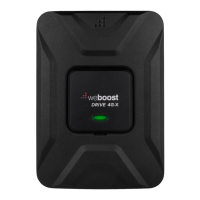
working correctly,
the light
will
be
green.
NOTE: If ligt1t
is
not
green on your
weBoost
booster,
please refer
to
the
troubleshooting
section on
page
8 or contact
customer·
support
at
1-866-294-1660
or email at
support@weboost.com.
4G-X
OTR
CELL
PHONE
SIGNAL
BOOSTER

Related product manuals