14
WeCo Srl Italy www.wecobatteries.com 4K4LT V1.00 24/01/2023
START-UP PROCEDURE AND LED BAR LIGHT FUNCTIONS
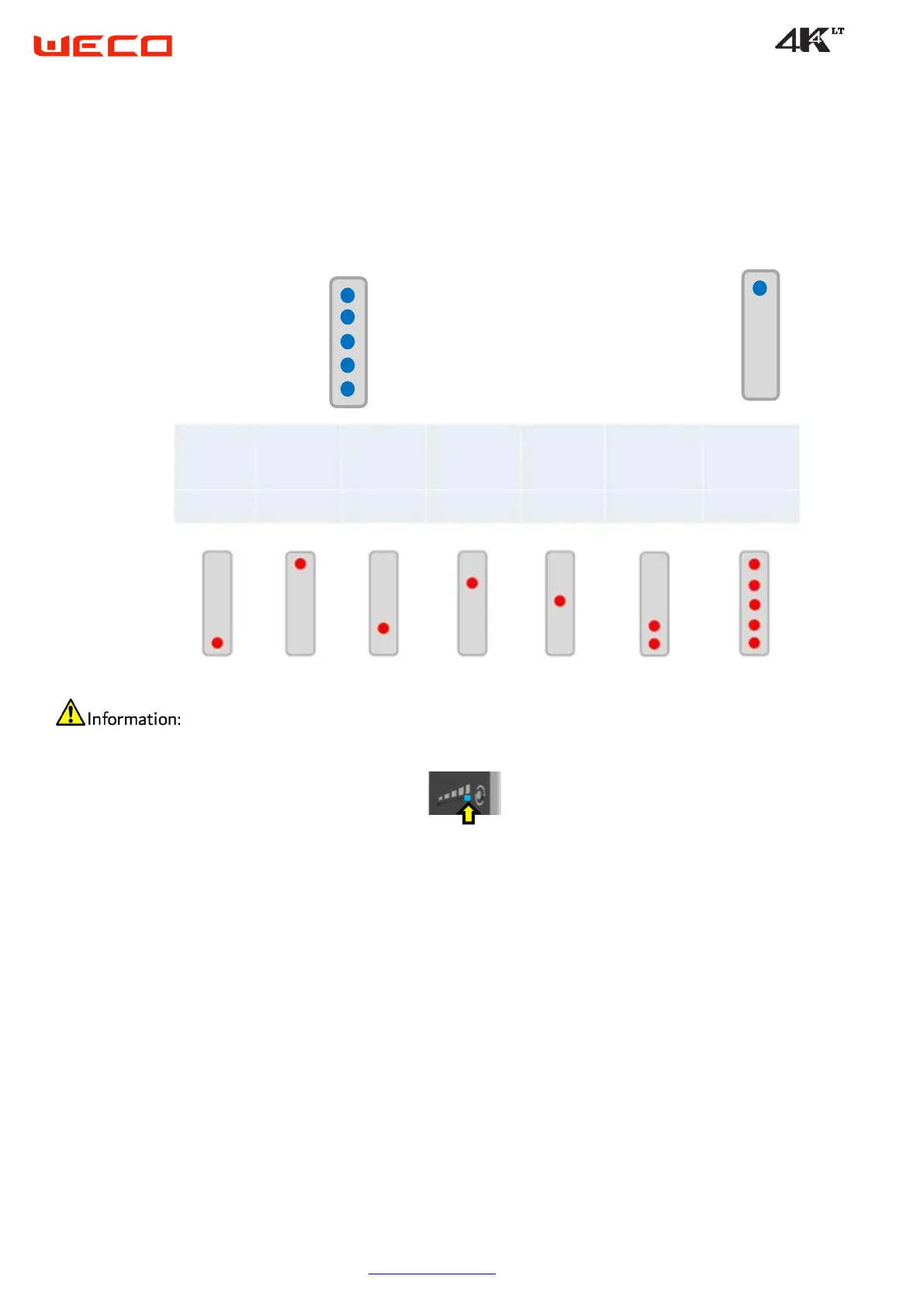
During startup: LED1 to LED5: GREEN for 5 seconds
After starting: LED1 up to LED5 will change color and become BLUE, at which time the battery SOC will be displayed.
At startup, the LED bar will light up green and then BLUE for about 5 seconds, in sequence.
During the upgrade process, only the extreme LED shown in the figure will be illuminated throughout the upgrade process, when the battery
SOC will be displayed again.
During the normal state, the LED bar always displays the SOC value.
During a failure or error, the LED bar displays the SOC value for 5 seconds, then displays the battery failure status for 5 seconds, alternately.
In the event of a permanent error, the LED bar will turn solid red.


 To Next Page