EasyManua.ls Logo

Wedge Innovations SmartLevel - Page 11

Default Icon
13 pages
Print Icon
To Next Page IconTo Next Page
To Previous Page IconTo Previous Page
Loading...
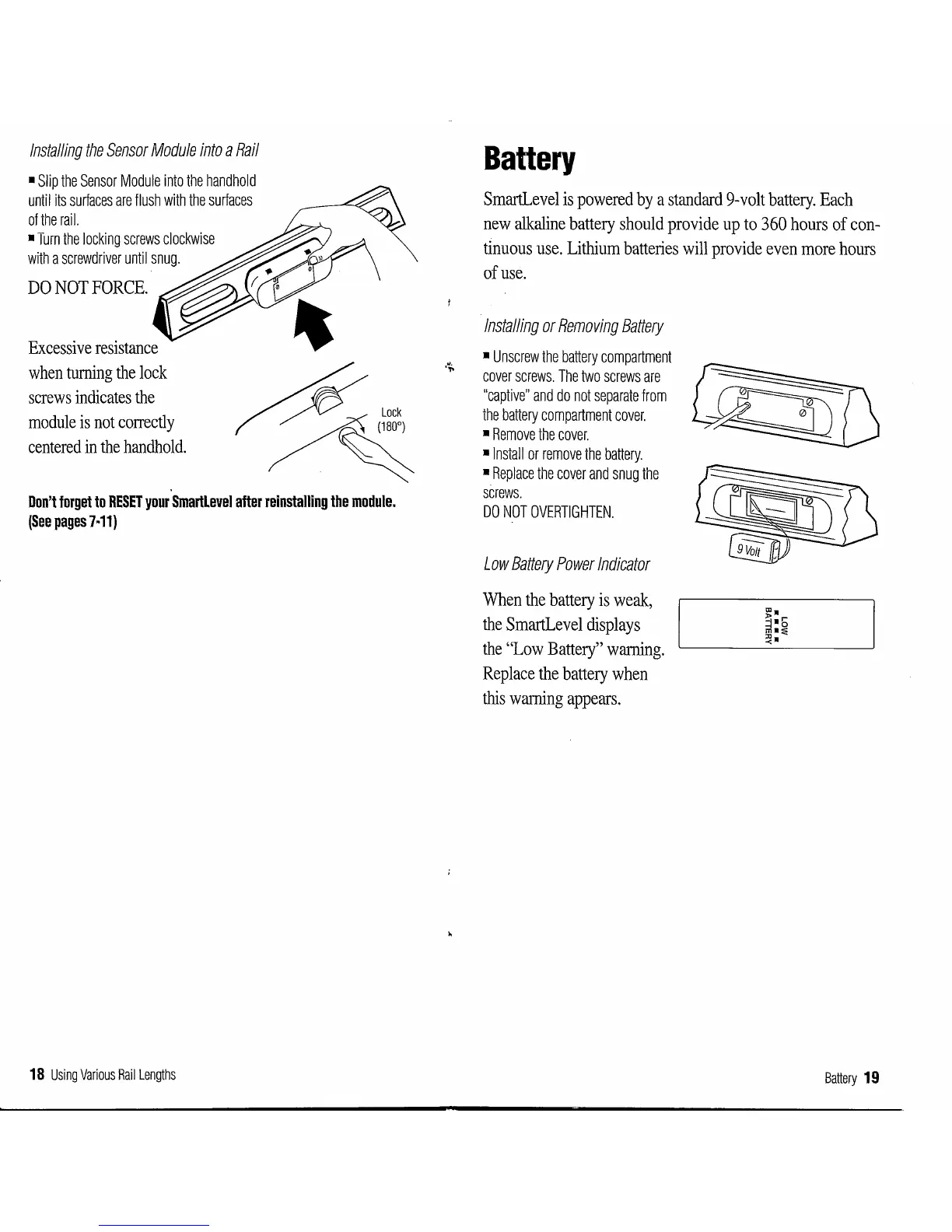
Installing
the
Sensor
Module
into
a
Rail
Slip
the
Sensor
Module
into
the
handhold
until
its
surfaces
are
flush
with
the
surfaces
of
the
rail.
Turn
the
locking
screws
clockwise
with
a
screwdriver
until
snug.
DO
NOT
FORCE.
'
Excessive
resistance
when
turning
the
lock
screws
indicates
the
module
is
not
correctly
centered
in
the
handhold.
~Lock
/~
Don't
forget
to
RESET
your
Smartlevel
after
reinstalling
the
module.
(See
pages
7·11)
18
Using
Various
Rail
Lengths
Battery
SmartLevel
is
powered
by
a
standard
9-
volt
battery.
Each
new
alkaline
battery
should
provide
up
to
360
hours
of
con-
tinuous
use.
Lithium
batteries
will
provide
even
more
hours
of
use.
Installing
or
Removing
Battery
Unscrew
the
battery
compartment
cover
screws.
The
two
screws
are
"captive"
and
do
not
separate
from
the
battery
compartment
cover.
Remove
the
cover.
•Install
or
remove
the
battery.
Replace
the
cover
and
snug
the
screws.
DO
NOT
OVERTIGHTEN.
Low
Battery
Power
Indicator
When
the
battery
is
weak,
the
SmartLevel
displays
the
"Low
Battery"
warning.
Replace
the
battery
when
this
warning
appears.
Battery
19