EasyManua.ls Logo

Weego 22 - USB Charging for Devices; Weego 22 Lighting Features

Default Icon
22 pages
Print Icon
To Next Page IconTo Next Page
To Previous Page IconTo Previous Page
Loading...
USB
CHARGING
Charge
your
phone,
tablet
and
other
portable
devices
with
your
Weego
22
using
your
own
USB
charging
cord.
Your
Weego
22
comes
equipped
with
Detect-o-Matic-
USB
Charging.
This
intelligent
charger
communicates
with
your
device
to
detect
and
deliver
the
fastest-possible
charge.
To
charge
your
device,
plug
your
charging
cord
into
your
Weego
22
USB
port,
and
connect
to
your
device.
Power
on
your
Weego
22
and
start
charging!
LIGHTING
Your
Weego
22
comes
with
a
250
lumen
LED
flashlight.
Power
on
your
Weego
22,
then
briefly
press
and
release
the
flashlight
button
to
initiate
the
following
sequences:
1st
click:
Normal
2"d
click:
Strobe
3m
click:
SOS
4th
click:
OFF
You
can
also
skip
directly
to
the
OFF
position
by
holding
down
the
flashlight
button.
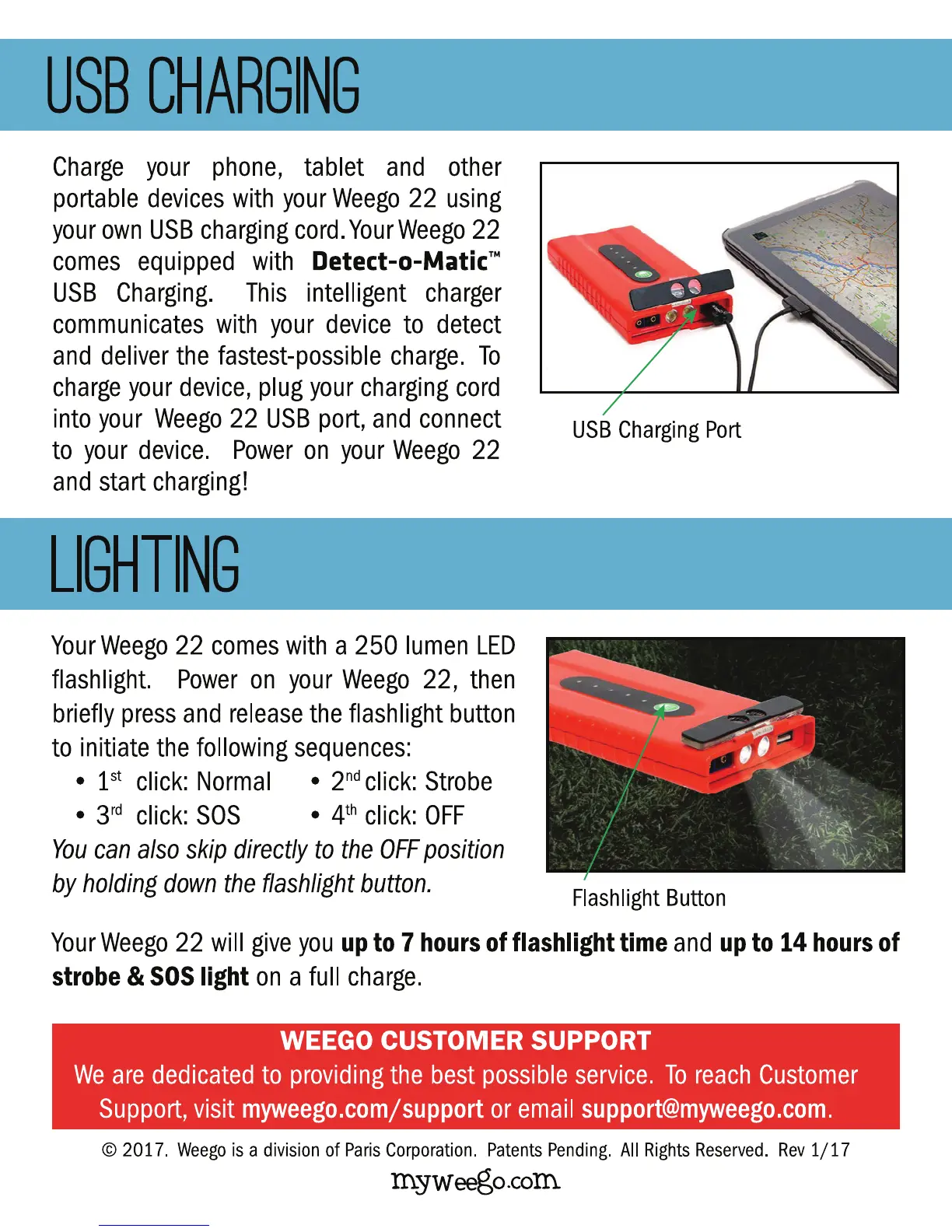
USB
Charging
Port
Flashlight
Button
Your
Weego
22
will
give
you
up
to
7
hours
of flashlight time
and
up
to
14
hours
of
strobe &
SOS
light
on
a
full
charge.
WEEGO
CUSTOMER
SUPPORT
We
are
dedicated
to
providing
the
best
possible
service.
To
reach
Customer
Support,
visit
myweego.comjsupport
or
email
support@myweego.com.
©
2017.
Weego
is
a
division
of
Paris
Corporation.
Patents
Pending.
All
Rights
Reserved.
Rev
1/17
m.yweego.com.

Other manuals for Weego 22

Related product manuals