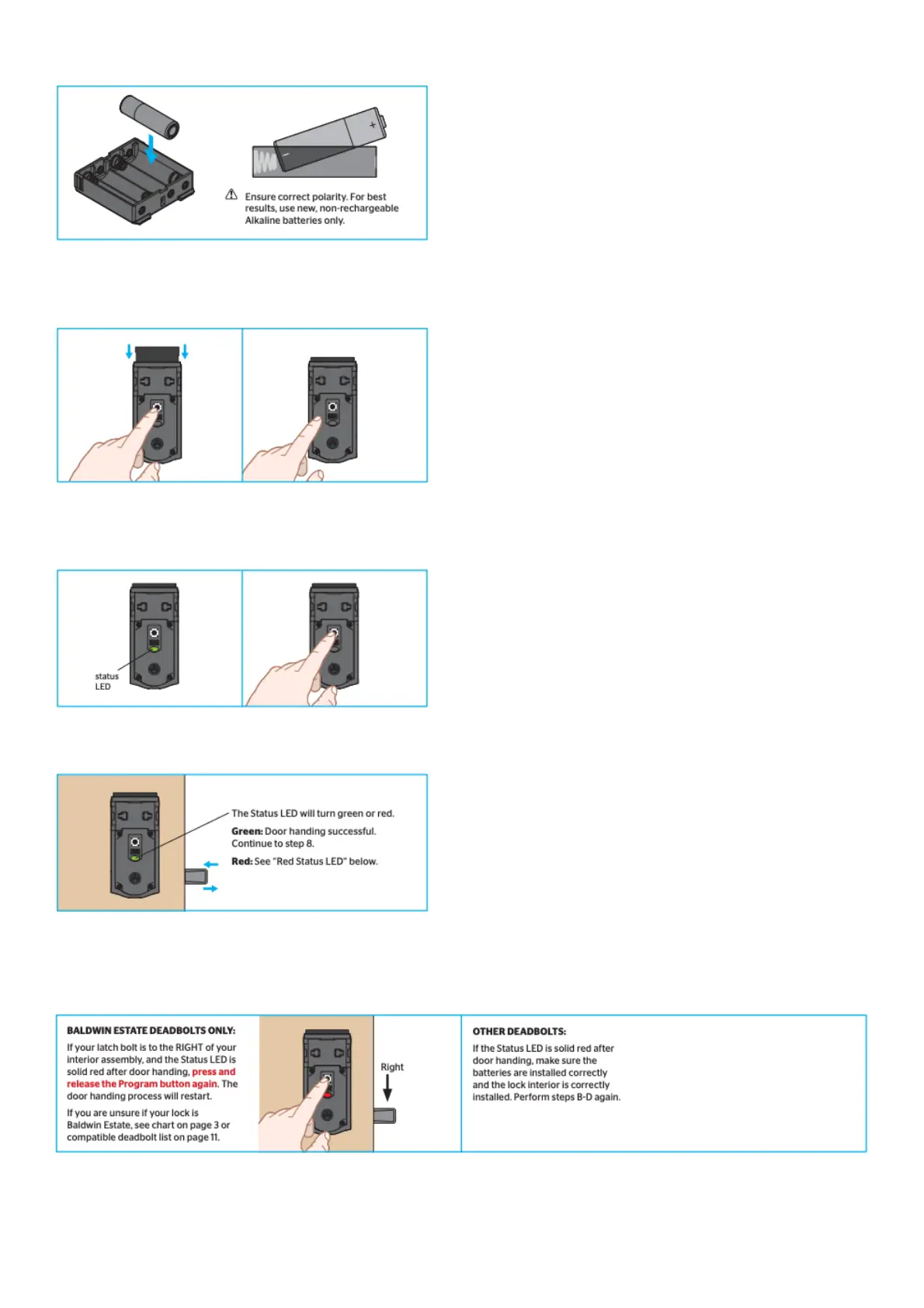
A. Install 4 AA batteries in the battery pack.
B. IMPORTANT: Make sure the door is open. Insert the battery pack while PRESSING AND HOLDING
the Program button. Release the button when the battery pack is all the way inside the lock interior.
C. IMPORTANT: The Status LED will flash red and green, and the lock will beep. Press and release the
Program button again.
D. The latch bolt will retract and extend on its own to learn the orientation of the door.
If the bolt does not move, make sure the batteries are installed correctly, and perform steps B-D again.
Red Status LED
8. Download the Kevo app and set up your smartphone.
A. Download the Kevo app at weiserlock.com/kevo/app or scan the QR code below.



 To Next Page