©2015 Spectrum Brands, Inc.
Mastercode
Programming timeout: If no button is pressed for ve seconds, the system will time out
and you will need to restart the procedure.
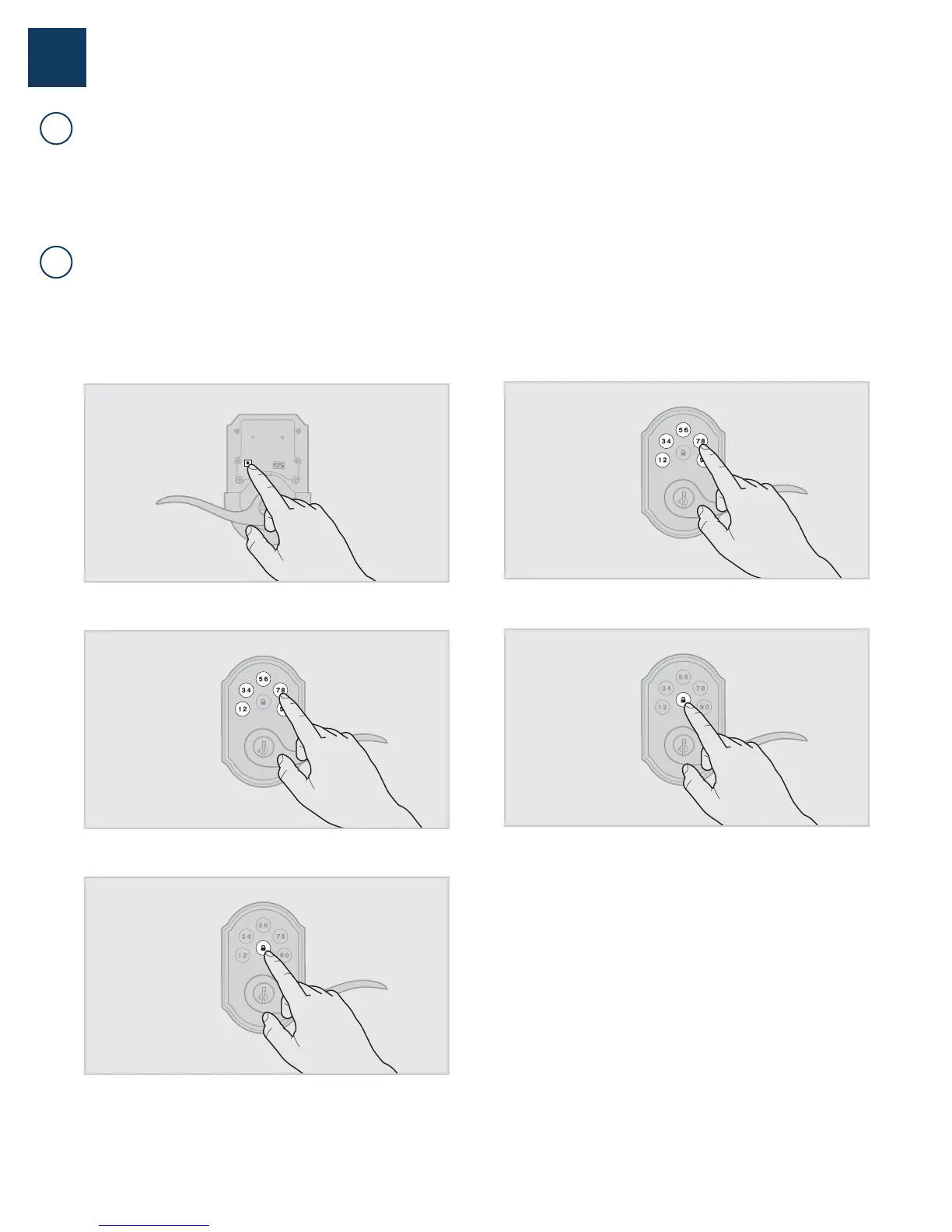
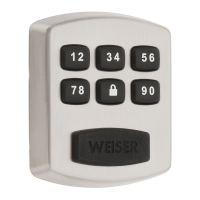
1. Keep door open. Press and HOLD the Program button until the keypad
ashes green (about 5 seconds).
2. Enter new Mastercode.
3. Press Lock button once.
4. Re-enter Mastercode.
5. Press Lock button once.
If programming is successful, the keypad will flash green once with
one beep.
If programming is unsuccessful, the keypad will ash red three times
with three beeps. Make sure the Mastercode has not already been
programmed. Attempt the procedure again, making sure to enter the
same new Mastercode in step 2 and 4.
6. Make sure switch #3 is on, and press the Program button once. If
you hear three beeps and see the keypad ash green three times, the
Mastercode is enabled.
Note: The lock will time out after ve seconds.
Using a Mastercode is an optional, added-security measure. It is not enabled by default. A Mastercode is
used to add and delete user codes, but it cannot unlock the door (unless the same code is programmed
as a user code, though this is not recommended). The Mastercode must be 4-8 digits.
62816 / 01
2 / 9
USA: 1-800-677-5625
Canada: 1-800-501-9471
www.weiserlock.com
1
A
B
About the Mastercode
Enabling and Setting the Mastercode



 To Next Page