©2015 Spectrum Brands, Inc.
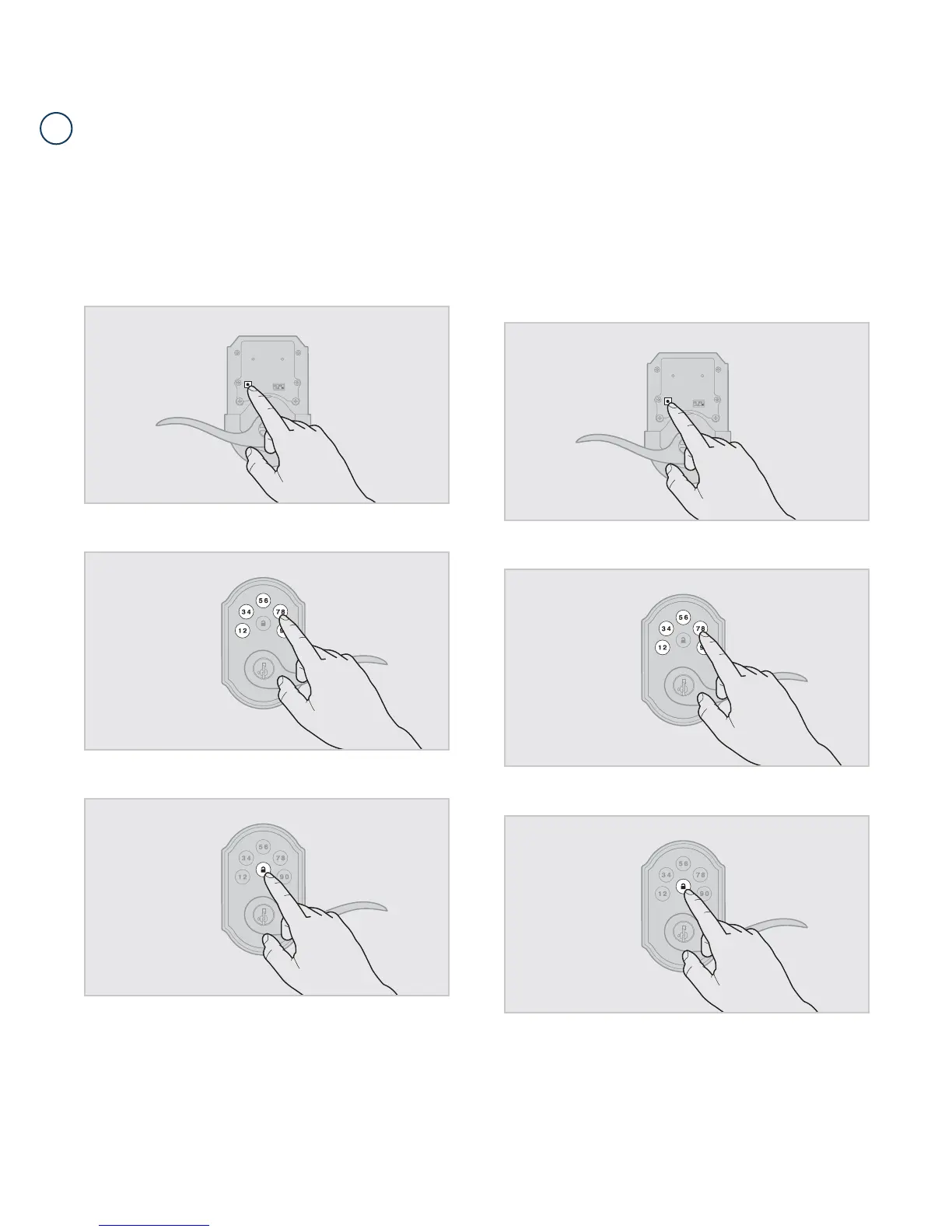
1. Keep door open. Press the Program button once. The keypad will ash
green and you will hear three beeps.
2. Enter Mastercode.
3. Press Lock button once.
4. Press the Program button the number of times that corresponds to
the user code position being programmed.
Example: If programming the third code, press the button three times.
5. Enter new user code.
6. Press Lock button once.
The procedure for adding user codes is different when the Mastercode is enabled. For instuctions on how
to add user codes when the Mastercode is disabled, see the Installation and User Guide that came with
your lock.
Procedure continued on next page
62816 / 01
3 / 9
USA: 1-800-677-5625
Canada: 1-800-501-9471
www.weiserlock.com
C
Adding User Codes with the Mastercode Enabled



 To Next Page