Installation and operating instruction
Fieldbus module EM3/2
5 Commissioning
83296302 1/2018-01 La
9-32
5 Commissioning
Observe the installation and operating manual of the burner.
1. Set Fieldbus address
Switch on voltage supply.
The parameter level can only be called up in Standby (OFF) mode.
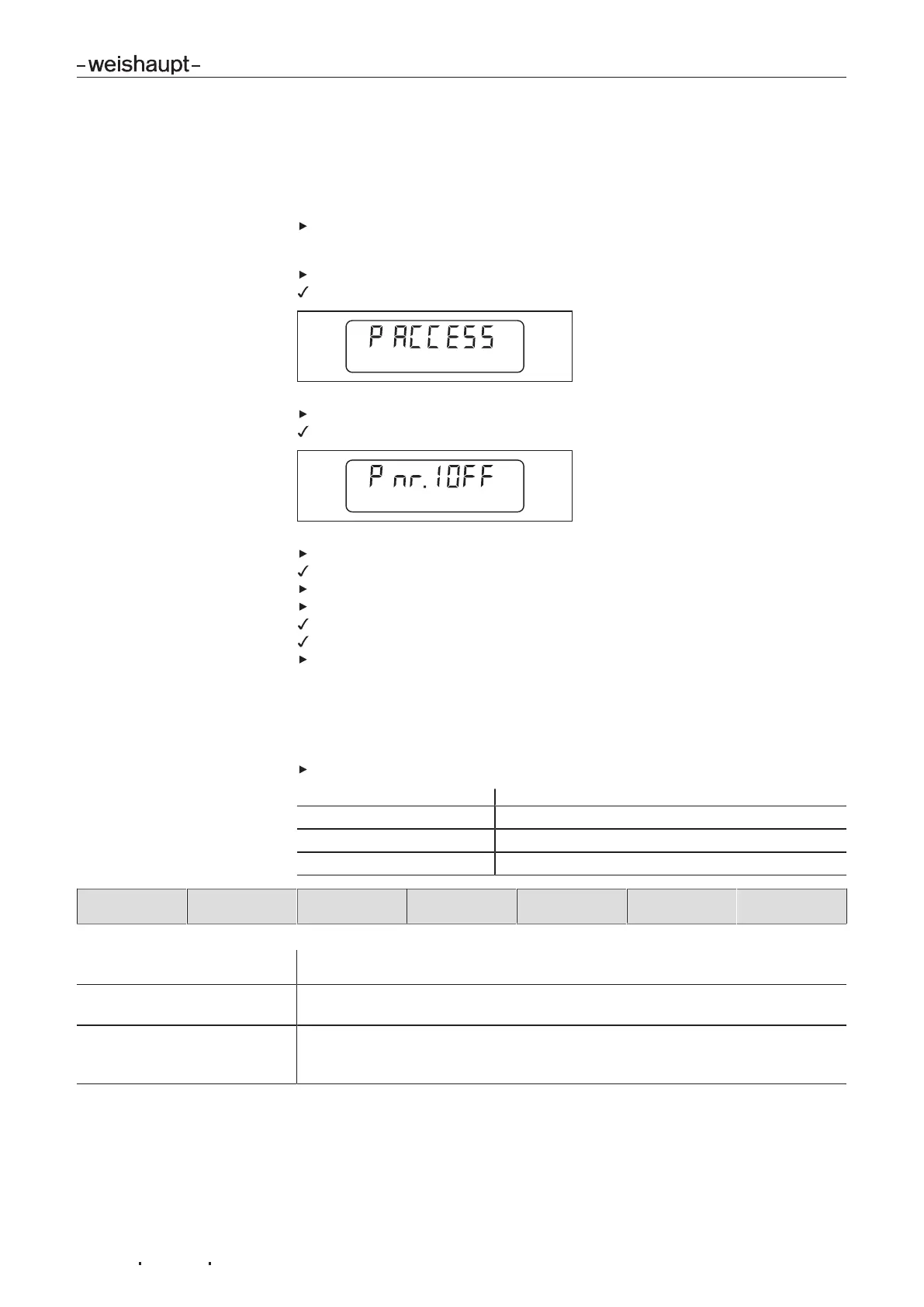
Press [+] and [Enter] keys simultaneously for approx. 2 seconds.
The parameter level is activated.
Press[+] key.
Parameter 1 is displayed.
Briefly press [–] and [+] keys simultaneously.
Display changes from OFF to address.
Use[–] or [+] keys to set address required.
Press [ENTER].
The address set is stored.
The next parameter is displayed.
Press[Enter] several times, until the operating level is reached.
2. Check Modbus protocol
If the Profibus protocol is used skip this step.
The Modbus protocol can only be changed via the control centre (master).
Check Modbus protocol and set using Function-Code 0x41 if required.
As delivered
Baud rate: 19200
Modbus mode: RTU
Parity: even
Address Function-Code
0x41
Baud rate Hi Baud rate Lo Parity Modbus mode CRC16
Baud rates supported: 2400, 9600, 19200, 57600 (no parity possible at 57600)
Example: 9600 Bd = 0x25 HighByte and 0x80 LowByte
Modbus mode: 1: RTU-Mode
2: ASCII-Mode
Parity: 1: no parity but 2 Stop Bits
2: even
3: odd
Following the adjustment, the fieldbus module initiates a reset and immediately
starts operating with the new protocol. The setting is permanently saved in the
Slave. If the Exception-Code is returned, the setting will not change.



 To Next Page