EasyManua.ls Logo

Welch Allyn 5102 - User Manual

Welch Allyn 5102
44 pages
Print Icon
To Next Page IconTo Next Page
Loading...
Welch Allyn Non-Masted Scales
Service Manual
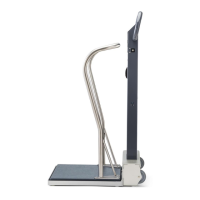
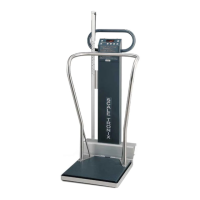
Model 5102 Physician’s Stand-On Scale
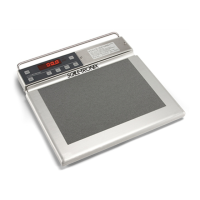
Model 5125 Portable Stand-On Scale
Model 5127 Bariatric Portable Stand-On Scale

Questions and Answers

  • E
    Elizabeth TurnerAug 8, 2025
    How to fix a Welch Allyn Scales that does not turn on?
    • N
      Nicholas DuncanAug 9, 2025
      If your Welch Allyn Scales aren't turning on, here are a few things to check: * **Dead Batteries or no rear Adapter:** Ensure that the batteries are not dead. Replace them with fresh Alkaline “C” Cells. * **Faceplate:** Remove the front panel and verify that the Black and Red cable connector is securely in place. If not, replace either the switch assembly or the Battery Holder Assembly. * **Cracked Battery Holder:** Examine the battery holder for any cracks. * **Display Board/Main board:** If the above steps don't resolve the issue, the Display Board/Main board might be faulty and need replacement.
  • A
    amyhallAug 14, 2025
    What to do if some segments of the numbers are not lighting up on Welch Allyn Scales?
    • P
      pbirdAug 14, 2025
      If you notice missing segments in the numbers displayed on your Welch Allyn Scales, it could be due to: * **LED:** Remove the Display Board. Gently lift a working 7 Segment LED chip with a flat head screwdriver and exchange it with a non-working LED chip. If the issue follows the LED chip, replace the chip. If the problem remains in the same socket, replace the display board. * **Display Board:** The display board itself might be faulty and require replacement. * **Main Board:** In some cases, the main board could be the cause, necessitating its replacement.
  • B
    Brenda StaffordAug 20, 2025
    Why does my Welch Allyn Scales only display the scale model number?
    • C
      Cameron ButlerAug 21, 2025
      If your Welch Allyn Scales are only showing the model number, this could indicate a problem with the A/D Chip. Specifically, the U10 Microprocessor might not be communicating with U6. Check that the U6 and U10 chips are properly seated. If the issue persists, consider replacing the Main Board.
  • M
    Michael WelchAug 26, 2025
    Why does the weight reading on my Welch Allyn Scales remain the same regardless of the object placed on it?
    • C
      callahankristinaAug 26, 2025
      If the weight reading on your Welch Allyn Scales remains constant, the issue could be with the Memory Chip or Microprocessor. Specifically, U9 and EM1033 or the Microprocessor might be faulty, requiring replacement of the Main Board.
  • M
    Mark GutierrezNov 2, 2025
    Why are the Welch Allyn Scales showing inaccurate weights?
    • M
      markbrewerNov 2, 2025
      Inaccurate weight readings on the Welch Allyn Scales can stem from several causes: * **Load Cell/Calibration:** Issues with the load cell or calibration might be the reason. Consult the calibration procedure in the Service Manual. * **Bad A/D Chip:** A faulty A/D chip could also lead to this problem. To check this, remove the top plate to expose the load cells. Enter calibration mode by pressing and holding the Reweigh button while turning the scale on, then releasing the button immediately. Navigate to the ST logo and press it five times. The display should show 'CAL'. Press the ST Logo two more times to display A/D Readings. Look for a low stable weight reading (less than 10 lbs) without drifting. Unplug each load cell and connect them one at a time to identify if the display become...

Summary

Custom Setup

Configure Scale Options

Guides users through setting scale options like auto-shutoff, units, and resolution.

Advanced Service Mode

Service Mode Menu List

Details of the various options and data points available within the advanced service mode.

Calibration Procedure

Troubleshooting of Scale

Error Messages and Indicators

Explanation of scale error messages and troubleshooting steps.

Weight Reading Accuracy Issues

Diagnosing and resolving problems with inaccurate weight readings.

Symptom and Solutions

Scale Not Turning On

Troubleshooting steps for when the scale fails to power on.

Inaccurate Weight Readings

Diagnosing and fixing issues with incorrect, broken, or drifting weight measurements.

Display Malfunctions

General Troubleshooting

Disassembly Guide

5125 & 5127 Disassembly

5102 Disassembly

Repair Parts List

5102 Repair Parts List

Welch Allyn 5102 Specifications

General IconGeneral
BrandWelch Allyn
Model5102
CategoryScales
LanguageEnglish

Related product manuals