30
Welch Allyn Home Blood Pressure Monitor
e. Ensure the cuff is level with your
heart (right atrium).
f. Rest for 5 minutes after sitting
down and positioning the blood
pressure cuff.
2. Verify that the cuff is positioned
correctly with the tube running
down the middle of your forearm.
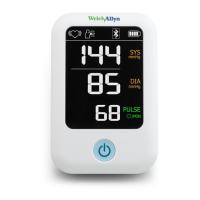
3. Press the Power button to power up
the monitor and begin the blood
pressure measurement.
The cuff inflates and tightens around
your arm until it completes the
measurement. A vertical stack of
segments appears onscreen to show
increasing pressure in the cuff. The
heart icon in the upper-left corner
blinks to indicate your pulse rate
until the measurement is complete.
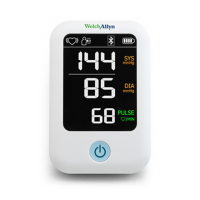
When the inflation cycle is complete,
systolic and diastolic measurements
as well as your pulse rate appear
onscreen.
Note
If you press the Power button to
stop the measurement, dotted
lines replace the SYS and DIA
numbers onscreen.


 To Next Page
 Loading...