First time set up of the RetinaVue 700
Imager
Use the following topics when setting up the RetinaVue 700 Imager for the first
time.
View images saved to the RetinaVue 700 Imager on the LCD touchscreen. The
images saved on the RetinaVue 700 Imager are encrypted. To view the images
on the PC, install the RetinaVue Network software application. For information
on the RetinaVue Network Software visit www.RetinaVue.com.
Unpack the system
The RetinaVue 700 Imager device is packaged with the following items. Confirm
that all items are included.
Number
Item Description
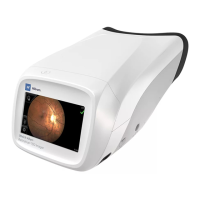
1 RetinaVue 700 Imager device
Digital hand-held eye-fundus camera used to
record digital photographs of the fundus of the
human eye and anterior and posterior ocular
11


 To Next Page
 Loading...