16 WELGER RP 235 • E-LINK
5.4 Operating parameters
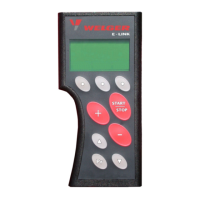
The operating parameters are selected with the right
button.
The operating parameter selected is displayed directly
above the button:
5.4.1 Operating parameter: Setting the bale density
When the operating parameter "Bale density" is selected the set value can be set from 1 ... 10 with the
buttons
/ .
When the baling density reaches 10 while a manual tying mode is selected "Stop: max. baling density
reached" is displayed (see chapter 10 Error messages).
5.4.2 Operating parameter: Setting net layers
When the operating parameter "Net layers" is selected the set value can be set from 1.5 ... 4.0 with the
buttons
/ .
When the set net length is through the net knife is triggered and binding is finished.


 To Next Page
 Loading...