WELGER RP 235 • E-LINK 19
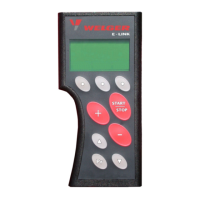
5.10 Overview of the button functions in the "Monitor" menu“
Button Operation
left button
Select tying mode (see chapter 5.2 Tying modes):
• manual twine tying
• automatic twine tying
• Manual net tying
• Automatic net tying
• automatic combined tying)
centre button
Select hydraulic switch (see chapter 5.3 Hydraulic valve block):
• Pick-Up
• bottom door
• 8 knives (optional: 12 knives)
• 9 knives (optional: 13 knives)
• 17 knives (optional: 25 knives)
right button
Select operating parameter (see chapter 5.4 Operating parameters):
• Bale density
• Net layers
Start selected tying mode manually
Increase set value for selected operating parameters
• Bale density
• Net layers
Decrease set value for selected operating parameters
• Bale density
• Net layers
– no function –
Acknowledge fault message (delete) (see chapter 10 Error messages)
Call up menu


 To Next Page
 Loading...