CMP100 User Guide
14
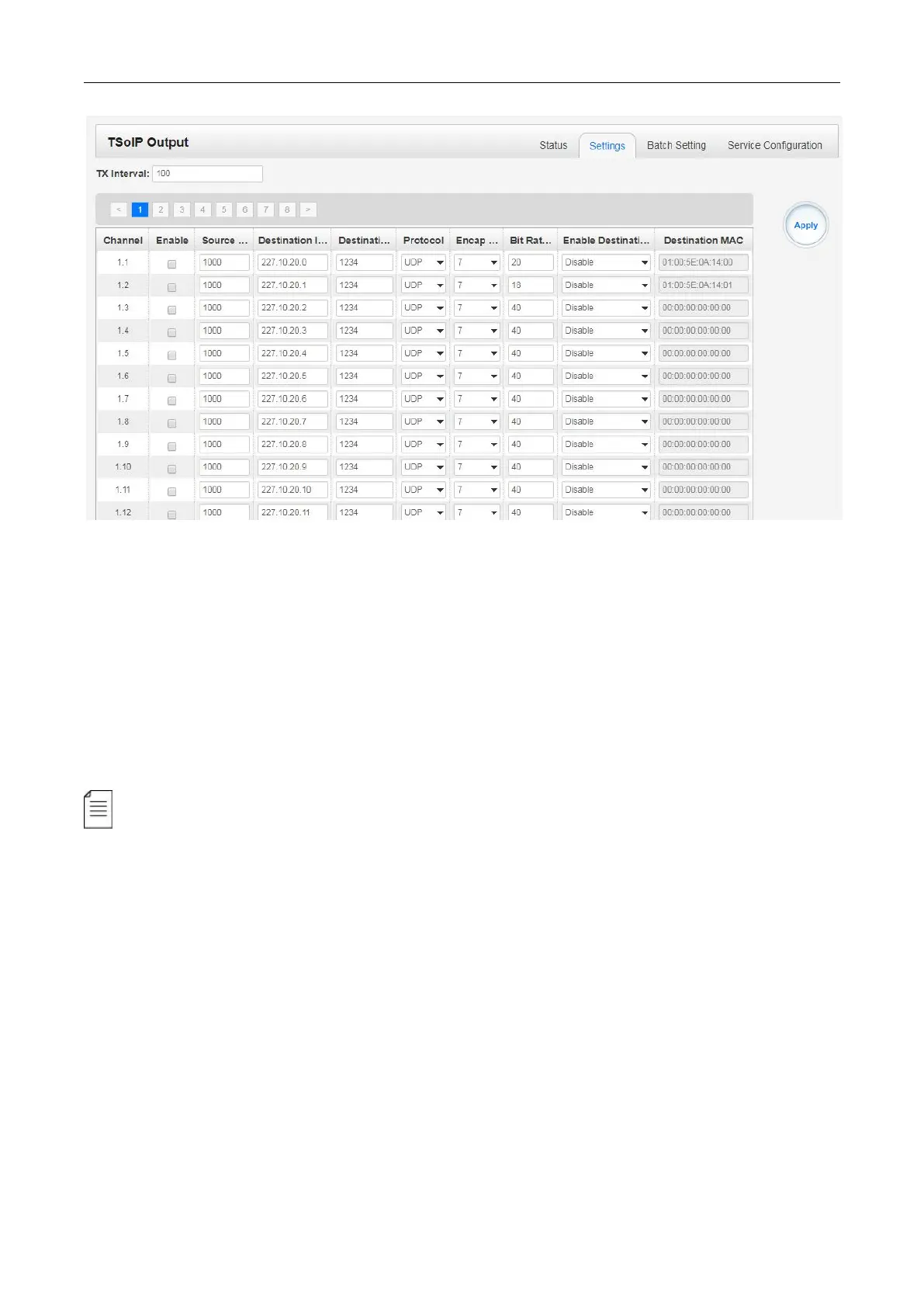
Multicast output setting: You should fill the fit multicast IP addresses as output in the
Destination IP Address box, please avoid IP confliction among baseboard, encoder
modules (see encoder modules page) and other devices when you set multicast output.
Unicast output setting: You should fill the unicast receiving end’s IP addresses in the
Destination IP Address box.
Destination MAC: Normally, you do not need to enable the Destination MAC switch, only in some
specific case, when the unicast stream cannot be received due to unknown reason, you should
enable Destination MAC and fill the correct receiver MAC in instead of using unicast IP
addresses.
Constant Rate of any output channel/TS/port ought to be set manually about 2 Mbps higher
than the Effective Bit rate in the corresponding output channel/TS/port, since the Effective Bit rate
might fluctuates a little bit. If you set the Constant Rate much higher that the Effective Bit rate,
there will be lots of null packets in the output transport stream.
TSoIP Output >Batch Setting
Batch Setting IP output channels is also similar as setting IP input.



 To Next Page