CMP100 User Guide
27
If you want to use IP output channel in the encoder module and baseboard TSoIP module at
same time, you should avoid the multicast IP addresses confliction. If there are two same IP
addresses enable meantime, all the multicast video will be affected.
Destination IP Address and Destination Port: Using for multicast IP addresses or unicast IP
addresses and ports.
Enable Destination MAC: Generally, you do not need to enable this option. This is reserved for
exceptional case when the unicast stream cannot be received by using unicast IP addresses,
you can enable destination MAC and streaming out by setting Destination MAC.
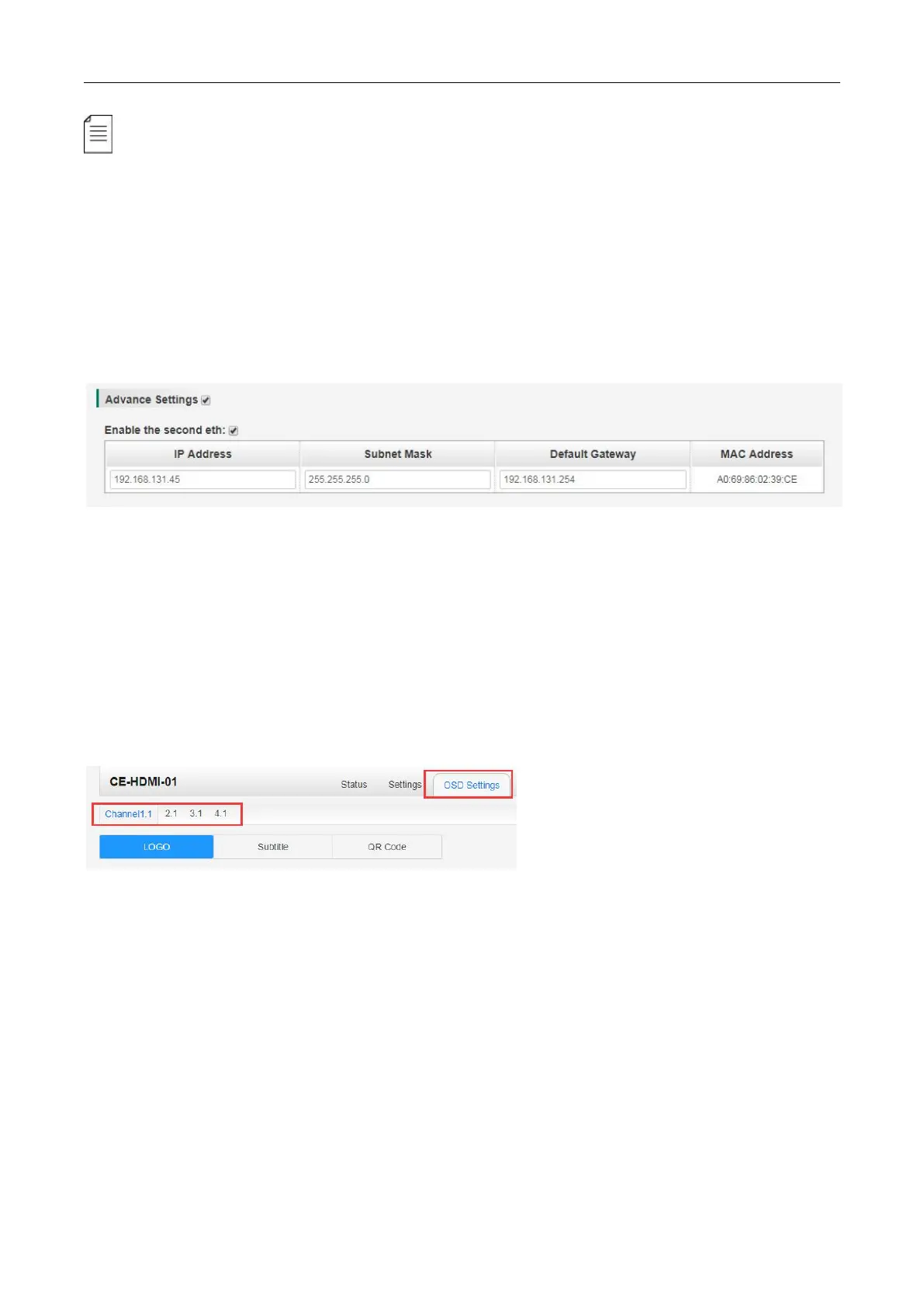
Advance Setting (only available in CE-HDMI-00):
The second eth is reserved for you to output IP stream in an another different VLAN, enable the
second eth and set IP Address, Subnet Mask, Default Gateway in the same segment of the
Unicast IP (the another different VLAN), you can output Unicast stream to the another VLAN.
CE-HDMI-01 >OSD Setting (only available in the CE-HDMI-01 module)
You should choose channel first before you set OSD.
LOGO setting: you can upload several pictures at the same time, and pick one to show on the
screen, when you click the one you want to show that picture field will turn to green.



 To Next Page