CMP100 User Guide
34
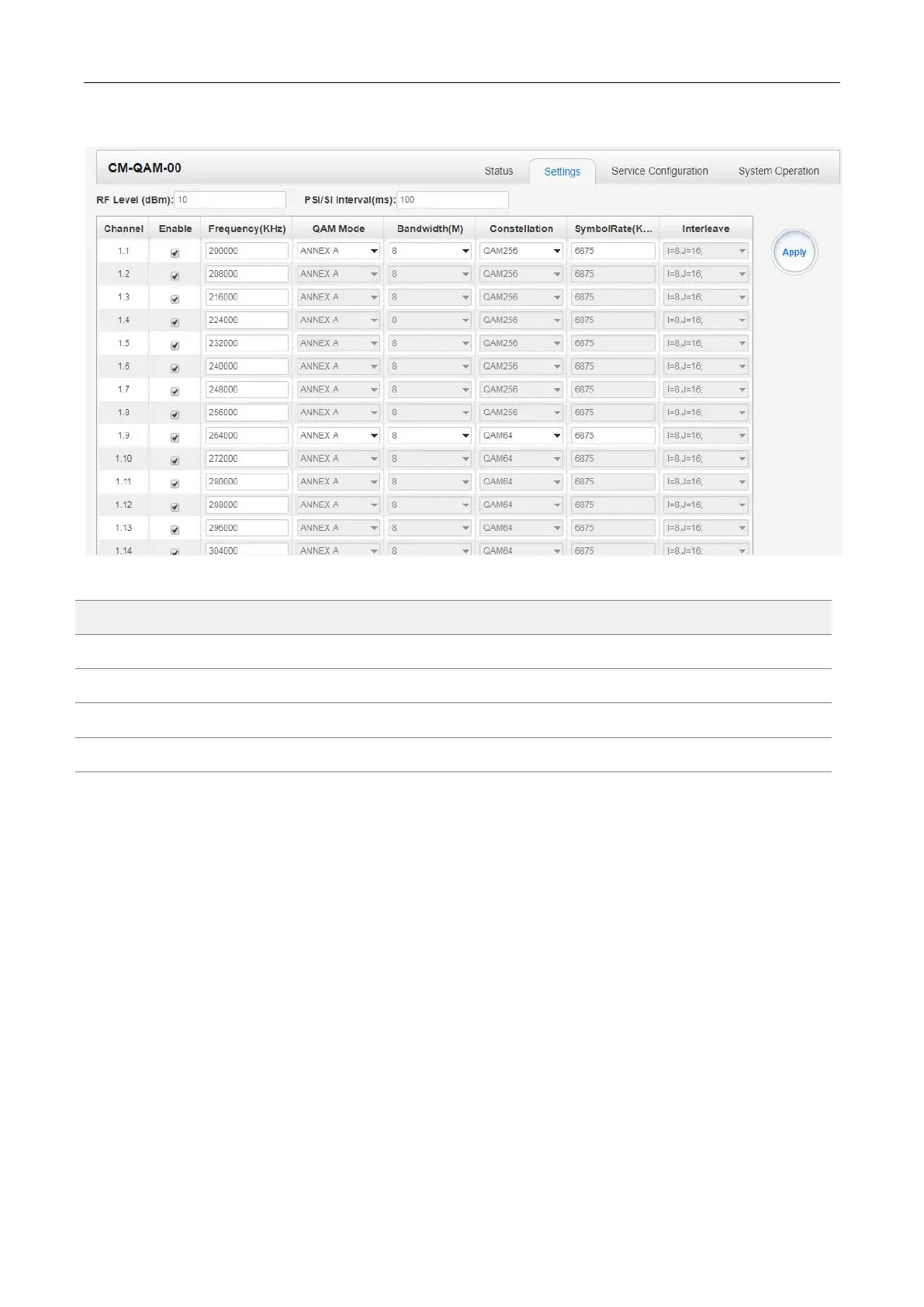
CM-QAM--00 >Setting
Click the Apply button in the right side to make the change take effect.
CM-QAM-00 >Service Configuration
TS setting: Please refer to TSoIP output service configuration.
LCN setting: You need to add NIT stream of all frequencies in the base TS (frequency) which is
used for your STB auto search and identifies all the TS (frequencies) LCN information.
Check or reset each TS (frequency) Original Network ID and TS ID, which
should be different of each TS.
Fill the Original Network ID and TS ID of each TS (frequency) in the field of the
base TS (frequency) and then click add to create a NIT stream of this TS
(frequency).
Click plus icon of Descriptor and add the LCN Descriptor in. Then check all the
programs which are contained in this frequency. Then set programs LCN.



 To Next Page