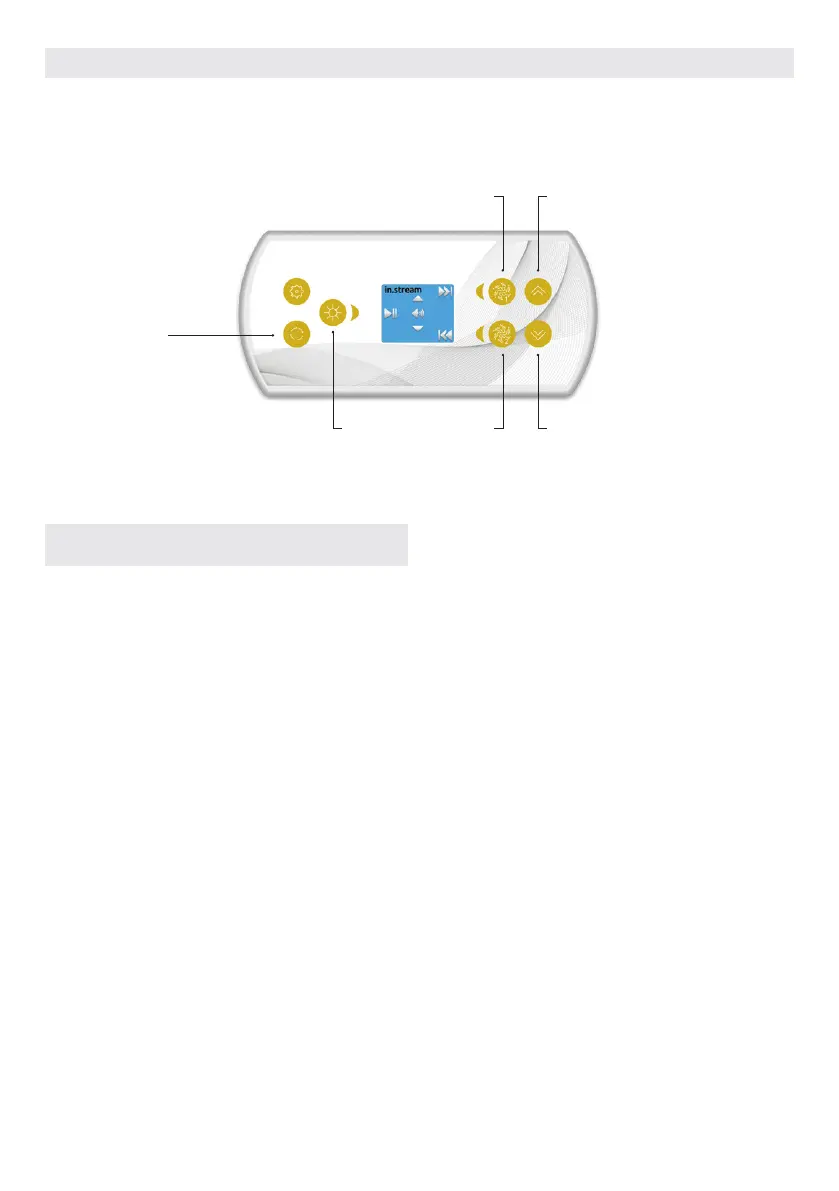
USER INTERFACE EASY 7
Next track
Last trackPlay/ Pause
Volume up
Volume down
Mode
IN.STREAM OPERATION
Press the Mode key to access your in.stream.
If you are using a device with Bluetooth technology, it must
be connected for functions to work.
Play/Pause audio
Press the Play/Pause button to start or pause the audio.
Adjusting the volume
Press the Up or the Down key to increase or decrease the volume.
Turn power On/Off (version 7.00 and higher)
Press and hold the Play/Pause key for 3 seconds to turn the
in.stream on or off.
Changing tracks
Use the Last Track and Next Track keys to change tracks.
Disconnect or Unpair Bluetooth
These options can be found under the Audio section in the
Settings menu.
48



 To Next Page