SPA MODE
SPA MODE
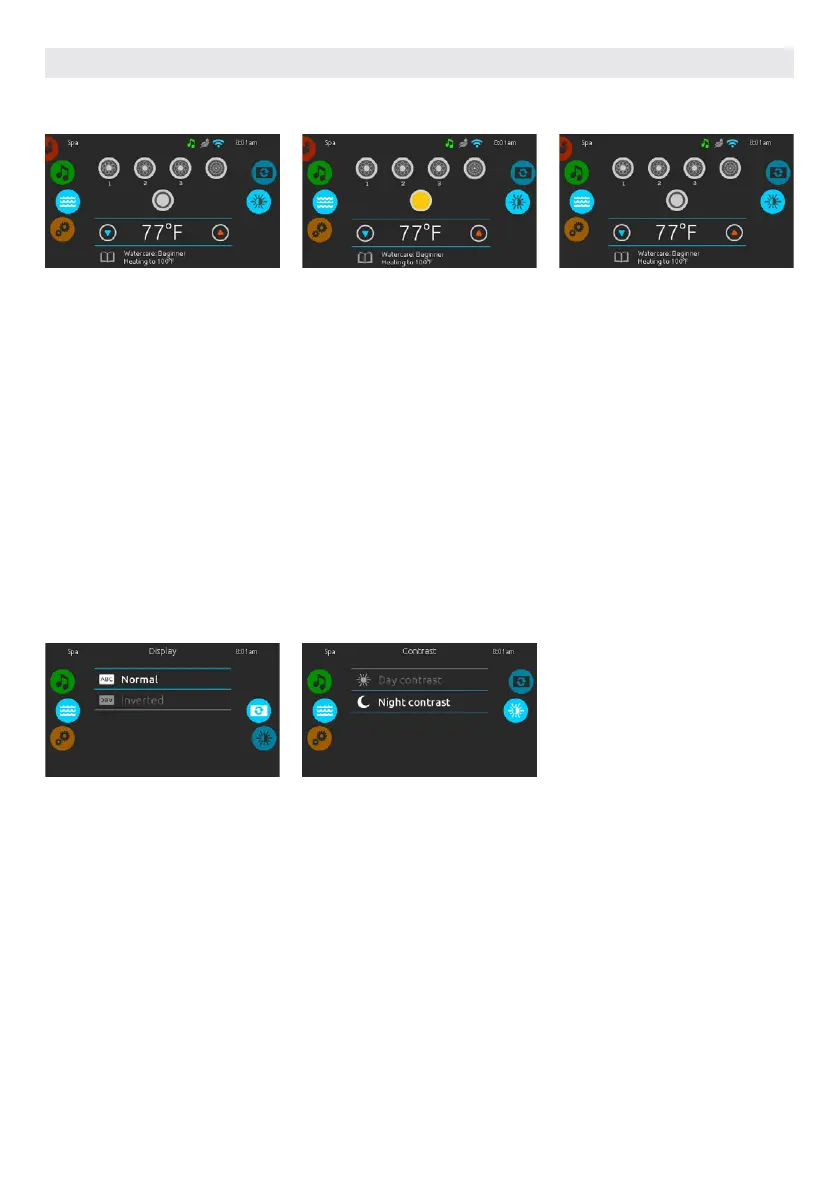
To select the spa mode, slide the left
wheel up or down until the spa icon is
highlighted in the middle. The home
page will be displayed its equipment
start or stop keys, up and down but-
tons, water temperature, messages and
quick access to display options:
• display orientation
• display contrast
To select an option, slide the right
wheel up or down until the desired icon
menu is highlighted in the middle.
DISPLAY ORIENTATION
To modify the display orientation
settings, slide the right wheel until the
display orientation icon is highlighted
in the middle. Simply touch the line of
the orientation you want to select.
START OR STOP ACCESSORIES
To start or stop an accessory (pump,
blower, light), touch the associated
icon. Icons will become animated when
their accessory is turned on, and anima-
tion will stop when turned off.
Icons on the screen will reflect the
speed or state of the devices running
on your hot tub. When an accessory has
more than two speeds press the button
until it reaches the desired speed.
DISPLAY CONTRAST
To modify the display contrast settings,
slide the right wheel until the display
contrast icon is highlighted in the
middle. Simply touch the line of the
contrast you want to select.
WATER TEMPERATURE
The temperature shown at the bottom
of the screen shows the current water
temperature. Use the Up and Down
icon to set the desired temperature.
The set point will appear in blue. After 3
seconds without any change to the set
temperature value, the current water
temperature will reappear.
When the set value is lower than the
current temperature Cooling to xx.x
will appear below. When the set value
is higher than the current temperature,
Heating to xx.x will be indicated under
the value. Normally there is a short
delay before the heating starts, during
which Heating Suspended is indicated
under the value.
USER INTERFACE SMART TOUCH
54



 To Next Page