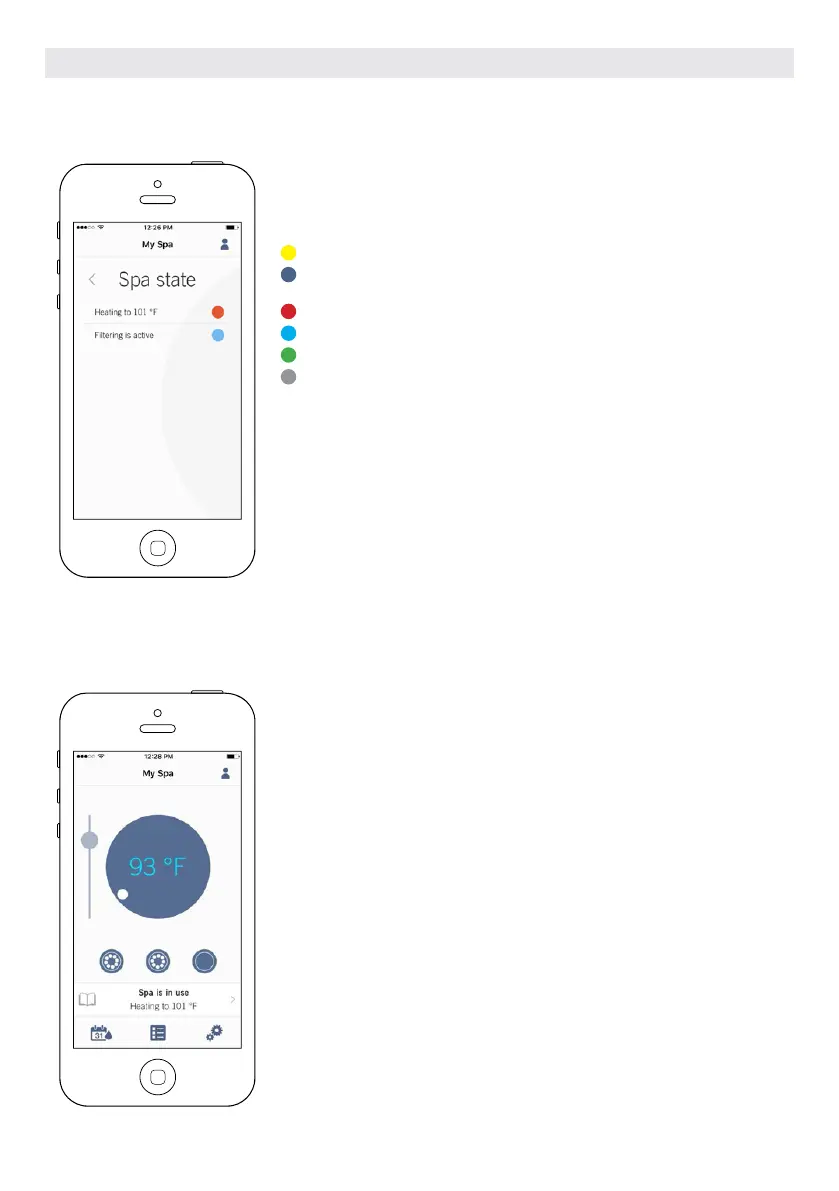
SPA STATE
This page displays all the active states of your hot tub. Below is a quick
description of each state you may encounter on your hot tub. Each state
is associated to a priority and color that determines the color of the
widget on the home page.
Indicates that there is an error on your hot tub.
Indicates that there is presently an active user demand on your hot tub
(ie. pump, blower or light is on).
Indicates that your hot tub is now heating to your set point.
Indicates that your hot tub is now in a filtering cycle.
Indicates that your hot tub is now in economy mode.
Indicates that your hot tub is running normally (there is no user de-
mand, heating, no filtration or economy active).
The widget on the home page displays a single color at a time. The color dis-
played is decided by priority of state. The established priority is as listed above.
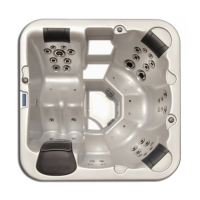
CHANGE TEMPERATURE
Touch the centered widget to reveal the temperature control bar.
Use the slider on the control bar to change your hot tub’s temperature* set
point.
* If you are in economy mode your hot tub temperature will be 20°F below your
set point.
OPTIONAL ACCESSORIES IN.TOUCH 2
109



 To Next Page