4/7/2017 WellSoft Owner’s Manual 19
Setting The Controller
Advanced Settings
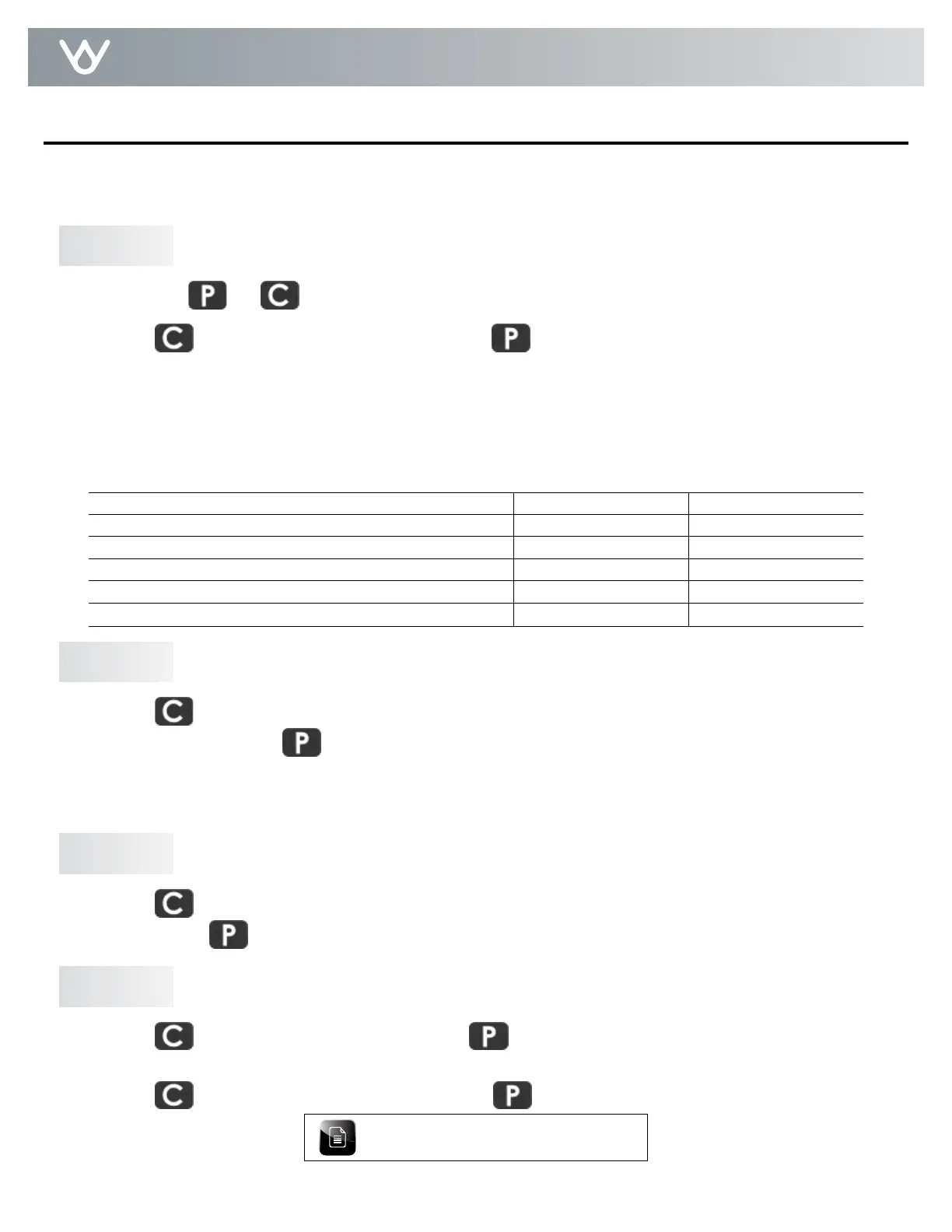
A. Hold down and for about 4 seconds and the controller beeps and displays a salt mode.
B. Press
to toggle between AU, HC, and HE. Press to save the setting and move on to step 2.
Description of Salt Modes
AU = Automatic Mode - With this mode, the controller monitors your average daily water use and automatically adjusts the salt
setting. If 96 Hour Mode is off, the controller tries to deliver one regeneration per week. If 96 Hour Mode is on, the controller
tries to deliver two regenerations per week.
HC = High Capacity Mode - This is a fixed salt setting delivering more gallons between regenerations.
HE = High Efficiency Mode - This is a fixed salt setting delivering fewer gallons, but generally uses less salt than HC Mode.
A. Press to switch the 96 hour mode on and off. The display will turn the 96h on the right side of the
screen on and off. Press to save the setting and move on to step 3.
96 Hour Mode - With 96 hour mode on, the unit will never go more than 4 days between regenerations. More
frequent regenerations help keep iron build up from occurring. This setting is recommended to be used when iron
is present in your water supply.
A. Press
to toggle between gallons or liters. The display will show gallons or liters on the right side of the
screen. Press to save the setting and move on to step 4.
A. Press
to change the regeneration hour. Press to save and move on to setting the minutes.
B. Press to change the regeneration minutes. Press to save the minutes and the controller will
return to the home screen.
Change Salt Mode
96 Hour Mode - On/Off
Choose Display Units - gallons/liters
Set Regeneration Time
Step 1
Step 2
Step 3
Step 4
The advanced settings will allow you to choose your salt mode, toggle 96 hour mode, change display units to gallons
or liters, or set the regeneration time. Most customers will want to use the factory default settings, so no changes are
necessary. Please use caution when using the advanced settings.
Time of day is stored in 24 hour format.
HE Salt Setting - lb/grains (kg/grams) removed 2.2/9,000 (1.0/583) 2.5/10,500 (1.1/680)
HE Salt Setting - Total Length of Regeneration - min/gal (L) 23/17.5 (66) 24/17.7 (67)
HC Salt Setting - lb/grains (kg/grams) removed 6.6/18,875 (3/1223) 8.5/28,500 (3.8/1846)
HC Salt Setting - Total Length of Regeneration - min/gal (L) 33/23.8 (90) 37/25.7 (97.3)
AU Mode Max. Salt Setting - lb/grains (kg/grams) removed 12/24,000 (5.4/1555) 15/31,800 (6.8/2061)
AU Mode Max. Salt Setting - Total Length of Regeneration - min/gal (min/L) 44/29.2 (110) 50/32.2 (122)


 To Next Page