EasyManua.ls Logo

Wen JT630H - User Manual

Wen JT630H
28 pages
Print Icon
To Next Page IconTo Next Page
Loading...
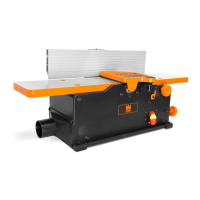
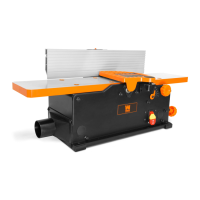
BENCHTOP JOINTER
WITH SPIRAL CUTTERHEAD
Instruction Manual
IMPORTANT: Your new tool has been engineered and manufactured to WEN’s highest standards for dependability,
ease of operation, and operator safety. When properly cared for, this product will supply you years of rugged,
trouble-free performance. Pay close attention to the rules for safe operation, warnings, and cautions. If you use
your tool properly and for its intended purpose, you will enjoy years of safe, reliable service.
NEED HELP? CONTACT US!
Have product questions? Need technical support? Please feel free to contact us:
TECHSUPPORT@WENPRODUCTS.COM1-800-232-1195 (M-F 8AM-5PM CST)
For replacement parts and the most up-to-date instruction manuals, visit WENPRODUCTS.COM
MODEL JT630H, JT833H

Questions and Answers

  • B
    Brittany GriffinJul 28, 2025
    Why won't my Wen Power Tool motor start?
    • K
      Katie CalderonJul 28, 2025
      The motor may not start for several reasons. Ensure the jointer is properly plugged in and that you're using the correct size extension cord. Other potential causes include worn carbon brushes (replace them), or low line voltage (correct the voltage). If these steps don't resolve the issue, the switch or motor itself might be defective.
  • S
    Sean HurleyAug 2, 2025
    What to do if my Wen JT630H motor is running too hot?
    • F
      fleeAug 2, 2025
      If the motor is overheating, it could be overloaded. Try reducing the load by taking shallower cuts. Also, check for dust accumulation that might be restricting air circulation. Clean out any dust to restore normal airflow.
  • T
    Tracey ChavezAug 6, 2025
    Why does my Wen JT630H motor start slowly?
    • D
      Dawn HernandezAug 6, 2025
      A motor that starts slowly or doesn't reach full speed might have clogged wood chips. Try making shallower cuts and attach a dust collection device to the dust port. Inspect the chip blower assembly and the fan belt.
  • J
    joshua33Aug 12, 2025
    How to prevent snipe on my Wen JT630H?
    • G
      gmooreAug 12, 2025
      Snipe, or gouging at the end of boards, can occur due to several reasons. Check if the blades are dull and replace or sharpen them if necessary. Ensure you are adequately supporting long boards and feeding the workpiece at a consistent rate.
  • R
    Rebecca GonzalesAug 16, 2025
    How to improve dust extraction on my Wen JT630H Power Tool?
    • M
      Michael RogersAug 16, 2025
      Poor dust extraction could be due to a clogged dust extraction manifold. Clean the inside of the jointer and the manifold. Also, inspect the fan belt and replace it if it's bad.
  • O
    omarfreemanAug 22, 2025
    What to do if the cutterhead is not spinning on my Wen JT630H?
    • T
      Theodore KeithAug 22, 2025
      If the cutterhead isn't spinning, the drive belt may be bad. Replace the drive belt.

Summary

Introduction and Specifications

Specifications Overview

Key technical details including model numbers, motor specifications, cutting capacity, dimensions, and weight.

General Safety Rules

Work Area Safety Guidelines

Guidelines for maintaining a safe operating environment, including lighting and crowd control.

Electrical Safety Precautions

Precautions related to power sources, grounding, and protecting the tool from moisture.

Personal Safety Measures

Recommendations for operator protection, including PPE, alertness, and proper attire.

Power Tool Use and Care

Best practices for operating the tool, maintenance checks, and storage to ensure safety and longevity.

Service Recommendations

Guidance on professional servicing and the use of identical replacement parts.

Jointer Safety Warnings

Tool Purpose and Mounting Safety

Defines the tool's function and emphasizes secure machine mounting for safety.

Personal and Electrical Precautions

Covers operator safety, cord management, and electrical connection safety.

Inspection and Accessories Safety

Details on inspecting the tool, using correct accessories, and workpiece requirements.

Operational Safety Measures

Crucial steps to prevent accidents like unintentional starting, kickback, and contact with moving parts.

Cleaning and Replacements

Guidelines for cleaning the tool and ensuring only identical replacement parts are used.

Electrical Information

Grounding Instructions

Explains the importance of proper grounding to prevent electric shock.

Extension Cord Guidelines

Recommendations for selecting appropriate extension cords based on amperage and length.

Unpacking and Packing List

Unpacking Procedures

Steps for carefully removing the jointer and checking all included components.

Component Checklist

A list of parts and accessories to verify against the packing list.

Know Your Jointer

Tool Purpose and Identification

Describes the jointer's function and familiarizes users with its main parts and controls.

Assembly and Adjustments

Attaching the Fence

Detailed steps for assembling and mounting the fence to the jointer body.

Installing the Dust Chute

Instructions for correctly positioning and securing the dust port for chip collection.

Adjusting Table Supports

How to adjust the table supports for the extendable table feature.

Adjusting and Leveling the Table

Procedures to ensure the infeed and outfeed tables are properly leveled and aligned.

Adjusting Depth of Cut

Steps to set the desired depth of cut by adjusting the infeed table position.

Beveling the Fence

Instructions on how to adjust the fence to angles between 0° and 45°.

Moving the Fence

How to adjust the fence position for different jointing operations.

Operation

Feeding a Workpiece

Techniques for feeding material over the cutterhead for a smooth, uniform finish.

Bevel and Chamfer Operations

Guidance on performing bevel and chamfer cuts on workpieces.

Attaching Vacuum Hose

Connecting a dust collection system to manage chips and dust effectively.

On;Off Switch Operation

Locating and operating the power switch, including safety lock features.

Maintenance

Routine Inspection Procedures

Daily checks to ensure the tool is in safe working condition before use.

Checking Worn Blades

How to assess blade condition and identify dullness or nicks affecting cut quality.

Replacing or Rotating Blades

Detailed procedure for maintaining sharp cutting edges by rotating or replacing blades.

Cleaning and Storage

Guidelines for cleaning the jointer after use and proper storage methods.

Troubleshooting Guide

Motor Issues Troubleshooting

Common problems like motor not starting, slow speed, or overheating, with solutions.

Cutting and Extraction Problems

Troubleshooting snipe, poor dust extraction, and cutterhead not spinning.

Exploded View and Parts List

Warranty Statement

Limited Warranty for Home Use

Details the terms, duration, and conditions of the manufacturer's warranty for home use.

Wen JT630H Specifications

General IconGeneral
BrandWen
ModelJT630H
CategoryPower Tool
LanguageEnglish

Related product manuals