7
CD PLAYER PANEL OPERATION
The CD Player audio output feeds directly to the Audio System internal mixing bus combining the signal
with other input signals.
Load a disc onto the CD Player by inserting it into the slot at the top of the CD Player with the disc label
facing upward.
Caution: To avoid noise at shut off, turn the CD Player off before turning off the main power
switch.
CD VOLUME . . . . . . . .Located below the CD Player Panel. Turn the knob clockwise to increase signal
output level.
OPERATION
CONTINUED
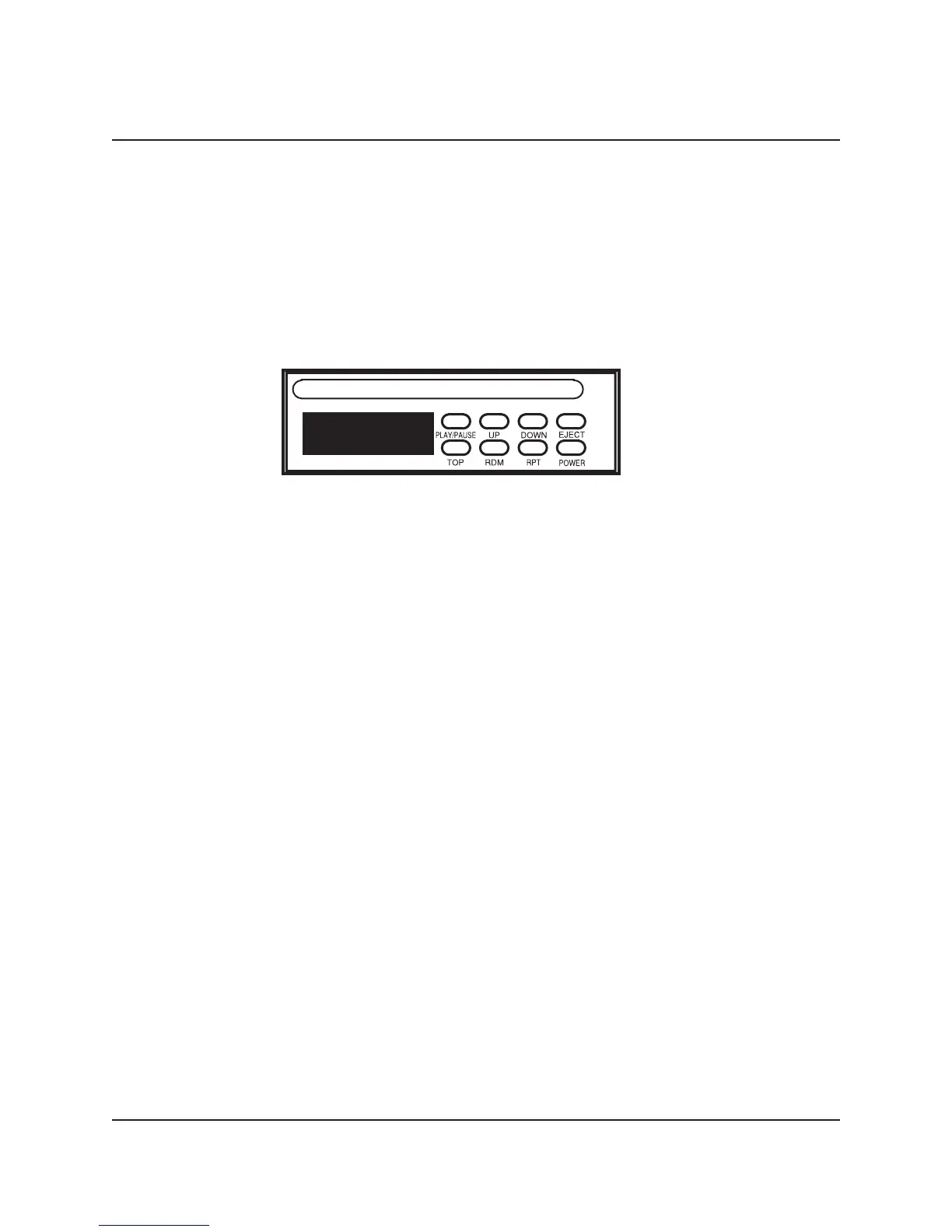
CD Player Panel
POWER . . . . . . . . . . .Press the POWER push button to turn the CD Player on and off.
EJECT . . . . . . . . . . . .Press the EJECT push button to eject the disc from the Player. If the disc is not
removed, it re-enters the CD Player ten-seconds after pressing the EJECT push
button.
PLAY/PAUSE . . . . . . .Press the PLAY/PAUSE push button to initiate playback of a disc. Pressing the
PLAY/PAUSE push button when a disc is playing will pause the disc playback until
the push button is pressed again.
UP . . . . . . . . . . . . . . .Press the UP push button to select the next disc track. Press and hold the UP
push button to fast forward on the current track.
DOWN . . . . . . . . . . . .Press the DOWN push button to select the previous disc track. Press and hold the
DOWN push button to fast backward on the current track.
TOP . . . . . . . . . . . . . .Press the TOP push button once to playback the disc first track.
RANDOM . . . . . . . . . .Press the RDM push button to playback all tracks on the disc in a random order.
REPEAT . . . . . . . . . . .Press the RPT push button one time to repeat playback of the selected track
continuously. RPT will appear on the display. Press the RPT push button a second
time to stop continuous playback.



 To Next Page