6.HoldtheConsole(1)neartheConsolePlate(4).Touch
theHandrail(16)todischargeanystatic.
LocatethetwowiresintheWireHarness(22)thathave
L-shapedconnectorsontheends.Presstheconnectors
ontothetwotabsontheswitchshownininsetdrawing
6a.ConnecttheothertwowiresintheWireHarnessto
thebackoftheConsole(1)inthelocationsshownbythe
arrowsindrawing6.Ifthe connectorsdo notfit to-
gethereasily,rotatethemandthenconnectthem.
SettheConsole(1)ontheConsolePlate(4).Keepthe
WireHarness(22)awayfromthe batteryaccesshole
andthebossesshownabove.Makesurethatno
wiresarepinchedbeforeyouattachthe Consoleto
theConsolePlate.LooselythreadthefiveScrews(5)
intotheConsolePlateandtheConsoleBase.Afterall
fiveConsoleScrewshavebeenstarted,firmlytighten
them.
Battery
Access
8a
i
o _\ 22
5
Tabs
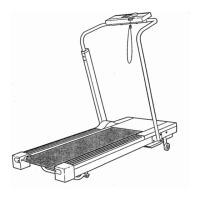
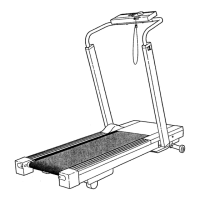
7. Attach a Wheel (15) to each side of the Base (28) with a
Wheel Bolt (14) and Nut (29).
8. Make sure that all parts used in assembly are properly tightened before you use the treadmill. Keep the
included allen wrench in a secure place. The allen wrench is used to adjust the walking belt (see page 13). To
protect the floor or carpet, place a mat under the treadmill.

 To Next Page
 Loading...